





Fozbot
Members
-
Joined
-
Last visited
-
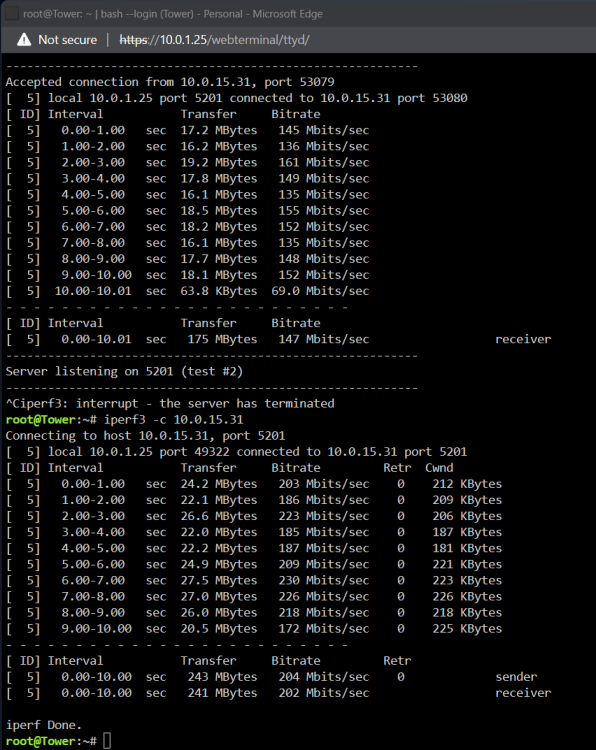
Thanks @JorgeBfor the troubleshooting tips. I wanted to come and close the loop on my issue. It was a vlan issue on ubquiti dream router. PC was on a different vlan than the server. It worked, but the transfer was slow. Ran a bunch of iperf tests to verify. All my cabling was fine, along with switches. As soon as I changed the vlan to be on the same as PC, speeds are back to 1Gb.
-
@JorgeBiperf test attached. Ethernet connected to same switch, but on different vlan. I have replaced multiple cables and tried different ports. Must be network somewhere? Local disk transfers are as expected.
-
Not sure what has changed, but recently I started only getting 20MB/s transfers speeds. I have check network switch/cable/etc. using speedtest docker, I get 20MB/s over wifi. Connected with 1Gb ethernet cable, I get the same results. I have run drive tests and all report 125MB/s or better. I tried changing NIC in server, connecting laptop to same switch - I'm out of ideas? Any help is greatly appreciated. Thank you tower-diagnostics-20231218-2226.zip

