speedAmaster
Members
-
Joined
-
Last visited
-
Hi all, it wasn't a configuration issue. I managed to get a full scan and asignment of services by adding one real one (out of my local SAT bouquet) manually and than starting the scan.... Got this approach from some TSS400+TVHeadend forum entries..... So just wanted to share here. Thanks to the team! Best Bernd
-
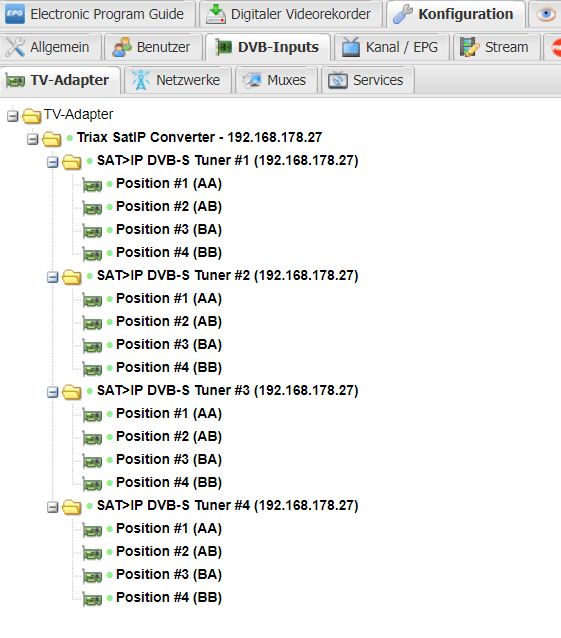
Not so sure whether my inquiry is a docker or a tvheadend issue..... maybe somebody can help...... I am using a Triax TSS400 4channel sat-ip-streamer and tvheadend over docker...... I installed/ran tv headed via: docker run -d --name="tvheadend" --net="host" -e TZ="Europe/Berlin" -e "PGID"="1000" -e "PUID"="1000" -v "/datastorage/tvheadend/config":"/config":rw -v "/datastorage/recordings/":"/recordings":rw -v "/datastorage/tvheadend/logos":"/logos":rw linuxserver/tvheadend after tvheadend runs it's configuration, it looks like it did recognize my TSS400, but only 6! services on one MUX..... see attached screenshots. I tried to redo the Assistant, tried to define my own Network, MUX, ... no success!