





JamnWilli
Members
-
Joined
-
Last visited
Everything posted by JamnWilli
-
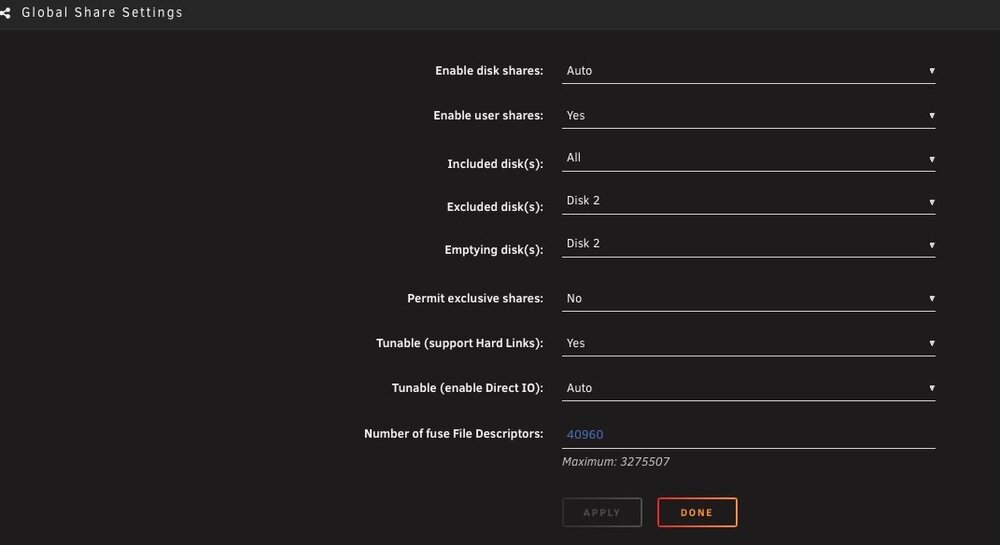
Looking at "Global Share Settings" should any thing else be changed to ensure the system is properly configured for zeroing out the disk and removing it.
-
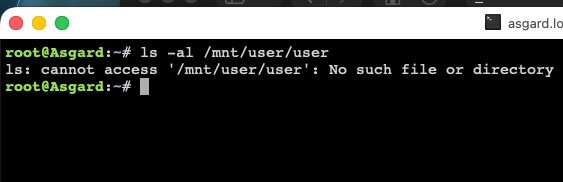
I am realizing this. I was just checking for removed files when the confusion started and in hast thought I had an issue it the structure due to the move, but upon checking, as suggested with ls -al /mnt/user/user returns no such file or directory.
-
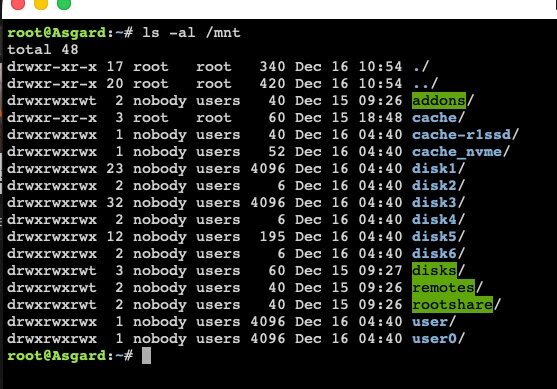
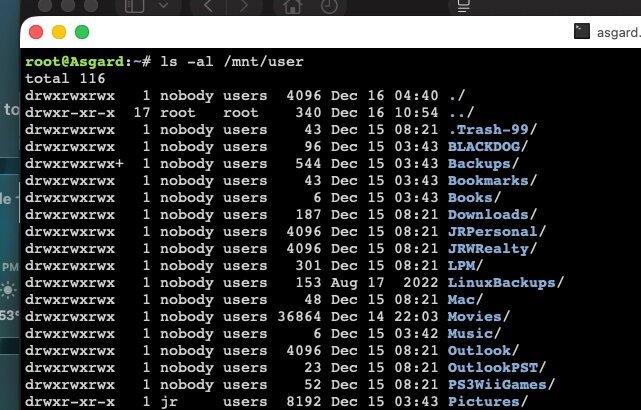
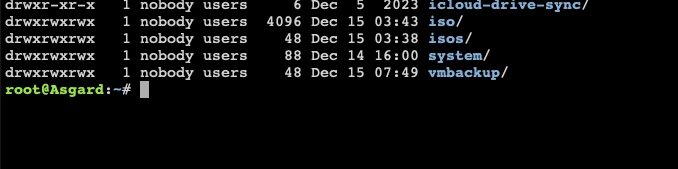
Here it is
-
So, are you saying "user" is reflected as a share name under /mnt? or have I "IMPORTANT REMINDER Never copy files directly between a user share and a disk share if their folder names are the same." The whole user directory is inside the "user" directory. Without risk of loosing the data, what are the proper steps in correcting this?
-
I have a drive showing bad sectors and want to remove it and shrink the array using Unbalanced the /Parent Directory continues to show on the cleared out drive. Showing the home folder of the root user directory. (addons - user0) including Cache drives and disks, remotes and rootshare. Then I got a message about the cache drive showing up in the root folder and while investigating that with Krusader I realized the share files were mounted under /mnt/user/user/shares, when in mnt/ it only shows “user” and no other system or disks. Clicking on /mnt/ "user" then goes in to the ‘mnt” directory. When going into the” / “ directory it shows a normal file tree. /.bin - var and then .dockerenv,,. Checking /mnt/ I only get “user”, and not a normal layout addons - user0 but the layout is under /mnt/user and not /mnt/. I hope I am making sense. Also, when accessing “MAIN” in the GUI and clicking on the files for the disk it only shows the structure under the Home-icon /disk1 and not /mnt/disk1. Lastly, when using Unbalanced and moving all the files off the disk I still have the /Parent Directory to contend with before zeroing out the disk. 12_15Unraid.zip asgard-diagnostics-20251207-1428.zip

