




Skip to content
View in the app

A better way to browse. Learn more.

Unraid

A full-screen app on your home screen with push notifications, badges and more.

To install this app on iOS and iPadOS
  1. Tap the Share icon in Safari
  2. Scroll the menu and tap Add to Home Screen.
  3. Tap Add in the top-right corner.
To install this app on Android
  1. Tap the 3-dot menu (⋮) in the top-right corner of the browser.
  2. Tap Add to Home screen or Install app.
  3. Confirm by tapping Install.

zsexton

Members
  • Joined

  • Last visited

Everything posted by zsexton

  1. I'm running Unraid 7.0.0-rc.2, and I keep getting experiencing the following out of memory errors on my server. I've been trying to figure out what is causing it. It brings down docker every time it happens. What follows is what I see in the logs. nebuchadnezzar-diagnostics-20250109-1031.zip

  2. Upgraded to a Ryzen server recently, seemed to run great at first, lately has been crashing due to a kernel panic, any idea what is wrong? Diagnostics attached. nebuchadnezzar-diagnostics-20211029-2008.zip
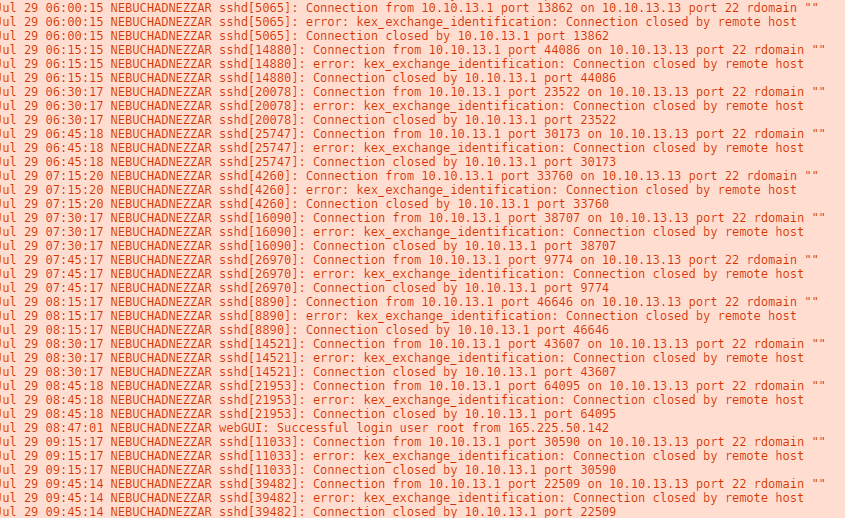
  3. 10.10.13.1 is a my pfsense router, which is running Suricata.
  4. My server logged this error code this morning, does this mean I have bad memory module? Also any idea what these login errors are and should I be concerned? nebuchadnezzar-diagnostics-20210729-0947.zip

Account

Navigation

Search

Search

Configure browser push notifications

Chrome (Android)
  1. Tap the lock icon next to the address bar.
  2. Tap Permissions → Notifications.
  3. Adjust your preference.
Chrome (Desktop)
  1. Click the padlock icon in the address bar.
  2. Select Site settings.
  3. Find Notifications and adjust your preference.