





PaulHunkin
Members
-
Joined
-
Last visited
-
Thanks itimpi, worked a treat. All up and running.
-
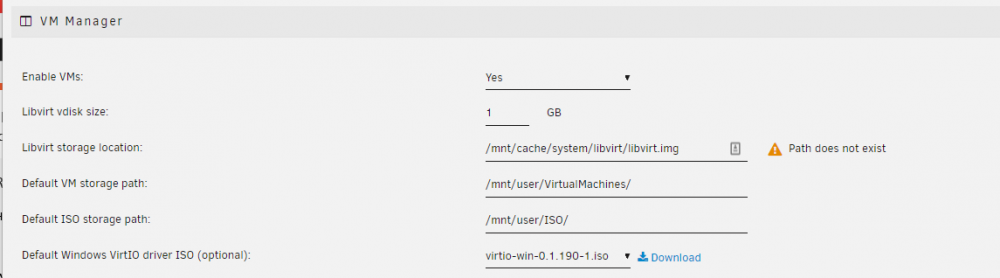
So I have the Docker apps working. I found the Docker.img file and reassigned the path. This has allowed me to re-install all the containers. I still have an issue with the VMs, the service will still not start because the path to libvirt.img does not exist. I cannot find a copy of libvirt.img file, I have searched the whole server and there is no copy of it. Can anyone tell me where I can download it from or send me a link?
-
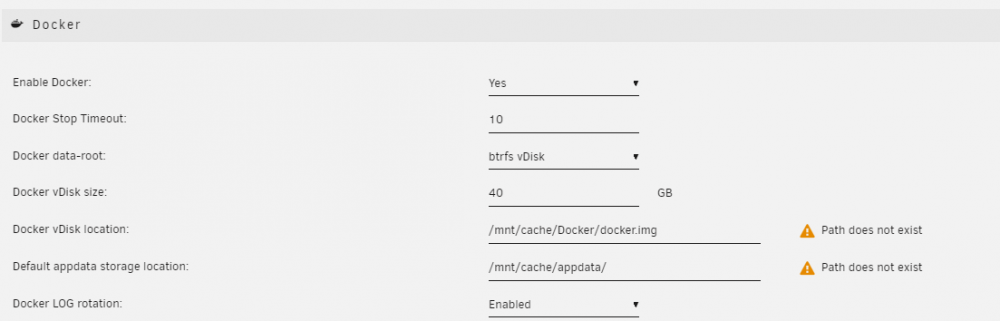
Rebuilding the VMs and app data is not a problem. The issue is that the Libvert (VM) and Docker services will not even start. It looks like they looking for files on the cache drive, specifically the Libvert.img and the Docker.img file. There is a warning about missing paths in both the VM Manager and the Docker setings. Any idea how I rebuild the required files that have been lost with the cache disk? Can I just change the location, download the files and restart or do I need to do other things to get it working? .
-
My 500GB SSD cache disk has died completely. I have tried it in another system but the neither system registers the drive is there. Without the cache drive, the problem is that the Libvirt (VM) service and the Docker service no longer start. I am not worried about any files on there but it is the config files, including the Libvert.img , Docker.img file and the appdata that are missing. Can anyone suggest how to get the VM and Docker services working whilst I get a replacement SSD? Will I have to rebuild all the docker apps as well (the VMs are on another disk)?

