NoOneAtHome
Members
-
Joined
-
Last visited
Everything posted by NoOneAtHome
-
Yes it is enabled. I installed the plugin after I started experiencing the issue. Since this is a fresh install, and I am eager to get it going, I just created a new USB and no longer having the issue.
-
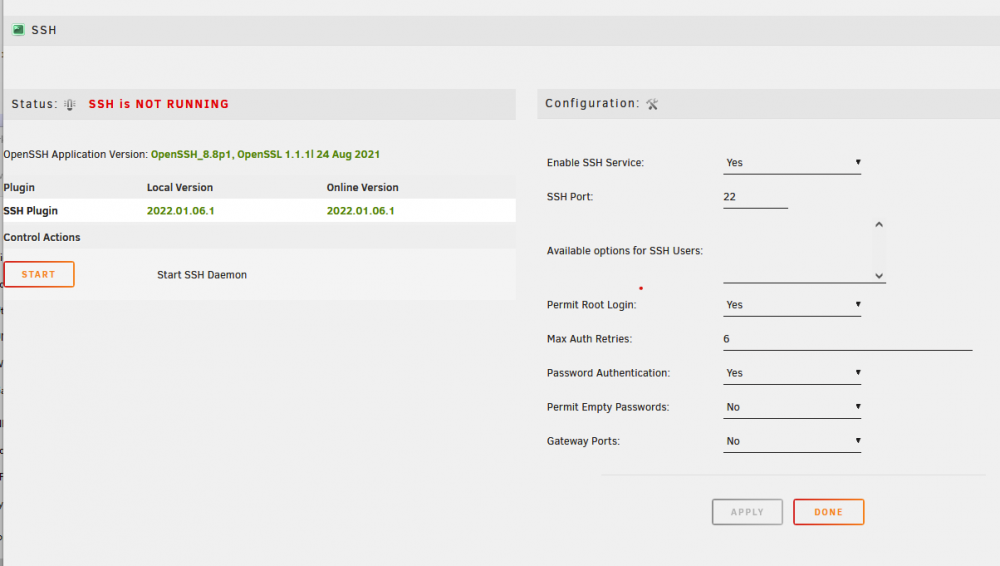
Hello all. For reasons I do not understand SSH does not seem to be automatically starting at boot. my ssh files are NOT zero root@OuterRim:/boot/config/ssh# ls -la total 96 drwx------ 3 root root 8192 Jan 30 11:41 ./ drwx------ 10 root root 8192 Jan 30 20:05 ../ drwx------ 2 root root 8192 Jan 30 10:58 root/ -rw------- 1 root root 1373 Jan 30 10:58 ssh_host_dsa_key -rw------- 1 root root 600 Jan 30 10:58 ssh_host_dsa_key.pub -rw------- 1 root root 505 Jan 30 10:58 ssh_host_ecdsa_key -rw------- 1 root root 172 Jan 30 10:58 ssh_host_ecdsa_key.pub -rw------- 1 root root 399 Jan 30 10:58 ssh_host_ed25519_key -rw------- 1 root root 92 Jan 30 10:58 ssh_host_ed25519_key.pub -rw------- 1 root root 2602 Jan 30 10:58 ssh_host_rsa_key -rw------- 1 root root 564 Jan 30 10:58 ssh_host_rsa_key.pub -rw------- 1 root root 3415 Jan 30 20:05 sshd_config no ssh process seems to be running root@OuterRim:/boot/config/ssh# ps aux |grep ssh root 26789 0.0 0.0 3984 2224 pts/0 S+ 20:12 0:00 grep ssh I installed the SSH Config Tool and it sure enough shows SSH Stopped If I click Start on SSH Config Tool SSH starts and the service is accessible but it does not survive reboot I am unsure of the proper way to make sure SSH starts at boot. Any help is appreciated,thanks