





PrabhyB
Members
-
Joined
-
Last visited
-
Hi All, I apologies if this has already been answered but i haven't been able to find an answer online. My USB device which had my Unraid OS on it had corrupted and couldn't be used anymore. I am now using a new USB device with a new install of Unraid, however the last backup I had of my OS was before I introduced 2 new disks to my server. Unraid has now assigned 2 of my original disks and my parity disk but not assigned 2 of my new disks which have data on them. When I manually assign them, i see a message stating they drives will be Overwritten when the array is started. Can anyone suggest a way I can ensure the data on the 2 new drives are not lost? I was under the impression the Server will clear down the drives but then rebuild them as they were before the corruption using the parity drive but I am not 100% confident in this and therefore uneasy about starting the server. Any suggestions would be greatly appreciated! Thanks Prabhy
-
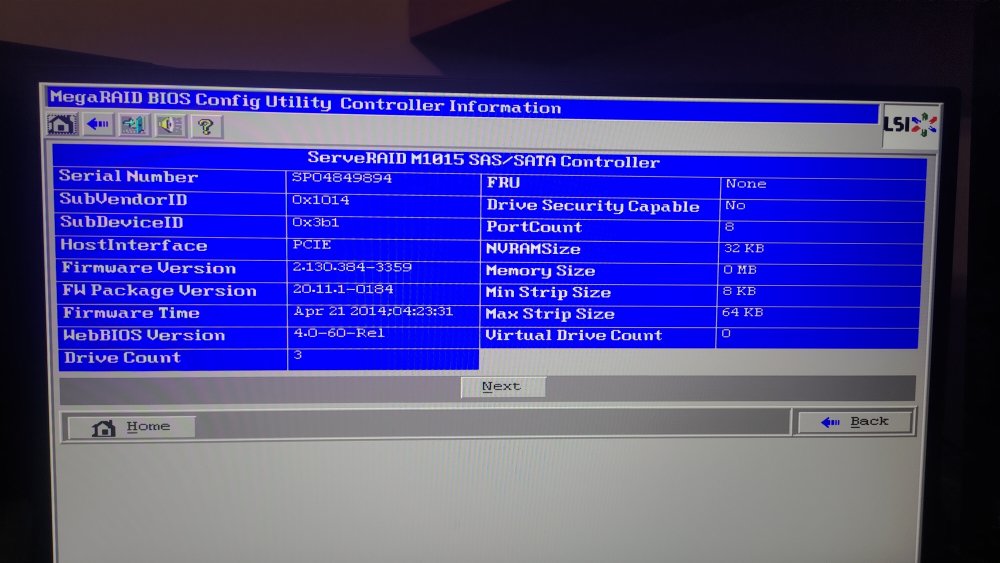
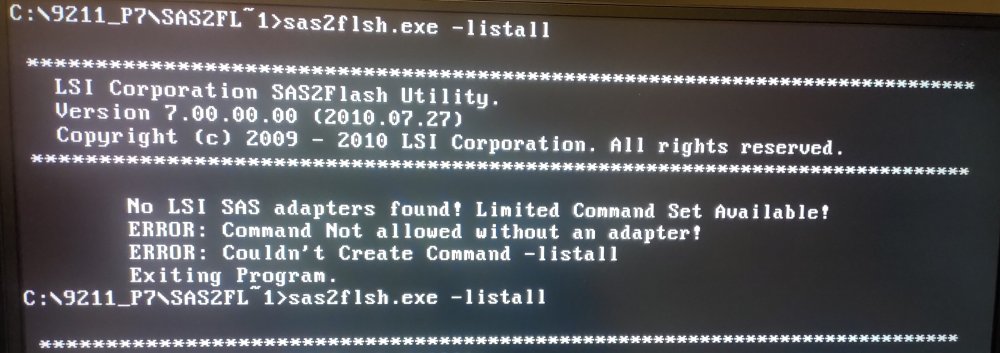
Hey Guys, I have been trying to flash my card to IT mode but I am having an issue where the card isn't appearing. I looked around people suggested flashing to Older versions and then Flashing back up so I tried and went as far back as Version 7. ( I also tried P9, P10, P14, and P20) I have attached images of the message I'm getting as well as the Card properties from the WebBios. Any Suggestions as to what is causing this issue and how I can flash the card? Cheers!
-
🤦♂️when I bought it, I was told it was in IT mode... ok thanks for spotting that so quickly! I'm gonna look into how to switch to IT mode but is there any tutorial, or any advice anyone would dive when it comes to switching to IT mode?
-
ahhh my bad, I thought the log would have had everything, but I've now attached it. tower-diagnostics-20170510-0216.zip
-
Hi all, I'm quite a noob to all of this so please forgive any ignorance I have during this topic I have a repurposed an old Dell Optiplex PC and have been running it as my NAS for the last 2 years. I recently ran out Sata slots so I invested in a LSI 9220 8i HBA which has been flashed and is in IT mode to get some extra ports. I can see the Sata card in the Bios and I can also see it in Unraid and also when I run the following command 'LSPCI | Grep LSI, so I'm confident that the hardware is working fine. However I can't see any unassigned drives. I believe this could be a driver related issue but I don't know what to do? I have attached the log incase that might help. Any advice would be much appreciated here, and thanks for any suggestions in advance! tower-syslog-20221007-0152.zip

