CPuzey
Members
-
Joined
-
Last visited
Everything posted by CPuzey
-
I've tried using sedutil but not sure what I'm doing. # wget --content-disposition https://github.com/Drive-Trust-Alliance/exec/blob/master/sedutil_LINUX.tgz?raw=true # installpkg ./sedutil_LINUX.tgz Verifying package sedutil_LINUX.tgz. Installing package sedutil_LINUX.tgz: PACKAGE DESCRIPTION: Package sedutil_LINUX.tgz installed. # sedutil -bash: sedutil: command not found
-
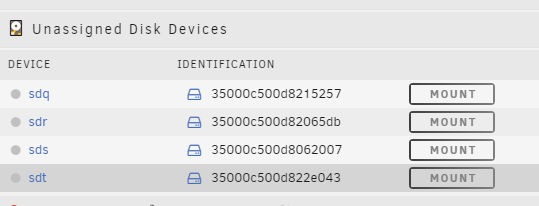
Currently have a mix of SATA and SAS drives and tried adding 4 new SAS drives. This is how they show up with unassigned drives. I've also tried to format them. ~# sg_format -v --format --six --early --size=4096 /dev/sdt IBM-ESXS ST14000NM004G E SCL2 peripheral_type: disk [0x0] PROTECT=1 << supports protection information>> Unit serial number: ZTM0G2Z80000C2109VB0 LU name: 5000c500d822e043 mode sense(6) cdb: [1a 00 01 00 fc 00] mode sense(6): Descriptor format, current; Sense key: Not Ready Additional sense: Logical unit not ready, power cycle required Descriptor type: Field replaceable unit code: 0x1 Descriptor type: Vendor specific [0x80] 00 00 00 00 00 00 00 00 00 00 00 00 00 00 MODE SENSE (6) command: Device not ready, type: sense key chronos-diagnostics-20250206-1836.zip