






uByte
Members
-
Joined
-
Last visited
Everything posted by uByte
-
I had the same issue and this is what fixed it for me. Thank you @sonic6
-
@vinckcent Can you open the edit menu for SWAG and check the settings? Maybe something go switched there (posting a screen shot with the account info blurred a little). Also try and restart the docker if you haven't already.
-
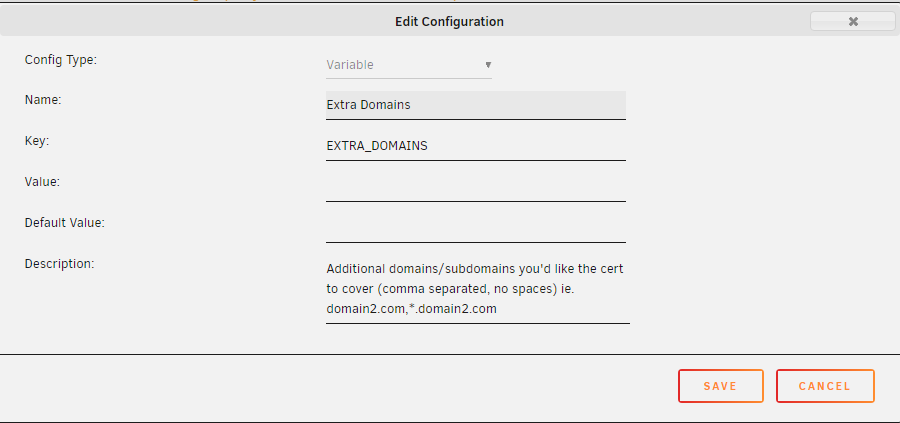
@Millerthegorilla I saw this under the SWAG docker settings. Looks like how you can add a different domain. You could also maybe add it from the add another path, port, variable or device option at the bottom of the lets encrypt docker.

-
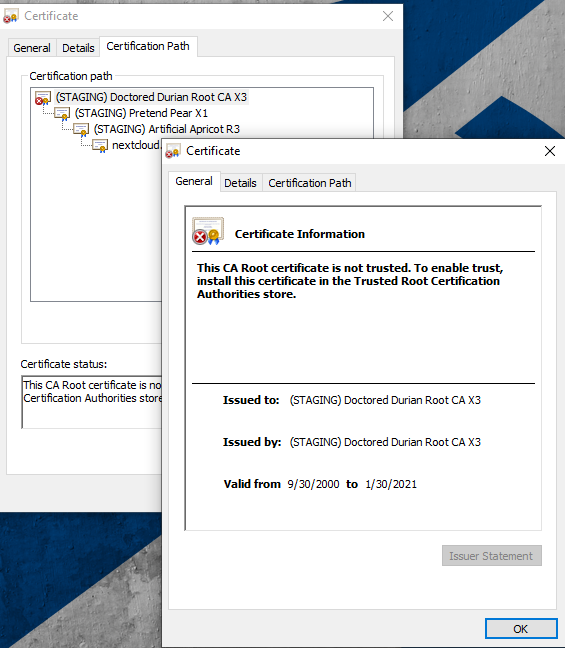
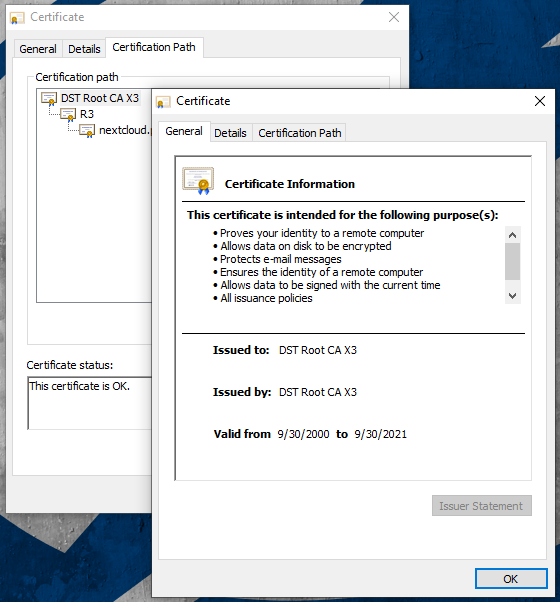
Found the problem. Apparently there is an option in the SWAG settings when you set the value to true the certificate sets to staging. If you change it to false it will use a legit CA. Checking those settings matter.

-
Not sure what is going on but it seems the the registrar for the SSL signed cert is expired. What do I have to do to fix it? It doesn't seem like it is something that I have a lot of control over. The other server I have that is still using the letsencrypt docker is using a different registrar to sign the certs (which is valid).



