





Bramovitz
Members
-
Joined
-
Last visited
-
That's really good news Thanks a lot
-
I used the terminal to get into the drive and also through the GUI, but there's no lost+found share
-
It does! That is wild to me. That means the only difference is either GUI or through console. Is that such a big difference? Thanks for the help!
-
Excuse the late response, I've had a really busy week and I had to let my fam access the files that they needed. I've added the output which was cut off for some reason. Is this sufficient or do you need more of the output? imap claims in-use inode.txt
-
I have changed sata cable and port. The same errors as what you posted are no longer there, so that seems like a win. When trying to mount, it still fails. I get this error is Disk Log Information: Mar 15 23:17:38 Tower unassigned.devices: Mount cmd: /sbin/mount -t 'xfs' -o rw,relatime '/dev/sdc1' '/mnt/disks/WKD09JJ5' Mar 15 23:17:38 Tower kernel: XFS (sdc1): Mounting V5 Filesystem 5bc3aaf7-andmorenumbers Mar 15 23:17:38 Tower kernel: XFS (sdc1): Failed to read root inode 0x80, error 22 Mar 15 23:17:39 Tower unassigned.devices: Mount of 'sdc1' failed: 'mount: /mnt/disks/WKD09JJ5: wrong fs type, bad option, bad superblock on /dev/sdc1, missing codepage or helper program, or other error. dmesg(1) may have more information after failed mount system call.' When starting in maintenance mode and clicking on the Dev 1 drive (the 8tb), there's no option for filesystem check. Is there a way to do that? tower-diagnostics-20250315-2319.zip
-
The parity has been rebuild. I'm now letting my fam check whether the files are all there and dl them where necessary. When that's done I'll go back in maintenance mode and check filesystem. Here's the new diagstower-diagnostics-20250315-1528.zip
-
I have now New config the 4tb back as disk3. The disks are showing as normal and parity is rebuilding. I'll start docker again when parity has been rebuild. Hopefully that'll speed up the process. Thank you for you help, I feel it might not be as easy with noob like me. It is very much appreciated! Do you think it is still possible to repair the 8tb drive? How would I go at it?
-
I assigned the 8tb drive. I confused fixing the emulated drive with the unassigned one. You are right, the 8tb is unmountable. The 4tb is mountable.
-
Frick, I feel like I f'd up.. It started to rebuild parity. So I figured it wasn't rebuilding the drive. Should I have clicked that the parity was valid?
-
It was on the emulated disk. I tried New config and it went back to Unmountable... The Fix button I've tried for multiple times, but after fixing, I'll check, and then it'll say that it needs a fix again. Feels like I've tried fixing it this way for 5 or 6 times if not more. I'm not really sure what to try now. Should I try New config and put in the 4tb as disk3? Considering it is mountable.
-
Thank you for the options. I went ahead and kept trying to repair the file system corruption. It now tells me: No file system corruption detected. Since the 8tb data won't fit to the rest of the array I shall New config with it and rebuild parity.
-
I don't really have backups of it. Then again I doubt much was done in the short time that my 8tb took over from the 4tb. If I New config with the 4tb and notice too much is missing. Can I then revert back to the 8tb when it's fixed? If that's the case I feel like trying the 4tb and see how things are.
-
There was a short while where the 8tb took over from the 4tb. I feel not much has changed in that while. Just to get things straight for me. I'll New config the 4tb drive back into the array as disk3. Let it rebuild parity. Then try to repair the filesystem of the 8tb. When that's done I can get the files that weren't on the 4tb back from the 8tb and leave the 4tb in the array. Correct?
-
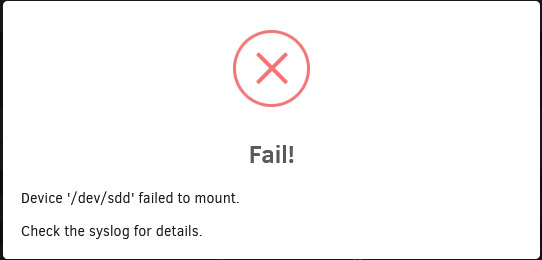
Alright, gotcha. The picture shows the response to trying to mount the 8TB drive. Which failed. The 4TB is successfully mounted. I don't know if this is a crazy idea but, since I rebuild the 8tb drive from the 4tb drive. Does that mean I can start a New config and use the 4tb drive as disk3 again? Or am I getting ahead of things.
-
The XFS repair status was indeed from the emulated disk3, ran from the Unraid webUI. YES I'm in the process of buying a new 8tb drive. I was hoping it wasn't necessary but it does seem that way. There are 2 Unassigned Devices, one of 4TB. That's an old WD I changed for the 8TB. The other is 8TB which is the one that was disk3 in the array. Both of those have the Mount button, but I was afraid of mounting them, not knowing what would happen.

