marvinvr
Members
-
Joined
-
Last visited
-
Thank you so much! Is there any rough ETA on rc3? It's fine for me if it's offline for a couple of days. Are there any things that I need to consider if I use that method? Like, can I still normally import it later on rc3 if I do the zpool import command now?
-
Oh ok, good to know. Here you go: mvr-server-diagnostics-20230403-1919.zip
-
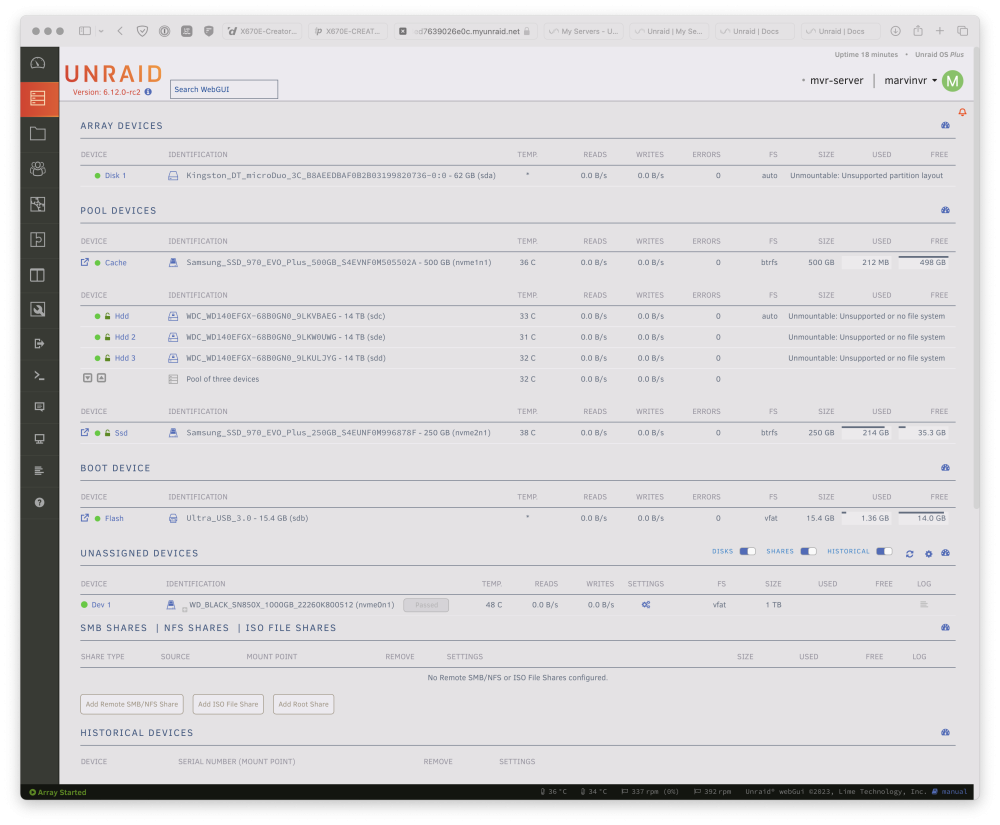
Hey there, I recently upgraded to unraid-6.12-rc2 and switched over to zfs. Now after moving all my data over to my zfs pool I reset my config and now I'm getting the message that my zfs pool is unmountable. I formatted it as zfs-encrypted. I tried resetting the config a couple of times and rebooting, of course, but nothing has helped. Does anyone have any suggestions of how I might be able to get the pool back? And before anyone says it, I'm aware that this might be my first painful lesson to not use unreleased software... I may have gotten a bit too excited about zfs.