





Dinka
Members
-
Joined
-
Last visited
-
no i remove all the port i open put now i am trying to find a way to protect open port like allow only 1 ip to have access
-
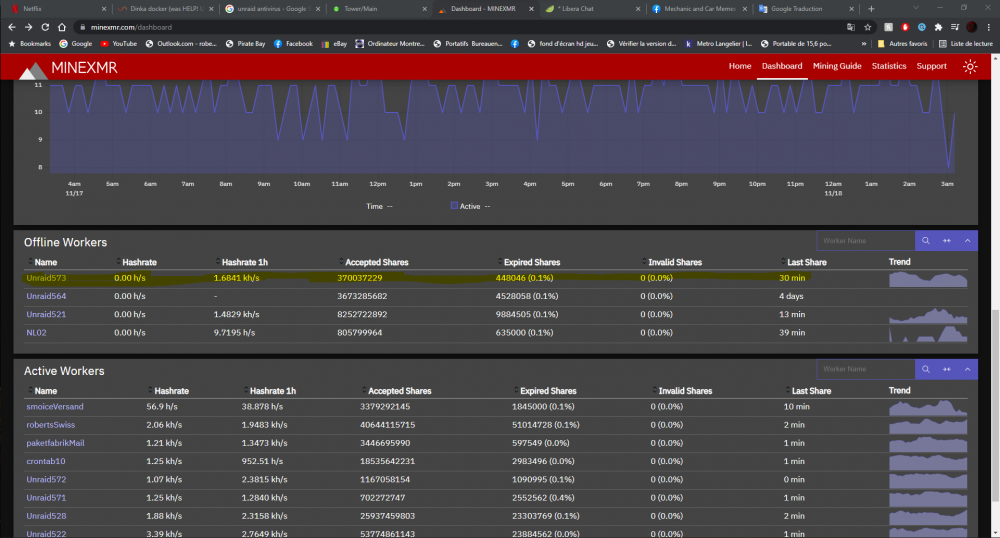
yes this i want i have see i creat a new usb and copy the go file whit filezilla now evry thing is ok, i am trying to find the hacker. in the picture in yellow its what the guy generate froam me
-
i delete the go fille
-
do you have any fix
-
yes 😞😤
-
so recently my cpu is half full load and my docker was broke (i fix the docker) and i not sure why is doing this i have nothing running in background, its start doing this after the black line i drew in the picture 20211118_002042[1].heic 20211118_002304[1].heic tower-diagnostics-20211118-0032.zip tower-syslog-20211118-0533.zip
-
i have the same error Nov 16 14:23:35 Tower root: ERROR: ld.so: object '/usr/local/lib/libprocesshider.so' from /etc/ld.so.preload cannot be preloaded (file too short): ignored. tower-diagnostics-20211116-0116.zip tower-syslog-20211116-1934.zip
