





Gumdomike
Members
-
Joined
-
Last visited
Everything posted by Gumdomike
-
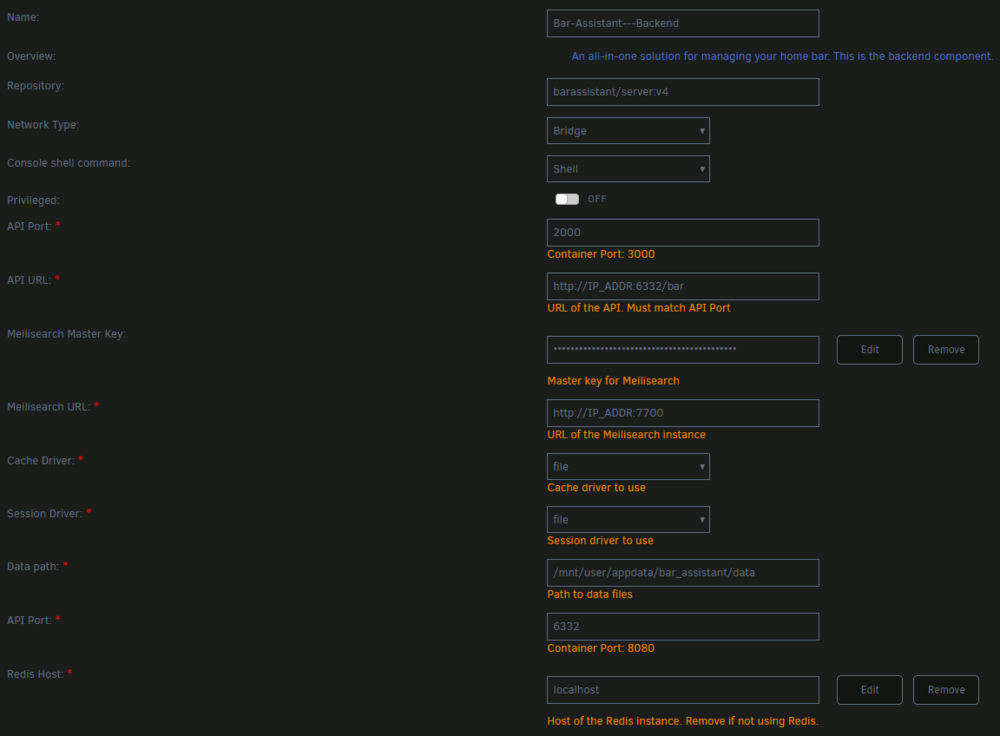
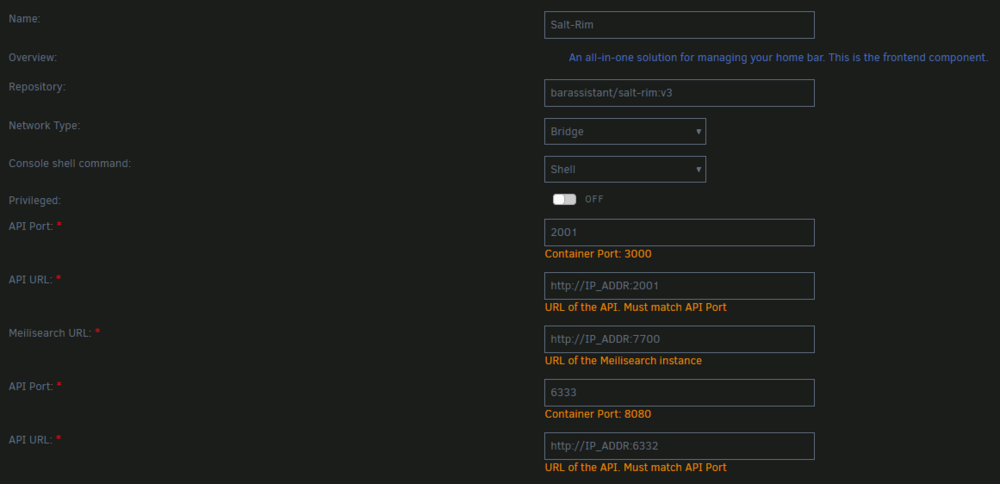
Sorry for the delay in confirming these, things got a bit busy. Your summations are correct, though I don't know if everything I did is necessary as I was just playing around and not really digging deep into container implementations; but I was able to get both the Bar-Assistant--Backend and Salt-Rim up and running and communicating with each other using those changes Here is a screenshot of my backend config: and here is a screenshot of the Salt-Rim config:
-
I was finally able to get both the Salt-Rim UI and bar assistant backend working with much fiddling. For the backend, I had to add another port mapping to 8080. I was then able to access the welcome message "This is your Bar Assistant instance. Checkout /docs to see documentation." by navigating to the URL and port and leaving off the /bar as it said in the docs In the Salt-Rim configuration, as you mentioned I had to add a port mapping to 8080 but I also had to add a variable for API_URL in addition to APP_URL. I set this to the address and port of the backend.


