





Rob-
Members
-
Joined
-
Last visited
-
> I would carefully check all cabling to the drive. If it is not that then the drive itself could be faulty. Crap - the drive sites in a hot swap tray - and I rechecked the old 3tb drive - it works fine. The drive is brand new. It has to be the drive. The drive is the only thing that changed. OK thanks guys I will RMA it.
-
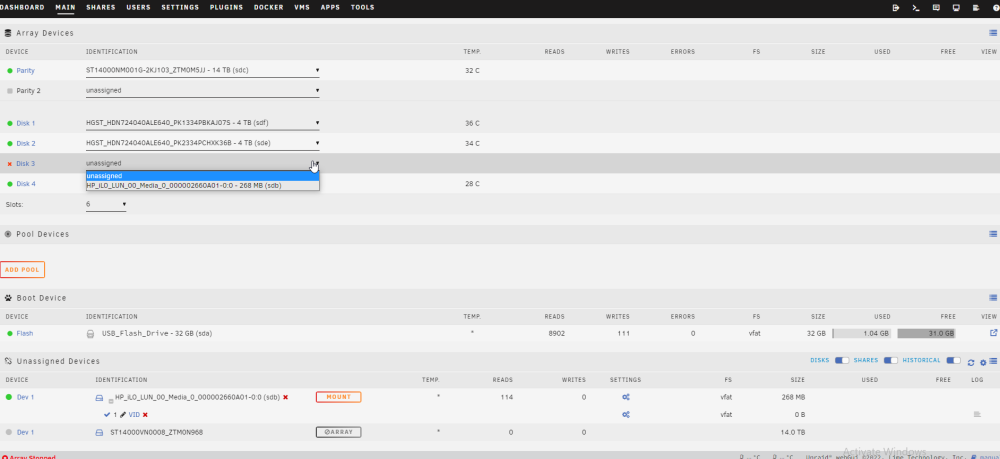
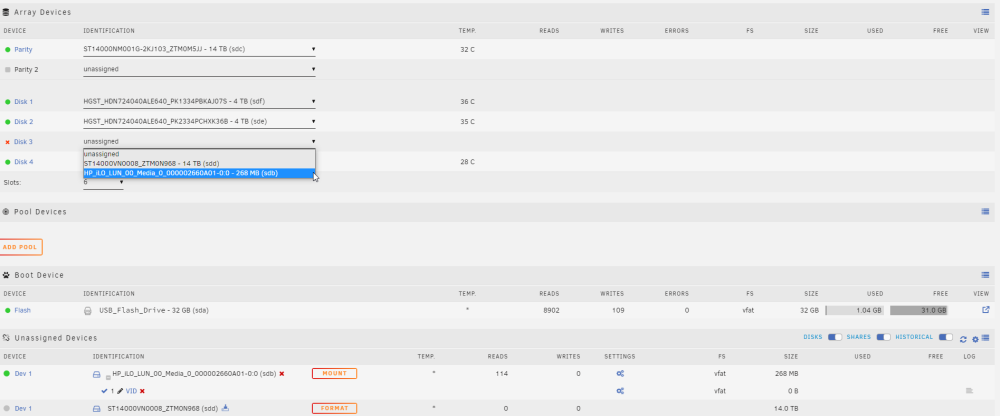
Attached are the logs after a fresh reboot and logs after I try to add the drive. I also included a few screenshots of what happens. Thanks Jorge after trying to add -diagnostics-20221222-1354.zip fresh boot -diagnostics-20221222-1351.zip
-
Hi all, I have an HP microserver Gen8 that has been running fine for years. Time for HDD upgrades! I bought a few 14tb drives for the upgrade but am having issues. First I upgraded my parity drive. It went fine and took about 18 hours. Now I am trying to remove a 3tb and am having trouble. Steps taken - ran parity check. - turned off all my docker auto starts - turned off my array auto start - powered off server - replaced 3tb drive with 14tb drive. Powered on server. Here's where the problems begin. The slot where the 3TB used to be is empty as expected - I try to add the 14tb from the pull down menu, but when I do so it disappears and is now listed as an "Unassigned Drive". It is unable to be mounted and says Array with a circle and slash (words greyed out) Any ideas how I can get this into the array? Both drives are supposed to be 14tb. Is it possible that this one is a few bytes larger than the parity drive? If so how can I find out? Thanks in advance Rob


