





- Urgent
Unraid Version:
Unraid 7.0.0
Summary of the Issue:
The Outgoing Proxy Manager setting appears to have no actual effect on Docker's network behavior. Even when disabled, Docker could pull images previously. After rebooting, enabling the proxy causes timeouts, and subsequent tests show that the setting neither enables nor disables proxy usage reliably.
Steps to Reproduce:
Unraid system previously operated with Outgoing Proxy Manager disabled, yet Docker could successfully pull images from Docker Hub from within mainland China.
After I added a new disk to the Array Devices and system reboot, pulling Docker images failed with the following error:
Error response from daemon: Get "https://registry-1.docker.io/v2/": net/http: request canceled while waiting for connection (Client.Timeout exceeded while awaiting headers)curl -v https://registry-1.docker.io/v2/works fine, proving outbound proxy is functional.Manually restarting Docker via
/etc/rc.d/rc.docker restartand then re-enabling Outgoing Proxy Manager allows image pulling to work again.docker info | grep -i proxyalso confirms proxy is set correctly at this point.Disabling Outgoing Proxy Manager afterward does not remove the proxy from Docker (confirmed via the same
docker infocommand).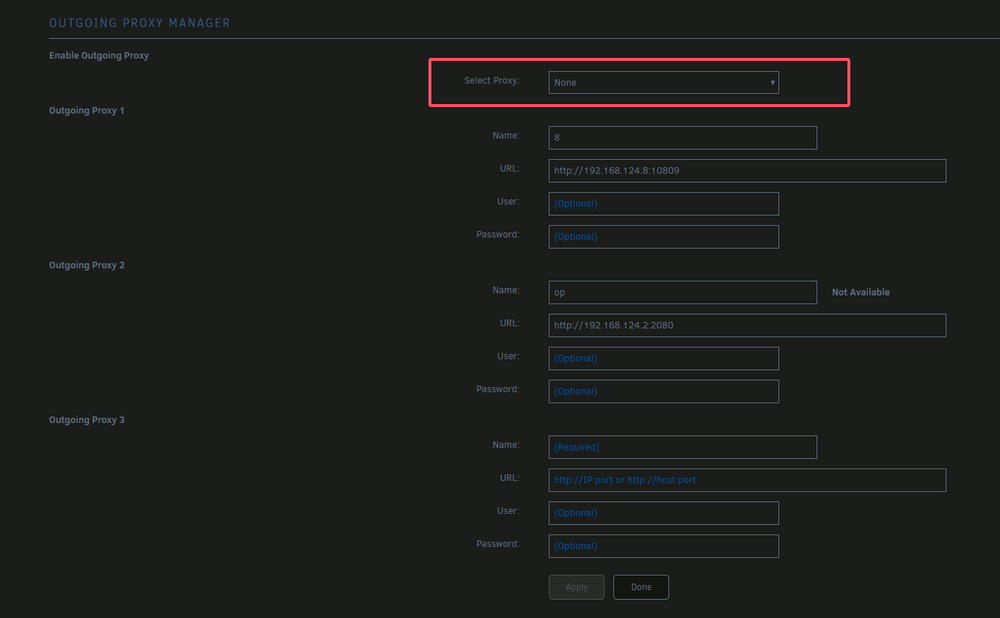
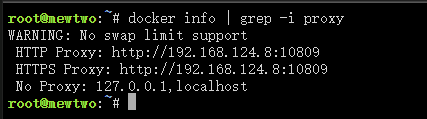
Restarting the Docker service again after disabling the proxy makes the proxy actually stop working.
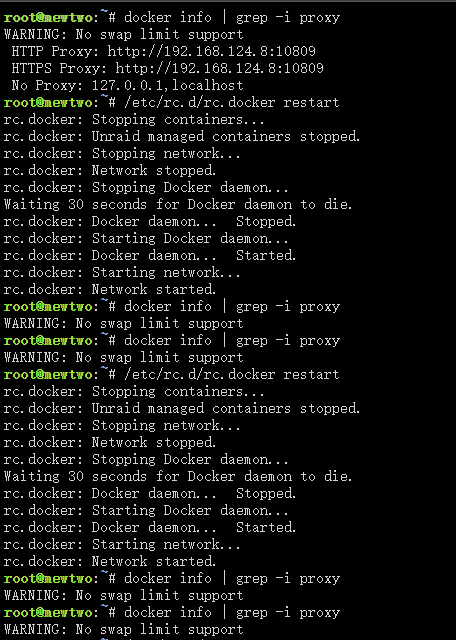
Trying to reproduce the above behavior again fails — regardless of the Enable/Disable toggle, Docker does not receive or remove the proxy settings.

Expected Behavior:
Enabling Outgoing Proxy Manager should immediately and consistently apply HTTP proxy settings to Docker Daemon and other relevant services.
Disabling it should cleanly remove those proxy settings.
These changes should persist and be applied correctly on system or service restart.
Environment Details:
Network: IPv4 only, no IPv6.
Proxy Setup: Unraid connects via a manually provided HTTP proxy, shared from a PC plugin.
VPN/Networking Plugins: WireGuard (Unraid native), Tailscale was installed but later removed without use.
Hardware: Can provide diagnostics if needed.
Diagnostics: Available if necessary, though the above steps should be reproducible.
