





stuntguy3000
Members
-
Joined
-
Last visited
-
Working now, thank you!
-
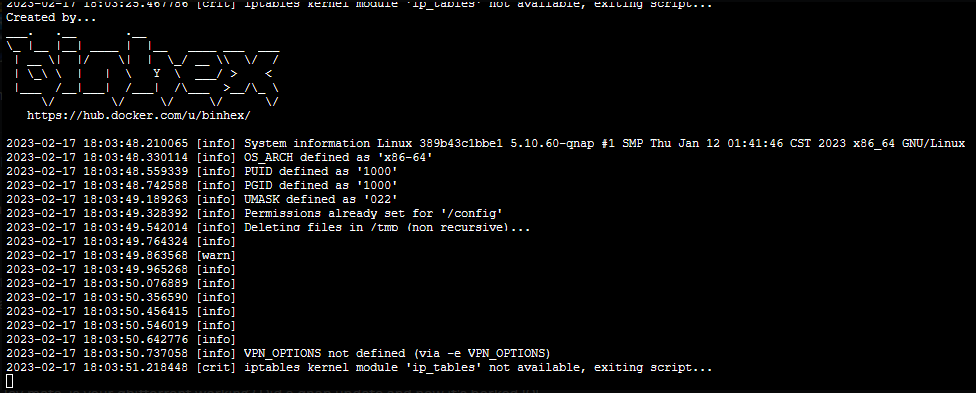
Hi All, I have a QNAP TS-451+ running QTS 5.0.1.2277. I believe since doing this update, I am no longer able to use this docker container. I use Watchtower so I should be using the latest version of the docker image. Error as in image: iptables kernel module 'ip_tables' not available, exiting script... Does anyone know of any solutions? Thanks
-
On the money, working and stable now!
-
stuntguy3000 changed their profile photo
-
Hi, I am having a lot of issues with getting this to run stable. More often than not, which can be correlated with a home internet dropout, OpenVPN will dropout and will not continue working until I restart my QNAP. Not even deleting the container, data files or config will make it work. Full Logs: https://gist.github.com/stuntguy3000/d14111b900d3ec7da54d967410ec34f2 This happens in a loop. I've even tried switching to the DelugeVPN container with exactly the same results. I'm stuck and would greatly appreciate any assistance. Cheers

