doma_2345
Members
-
Joined
-
Last visited
Everything posted by doma_2345
-
I am getting the following error over and over. I have tried restoring the container by re-downloading it but it does not seem to fix the issue. I am not sure how long this has been going on for but it stops the container properly launching. Any ideas? A serious error occurred in Duplicati: System.UnauthorizedAccessException: Access to the path "/tmp/HttpServer" is denied. at System.IO.Directory.CreateDirectoriesInternal (System.String path) [0x0005e] in <254335e8c4aa42e3923a8ba0d5ce8650>:0 at System.IO.Directory.CreateDirectory (System.String path) [0x0008f] in <254335e8c4aa42e3923a8ba0d5ce8650>:0 at HttpServer.HttpServer.Init () [0x0010a] in <bed89f1655ee48029f6d6812f54c58ad>:0 at HttpServer.HttpServer.Start (System.Net.IPAddress address, System.Int32 port) [0x00026] in <bed89f1655ee48029f6d6812f54c58ad>:0 at Duplicati.Server.WebServer.Server..ctor (System.Collections.Generic.IDictionary`2[TKey,TValue] options) [0x00215] in <c5f097a49c0a4f1fb0f93cf3f5f218b1>:0 at Duplicati.Server.Program.StartWebServer (System.Collections.Generic.Dictionary`2[TKey,TValue] commandlineOptions) [0x00000] in <c5f097a49c0a4f1fb0f93cf3f5f218b1>:0 at Duplicati.Server.Program.RealMain (System.String[] _args) [0x00227] in <c5f097a49c0a4f1fb0f93cf3f5f218b1>:0 A serious error occurred in Duplicati: System.UnauthorizedAccessException: Access to the path "/tmp/HttpServer" is denied.
-
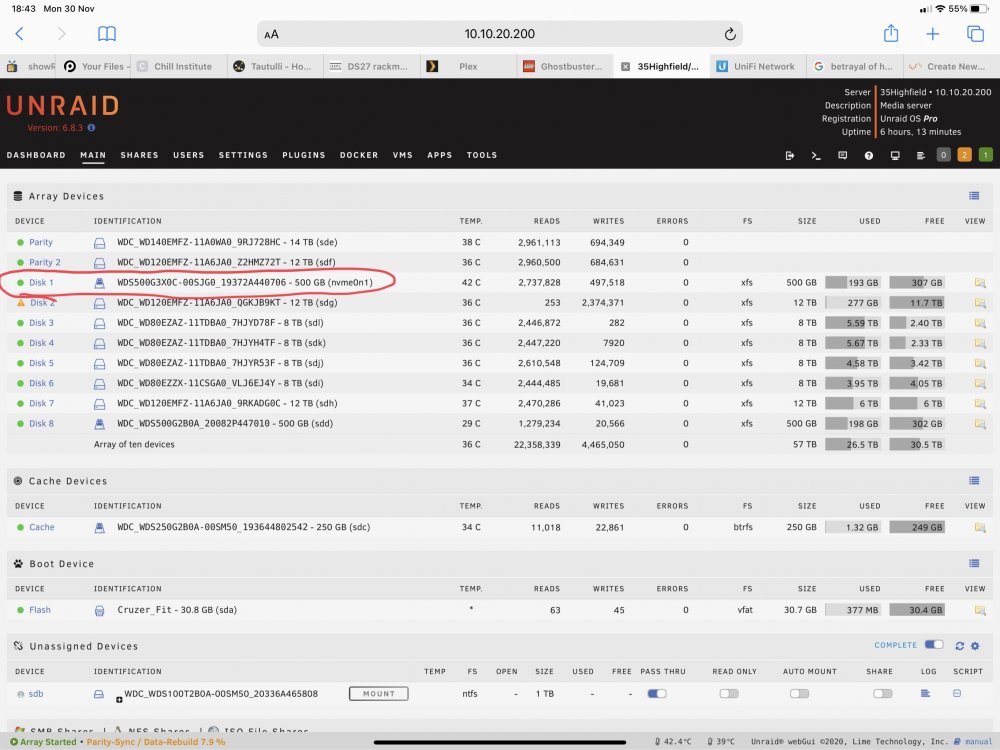
Surely that does not make sense, having all my appdata, domains, and vms on an nvme drive is the fastest way to do it and the slowness of parity only affects writes. So having it parity protected does not make a difference when running a VM or docker as it is mostly reads with some small writes. My vm’s write large data sets such as games to an unassigned drive and my plex metadata is on a separate SSD (parity protected), but again that is mostly reads with some writes. I also use CA Backup plugin. My issue with the yellow indicator was annoyance rather than worry as I couldn’t work out what file was on there.
-
I figured i would just use the quick and dirty route and used ‘rm -r appdata’ not sure if this is the correct way but it has fixed the issue
-
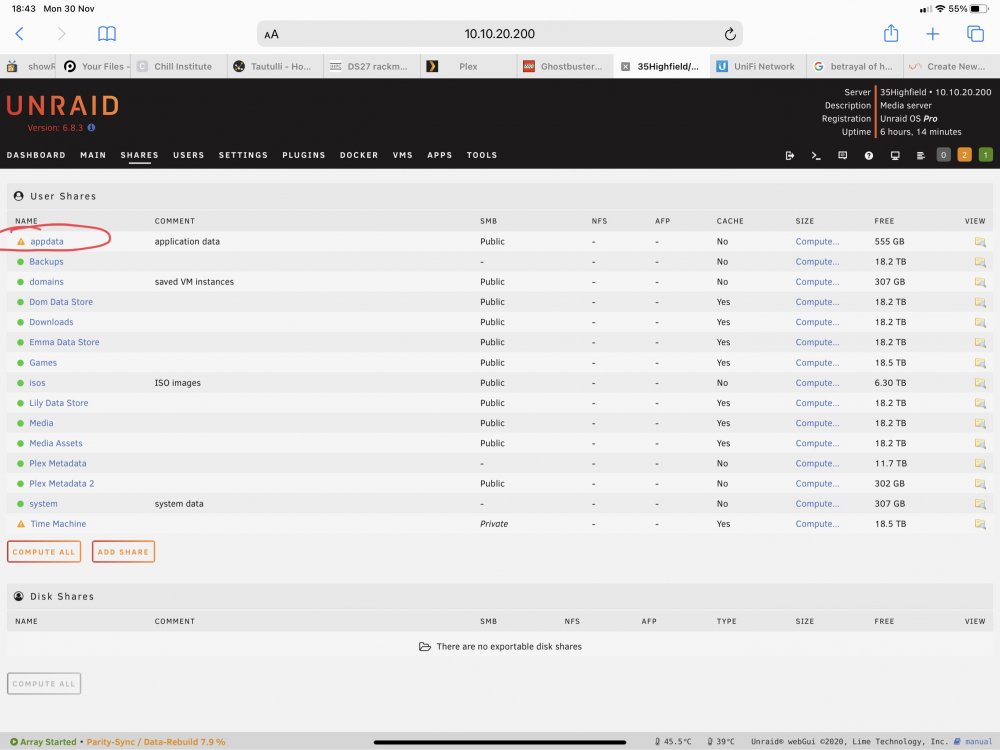
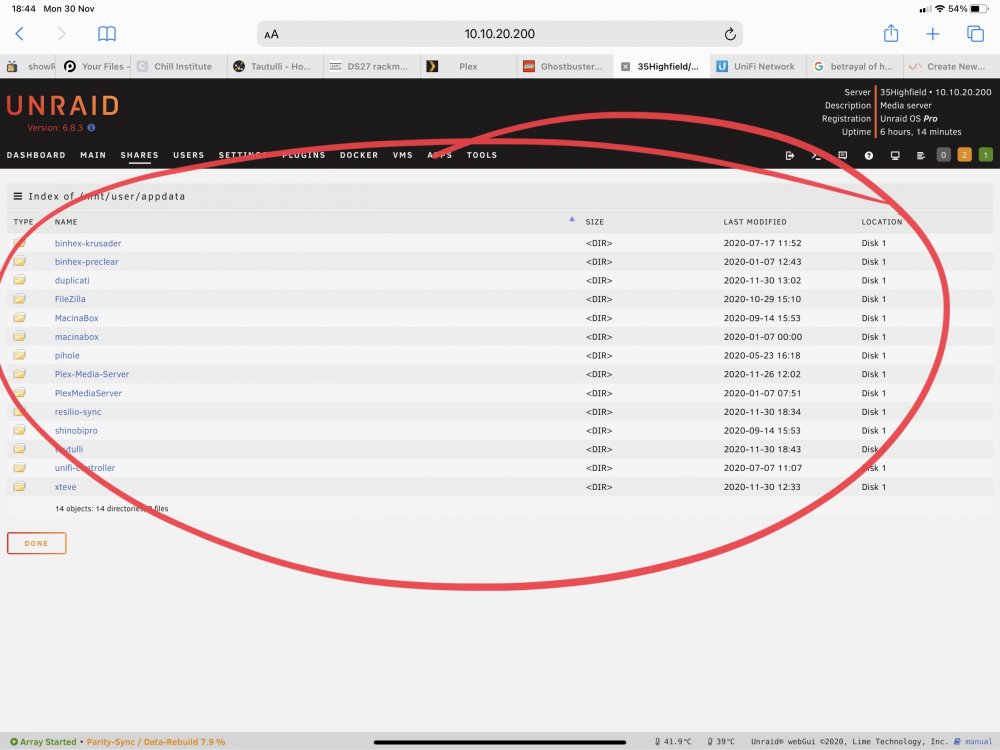
There is an empty appdata folder on the cache drive, what’s the best way to fix this?
-
Please find logs attached 35highfield-diagnostics-20201130-1852.zip
-
My situation appears to be unique and i haven’t come across it on the forum. My appdata folder is on an NVME drive which is part of the array, The nvme drive is set to not use the cache drive and no part is stored on the cache drive, however my Appdata has the orange triangle next to it showing it is unprotected. Any ideas? (Ignore disk 2 in the screen shots it is doing a parity rebuild)