SDavidLee
Members
-
Joined
-
Last visited
-
自行找到原因了,去年自己加了阿里云的镜像加速(自己都忘了加过这个东西),是这个东西导致的,之前说的极少部分容器没有问题是因为那几个容器不是latest,而是我自己特定了版本号,所以没有这个问题。 这个问题的具体原因还是未知,因为只要是latest,实际拉取到的版本奇形各异,反正就不是最新的latest,有的甚至是一年半之前的latest版本。。。其他特定版本都可以正确拉取(哪怕是最新的版本),没有任何问题,且自己aliyun没看到提示异常之类的,很迷。 修复办法很简单,就是删除这个镜像加速,具体是: 在U盘(Flash)中的 config/docker.cfg中的 DOCKER_OPTS="--registry-mirror=https://xxxxxx.mirror.aliyuncs.com",把“--registry-mirror=https://xxxxxx.mirror.aliyuncs.com”删除即可解决。 中途看到有人是在系统的/etc/docker/daemon.json中添加的加速站点,如果有人是在这改的就把里面的镜像站删除,之后重启docker即可
-
SDavidLee changed their profile photo
-
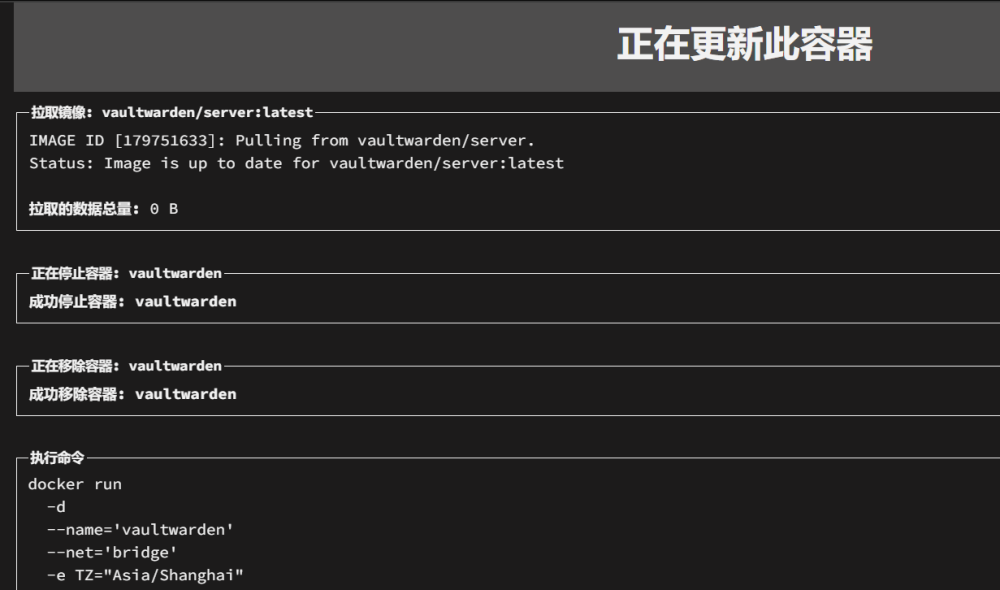
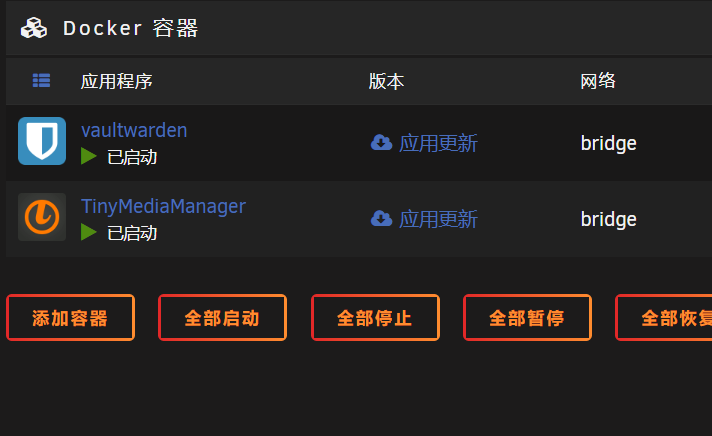
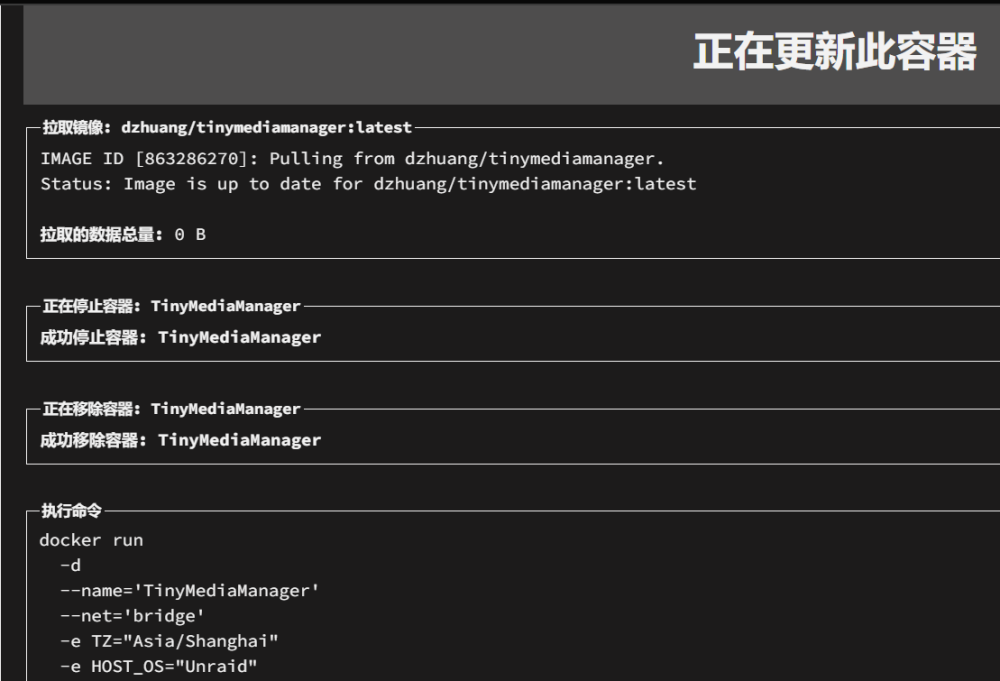
具体说就是docker容器很多都是提示更新,然后你点击更新并跑完码后,会提示已经是最新,但是这时你再检查更新一次或者你过一段时间再过来看,容器又会提示需要更新。 重点就是不管你怎么点“应用更新”,在检查更新或过一段时间后,又会提示需要更新!! 我去hub.docker看过,近期是没有任何更新或提交的,我不知道他是怎么检测到更新的,这个问题恶心了我很久了,更新6.12.6以后也没有用,与之前一模一样。 不是全部容器都这样,极少部分没有这个问题,我删除docker.img了也不好使,所以演示就两个容器,但是这两个都是这个毛病,其他的我还没部署回来 PS:补充一下,后面自己验证了一下,虽然容器官方确实没有更新,但是通过查看官方镜像的哈希和本地镜像做对比,确实发现版本是很早很早以前的了,也就是说不知道为什么,虽然点击应用更新会反复提示容器已是最新的。。但实际版本已经差出去很远了,而且他还不是报错,而是提示更新成功。。我用centos来测试,发现没有这个问题