






LEKO
Members
-
Joined
-
Last visited
Everything posted by LEKO
-
Tried again and again... I suspect of the file Jellyfin is trying to parse to be corrupted. The last number I saw before giving up was 260g of memory being used by Jellyfin! Ouch! And nothing in the Jellyfin log helps. I don't anything suspicious or obvious: no specific file being loaded. I'll try to figure out if I can make jellyfin log more stuff.
-
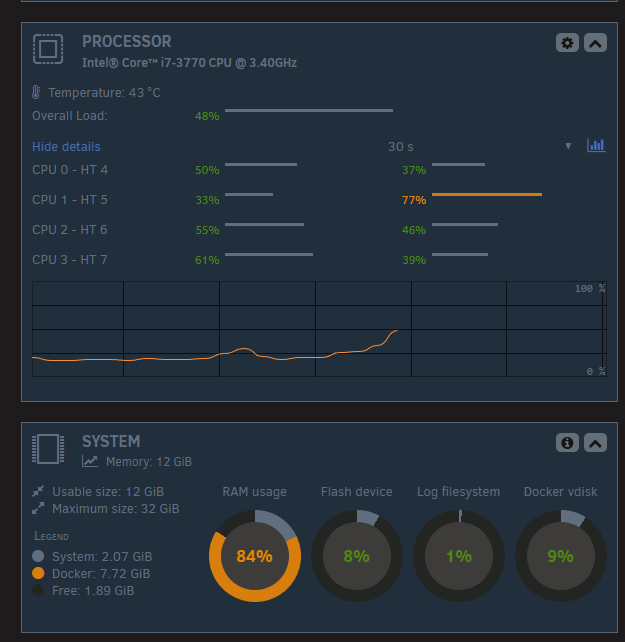
It is really my JellyFin docker. Once I start it, memory usage increase until the system become unresponsive. I'll try to reinstall it, a "force update" didn't worked. Update: even a fresh install cause the same problem. I suspect some data is corrupted in my media collection.
-
Attached anyway. I would like to learn of there's any clue in the diag. tower-diagnostics-20260204-1950.zip
-
I may have found the root cause. In safe mode, I was able to boot and login. Then, I started my array then immediately shutdown the Jellyfin docker (my only docker). So far, the server is responsive and it is running a parity check because of all "hangs" and hard reset I did. They array didn't liked it.
-
My unraid server started to act strangely lately. At first, I suspected a one-of problem, but it is recurring... To help in my diagnostic, I moved the server close to me and plugged a keyboard and monitor to it. Symptoms: The server seemed te "hang", but was still able to reply to pings. A reboot seemed to be enough to fix the problem. I think I can trigger the bug by asking to D/L a USB Flash backup. So, I suspected an issue with the USB key, but I'm able to do a full copy of the key in Windows, so the USB Flash drive isn't defective (if it is, it's not apparent). On the console, I get the login prompt and the server is responsive when it "hangs", but when I type in my user/pw, it will timeout after 60 seconds. Is there any troubleshooting I could do? Log I could open/read from the console immediately after a boot? Another possible thing that could happen is the parity check on the array and because of some problem (hardware?) would pin the CPU and/or a process? Thanks for your tips and help in advance.
-
I just ran Wireshark and I see when my PC is sending an SMB "Get Backup List Request" and I see the response from the server. But I'm not an SMB expert, so I can't know if some flag is wrong or not. Is there any SMB "log/dumps" in Unraid? 🤔
-
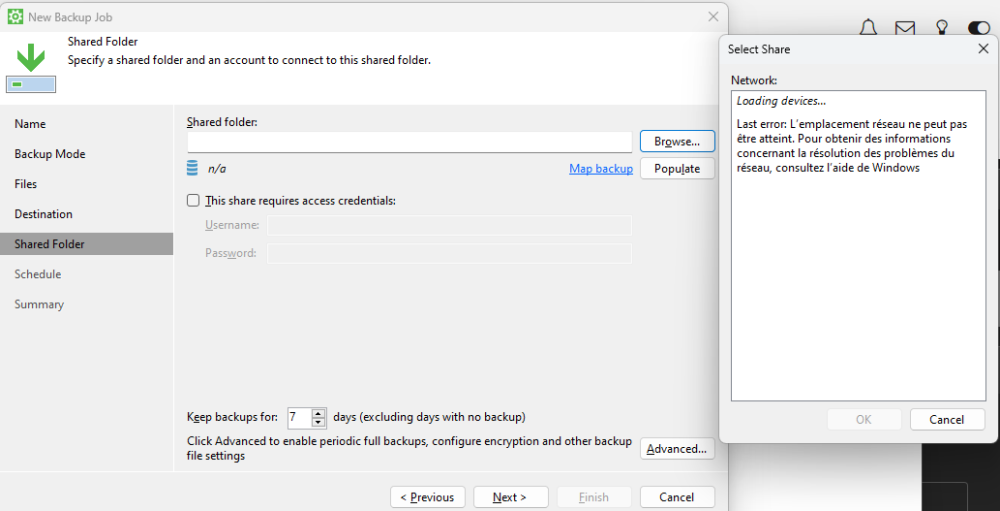
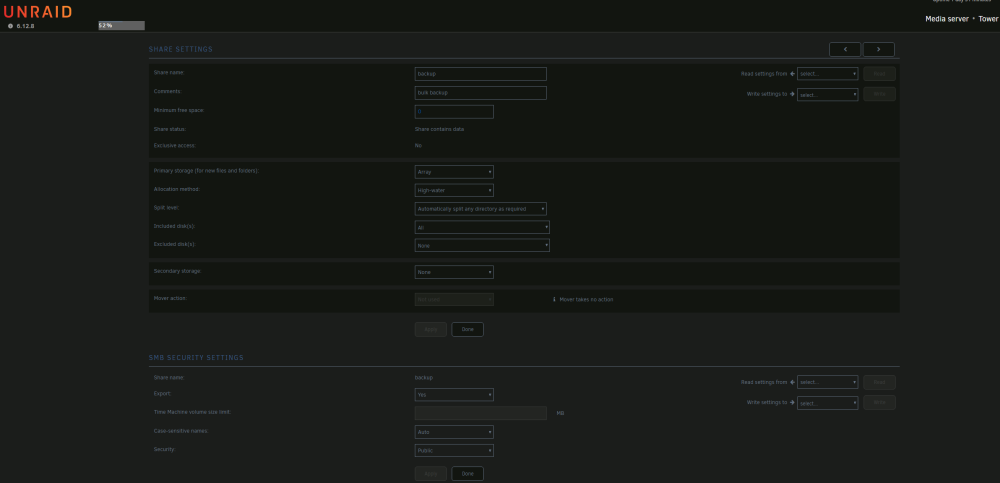
I just installed Veeam Agent for Windows (6.1.0.349) and it won't detect my Unraid shares. When I'm trying to browse the for Shared Folder in Veeam, I get a Windows error. I looked into the Unraid share settings and I can't find any obvious problem or setting issue. Is there any way to troubleshoot this sort of issue? BTW, I can browse and read/write to my Unraid server from a Windows Explorer mapping I made.
-
Update: I just waited for a very long time and with your tip @JorgeB the second plugin seems to have uninstalled too. I didn't got any feedback from the UI.
-
Oh! I'm currently trying to uninstall Config Editor. I have the same behaviour: seeing the "Remove Plugin" window with the CLOSE button, but it sits there... I'll come back later to it: to see if it worked. Side note: Meanwhile it seems NerdPack GUI have uninstall itself. So still struggling with Config Editor.
-
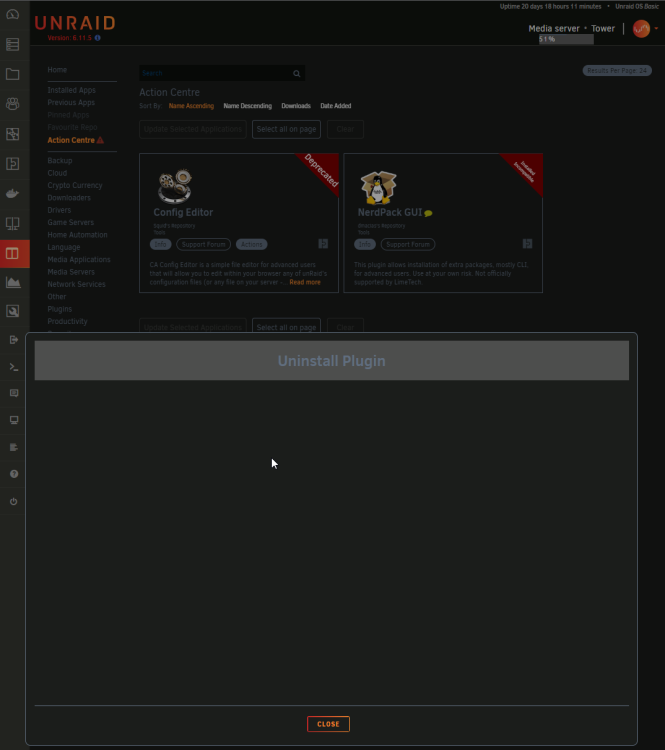
I'm trying to uninstall incompatible and deprecated plugins and nothing happens. I see the "Uninstall Plugin" window with the "CLOSE" button or I would see nothing in the UI (no feedback). Even after minutes of waiting and/or retries, the plugins are still present. Here is the 2 plugins: - Config Editor (deprecated) - NerdPack GUI (Installed Incompatible) The following screenshot shows my GUI after minutes of waiting: Any way to troubleshoot and understand what is going on? Maybe there's some console command I could try?
-
The problem is gone. But I don't know what was the root cause. Maybe the latest update fixed it... I don't remember if only a cold reboot fixed it.
-
tower-diagnostics-20220223-0927.zip Adding my diag file to help.
-
Thanks, I'll do it. I find it a bit overkill to have to install this sort of stack just to have a usage graph over time, especially for a product like this: UNRAID is a storage solution, I even don't understand why this graph is not a "core feature" yet. Eh eh! Don't read me wrong, I really like the product, but it's odd that an important stat like that is missing. This would be especially useful for SysAdmins and small business who rely on this product: a quick glance at the storage usage over time.
-
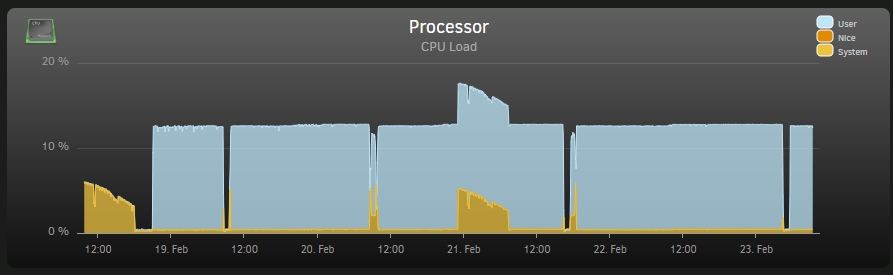
I don't have any VM running. I noticed that one of the process (shfs) may be the issue. Also, the UI don't report anything in progress (parity check, etc.). root 5062 84.6 5.0 685720 615924 ? Ssl Feb18 6076:15 /usr/local/sbin/shfs /mnt/user -disks 31 -o noatime,allow_other -o remember=0 The system seems to behave normally, but I find it odd to have this constant CPU hog. Before rebooting/restarting, I wanted to ask the community about the issue and maybe identify the root cause. I searched for shfs in this forum, but I did not find obvious solution/explanations/diags.
-
Bumping this thread... Not that I don't like the idea of having a grafana setup (used to the tool because of work), but is there any simpler (or built-in) solution to just have a simple usage graph over time? At least a plugin would be nice. Or the only solution (so far) is to build a Grafana stack to see disk usage over time in Unraid? (Sounds like a feature request to me)
-
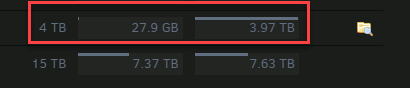
@itimpi: Here it is... I already have opened a ticket with Western Digital. And frankly, I don't think I have break anything in Unraid. The GUI still mention that I have 27.9GB of data on the "phantom/missing" drive. Crossing fingers. tower-diagnostics-20220209-1516.zip
-
@itimpi: Humm... I do really suspect a DOA drives. No matter what I try to do, I just can't get anything from Unraid. And I just noticed the SMART reports already contains errors for a drive that is only a couple hours old, this is suspicious.
-
@itimpi: I'm sort of confused... It's a new disk, so there is no FS on it. I may have a big misunderstanding of how Unraid works, but Unraid should be able to auto-fix this. A disk died, I put a replacement (unformatted) drive of the same or bigger size and the magic should happen. I honestly don't know which part of the document you shared I should follow to try to make my new drive working or to understand if it's an hardware or a software issue. I may have a DOA, but how I can tell?
-
I'll look at this document... And try to understand how/if I can mount this replacement disk. By the way, I didn't blindly clicked on the the format button, is just that nothing was going on with the array. And this particular disk was filled at 1% only before it crashed.
-
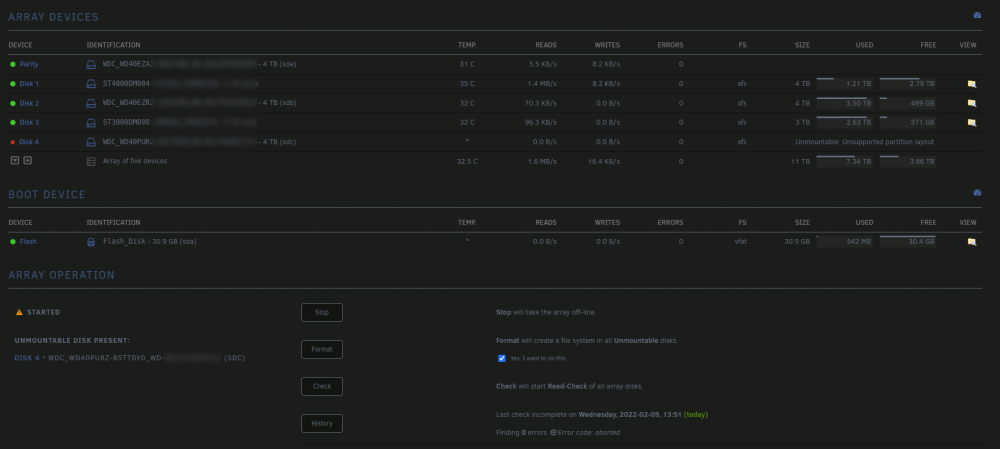
Here is my current state. This may gives clue to people that would like to help me. Basically replaced WD-PURZ with another WD-PURZ. I expected the system to automatically "recreate/read" the drive without any intervention. This disk "died", so I wasn't able to do a proper shutdown/removal of the array. I followed these steps the best I could.
-
Some other test I did: I changed the physical connection within my computer. Swapping disks on the controllers. But, no matter what I try to it does not seems Unraid can format the disk using the GUI.
-
Could I do some equivalent commands in the CLI to format the new HDD?
-
First: I already searched the this forum and I can't relate to any of the previous post on the topic. One of my HDD died, I RMA'ed it and got a new one (same make/model). I received the replacement part and now, I can't re-add to my array.. 1. Unraid detects the drive, so I add it back in the position of the missing drive. At this stage, I see my Disk 4 is "Not installed" and a Dev 1 disk is Unassigned (the new disk without FS). 2. I must stop the array, to add the disk. 3. I select my unassigned disk to Disk 4, then click "Start" on the array. 4. The drive is added, but I get a message telling the disk is unmountable and I have the option the format the disk. When I click "Yes", through the warning, the drive seems to starts formatting, but it does not. I get back the the GUI with the same state. Is there any way I could look to see if the problem is hardware or software related? At this point, I have no clue where to look.
-
@Squid : Oh! Thanks. I never noticed those in the past. But the warranty period/field is "fixed" and not tweakable. I'll probably have to workaround that to have the real end of support date being shown.
-
Mostly a quality of life improvement. It would be nice to add warranty information related to our disks directly in UNRAID gui. Nothing complex/fancy. 1. Date bought field. 2. Warranty expiration date field. 3. Bought from field. 4. Order id/number field. 5. Attach an order file. All these fields could be optionals. At the moment, I used the Comments field to keep track of the warranty expiration date. Having this information readily available could help when either one of our drive have an issue or when we want to replace an existing drive: replacing the oldest or the one(s) the warranty have expired first.


