





zanion
Members
-
Joined
-
Last visited
-
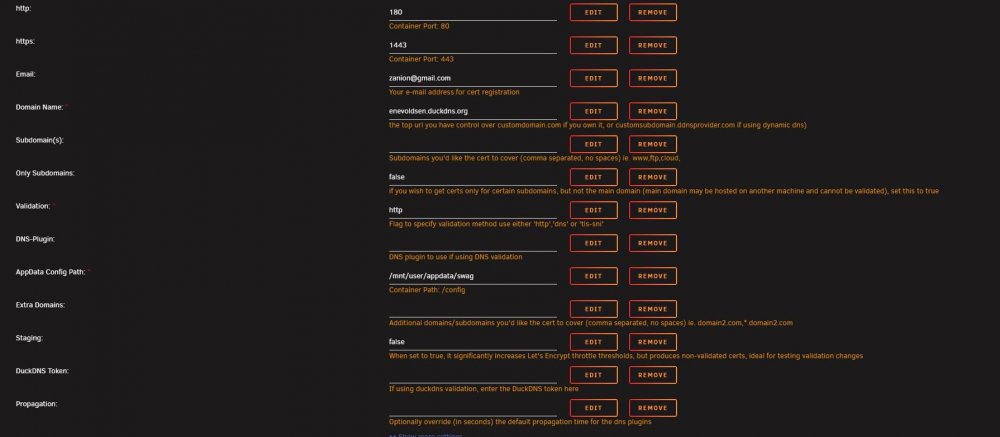
ok, as i said in the post before, the problem is the same. I have tried to make the config as you suggest, and i got the same error. I have made a check on the ports, they are open. docker log swag rev. 1.txt
-
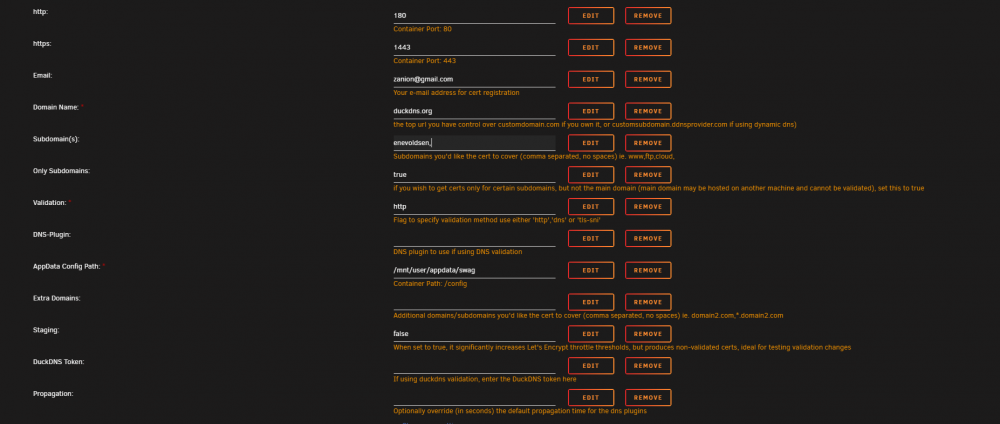
I get the same problem if i do that, i have attached my configuration of swag. If i set only subdomain to true, then it will always look at the domain+subdomain as one unit. If i do as you suggest, then i have to set the only subdomain to false, then make my subdomain under the domain tab. The problem is still the same.
-
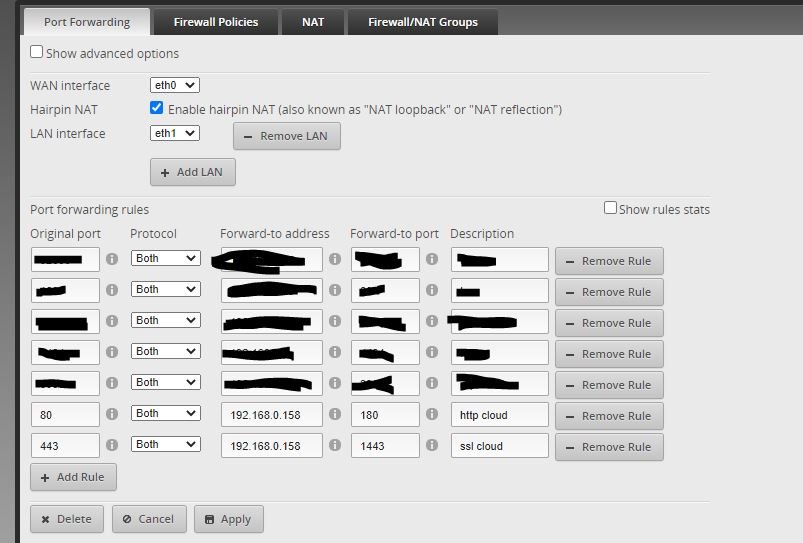
hi, i got a problem while setting up this container. I cant see the problem, i think it is something about the portforward. I just cannot figure out what. I have attached the log form the docker menu, a screendump of my port forward and a screendump of my port assignment to the docker container. I hope someone can help me getting this up and running docker log swag.txt

-
i got the exact same problem. Plex will run as it should for like 10min after a full reboot of my unraid server. After the 10min then its dies again. Anyone there got a fix to this problem?


