



Skip to content
View in the app

A better way to browse. Learn more.

Unraid

A full-screen app on your home screen with push notifications, badges and more.

To install this app on iOS and iPadOS
  1. Tap the Share icon in Safari
  2. Scroll the menu and tap Add to Home Screen.
  3. Tap Add in the top-right corner.
To install this app on Android
  1. Tap the 3-dot menu (⋮) in the top-right corner of the browser.
  2. Tap Add to Home screen or Install app.
  3. Confirm by tapping Install.

QuasimodosHump

Members
  • Joined

  • Last visited

  1. QuasimodosHump changed their profile photo
  2. When I first started using UnRaid a few years ago, I had docker setup the Docker data-root to use btrfs. This quickly became a problem where I was getting the error `Docker image file is getting full (currently 98 % used)`. The resolution at the time, was to switch the Docker data-root to use directory. After doing this, I am still getting the error in the title. Is there a way to clear this error off permanently?
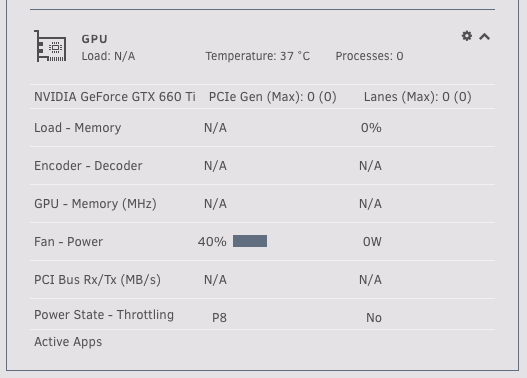
  3. I have the same problem on my recent install of the GPU Stats app.
Account

Navigation

Search

Search

Configure browser push notifications

Chrome (Android)
  1. Tap the lock icon next to the address bar.
  2. Tap Permissions → Notifications.
  3. Adjust your preference.
Chrome (Desktop)
  1. Click the padlock icon in the address bar.
  2. Select Site settings.
  3. Find Notifications and adjust your preference.