Skip to content
View in the app

A better way to browse. Learn more.

Unraid

A full-screen app on your home screen with push notifications, badges and more.

To install this app on iOS and iPadOS
  1. Tap the Share icon in Safari
  2. Scroll the menu and tap Add to Home Screen.
  3. Tap Add in the top-right corner.
To install this app on Android
  1. Tap the 3-dot menu (⋮) in the top-right corner of the browser.
  2. Tap Add to Home screen or Install app.
  3. Confirm by tapping Install.

albator

Members
  • Joined

  • Last visited

Everything posted by albator

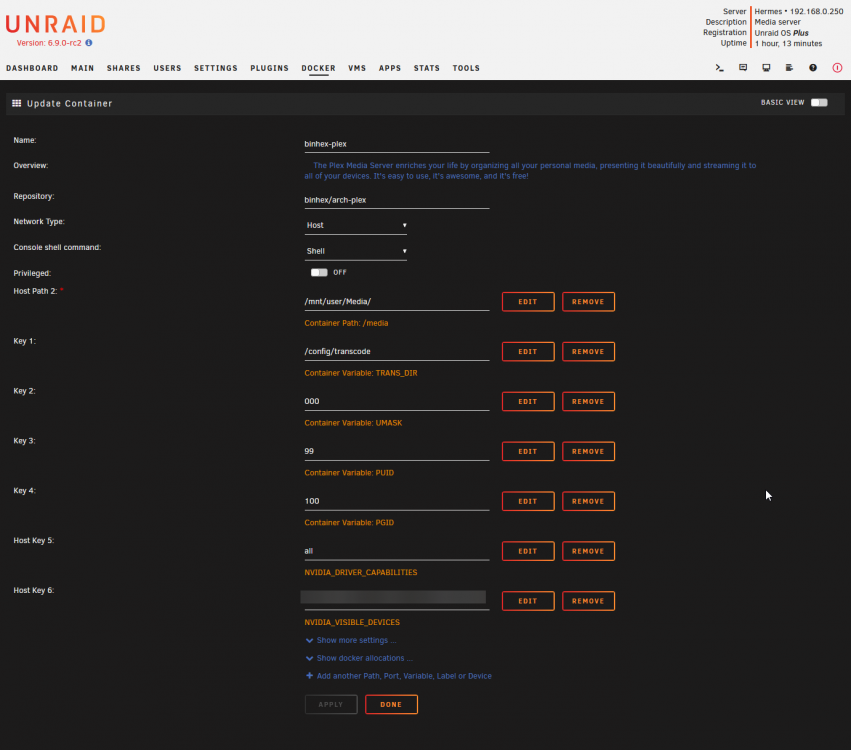
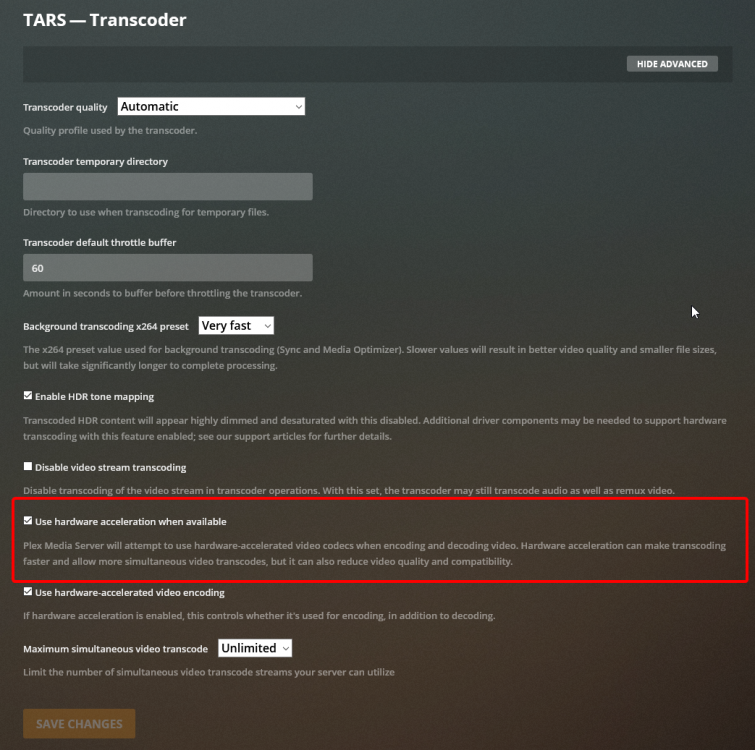
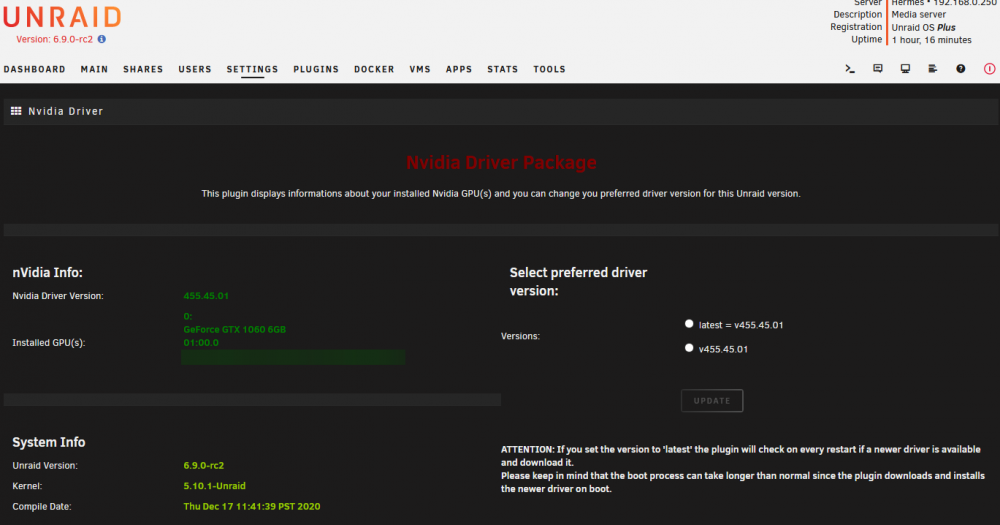
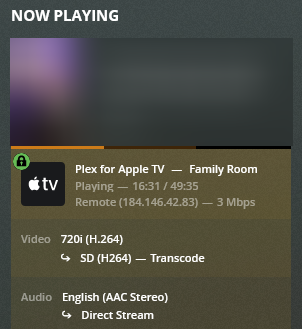
  1. I have recently updated to Version: 6.9.0-rc2 and attempted to get hardware transcoding to work for Plex via GPU passthrough (GTX 1060). I have the Nvidia Driver Package installed; added the extra parameters and Nvidia driver capabilities and visible devices variables to the plex docker. Hardware transcoding is enabled in plex, however it will not use my GPU to hw transcode - using my CPU only. I have checked using the watch nvidia-smi command in the console, as well as used the GPU statistics utility. Screenshots attached. Am I missing something? Did I do something wrong?
Account

Navigation

Search

Search

Configure browser push notifications

Chrome (Android)
  1. Tap the lock icon next to the address bar.
  2. Tap Permissions → Notifications.
  3. Adjust your preference.
Chrome (Desktop)
  1. Click the padlock icon in the address bar.
  2. Select Site settings.
  3. Find Notifications and adjust your preference.