



Skip to content
View in the app

A better way to browse. Learn more.

Unraid

A full-screen app on your home screen with push notifications, badges and more.

To install this app on iOS and iPadOS
  1. Tap the Share icon in Safari
  2. Scroll the menu and tap Add to Home Screen.
  3. Tap Add in the top-right corner.
To install this app on Android
  1. Tap the 3-dot menu (⋮) in the top-right corner of the browser.
  2. Tap Add to Home screen or Install app.
  3. Confirm by tapping Install.

Furaxio

Members
  • Joined

  • Last visited

Everything posted by Furaxio

  1. so basically running the Tuners in TVHeadend and connecting Plex over Network?
  2. Thanks for the relpy, I installed TVHeadend, there it show's the DVB-S Part: I passed /dev/dvb/ (on Plex and TVHeadend). If I only pass /dev/dvb/adapter0 it shows the card in Plex on the DVR Settings Page but the Dropdown-Menue for the Type is empty and I can't select a Type.
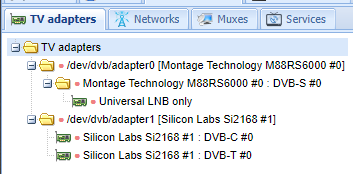
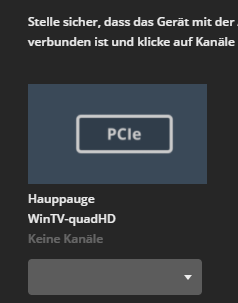
  3. Hi! I hope you can help me out... I installed a WinTV-HVR-5525 into my Server and loaded the DVB-Driver Package. I've tried all 3 Driver Packages, only the LibreELEC finds something. So far so good, but only two tuners show up (DVB-T, DVB-C). The DVB-S / S2 is missing and when I try to set them up in Plex it only shows the T/C. Any clues what I could do? cassiopeia-diagnostics-20210518-1736.zip
Account

Navigation

Search

Search

Configure browser push notifications

Chrome (Android)
  1. Tap the lock icon next to the address bar.
  2. Tap Permissions → Notifications.
  3. Adjust your preference.
Chrome (Desktop)
  1. Click the padlock icon in the address bar.
  2. Select Site settings.
  3. Find Notifications and adjust your preference.