Guybrush
Members
-
Joined
-
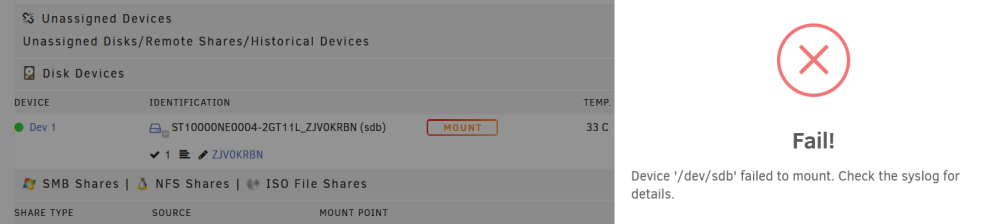
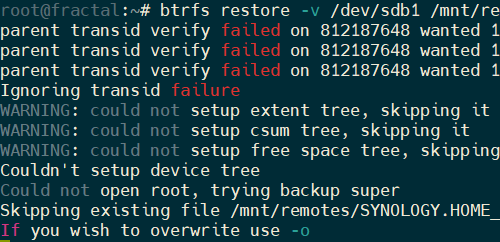
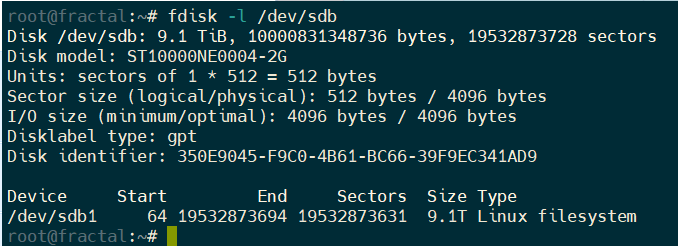
Unfortunately, the mount failed, but this time I see the data partition and btrfs restore appears to be working fractal-diagnostics-20240104-1606.zip
-
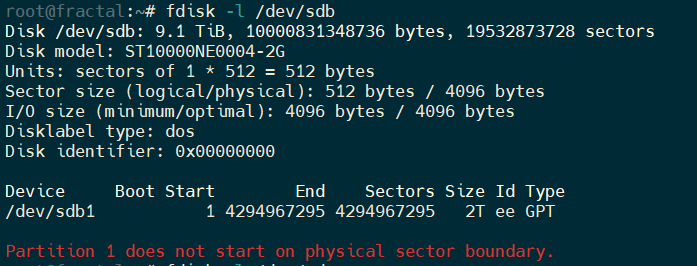
Seems like it's detecting a 2TB partition instead of the expected 9.1T
-
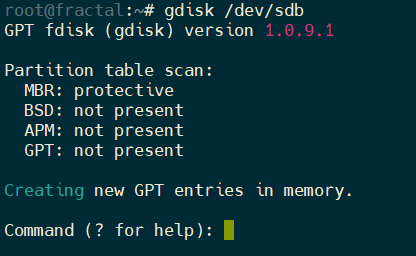
Here is the result
-
My mistake, here the diag with the array started and disk 1 unassigned fractal-diagnostics-20240102-1739.zipHere are the diag after starting the array fractal-diagnostics-20240102-1534.zipI finished the rebuild but get the same issue, also now i only have the option to format the drive fractal-diagnostics-20240102-1336.zip
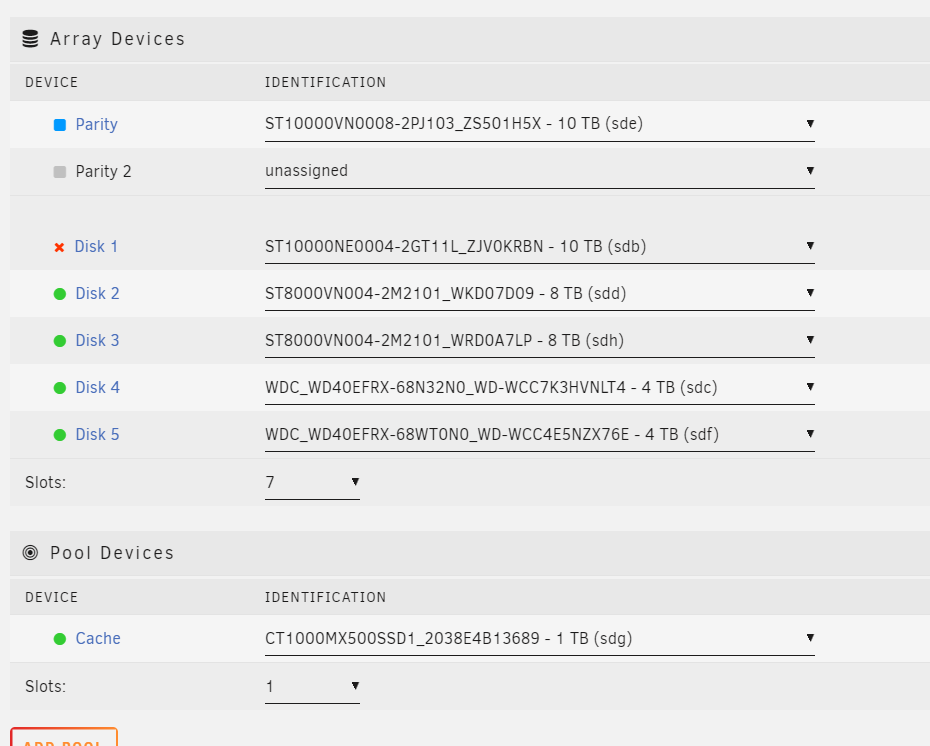
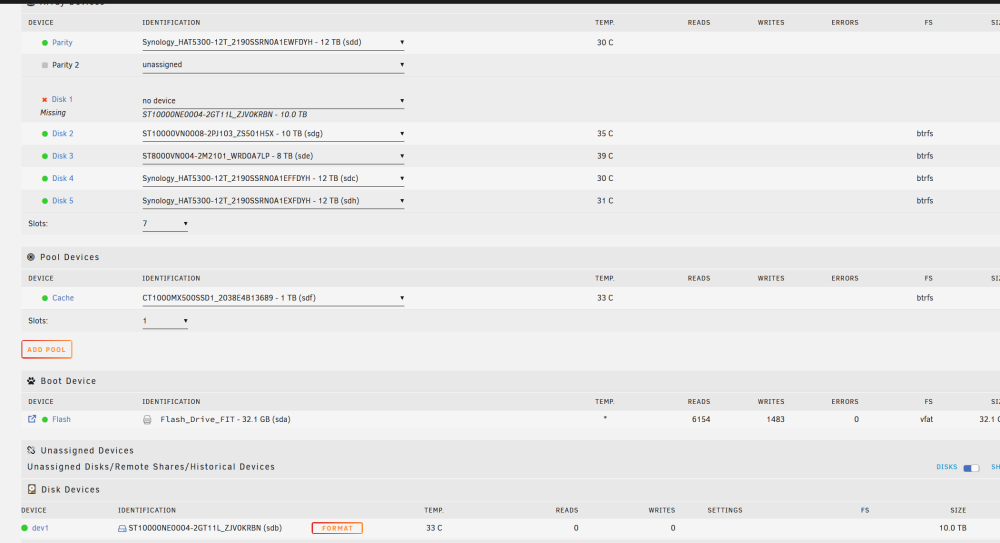 I switched the PSU to a bigger one, and also I don't have disk errors anymore, I still get the "Unmountable: Unsupported partition layout" error fractal-diagnostics-20240101-1134.zip
 I replaced some of the drive, but it was 3 months ago. PSU is 350 watts which should be enough for 7 drives, but unfortunately it's not modular, so splitters are the only away for now.I changed the sata cable and port and restore seems to be working for now, also based on the error it seems even the new cable might have an issue
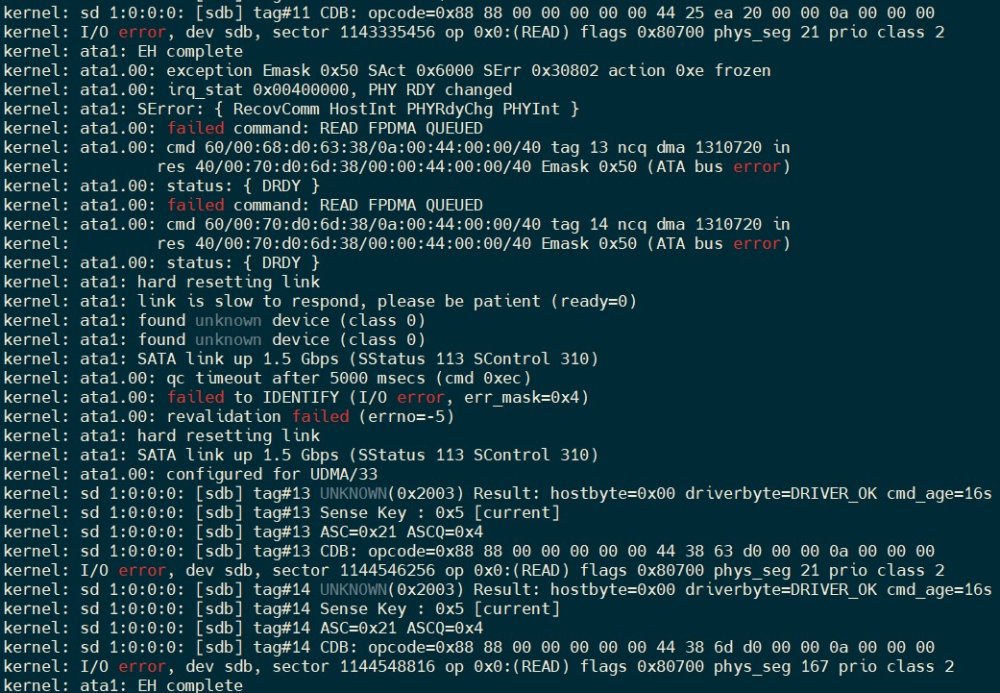 Both options failed So I guess I can either check the btrfs mailing list or switch the disk and rebuild the array ?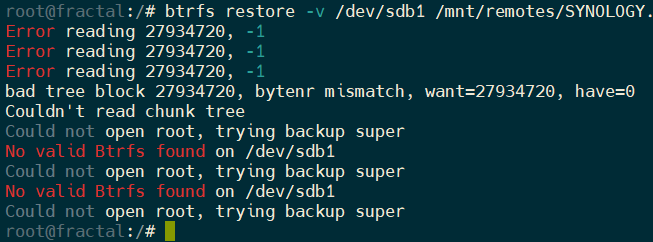
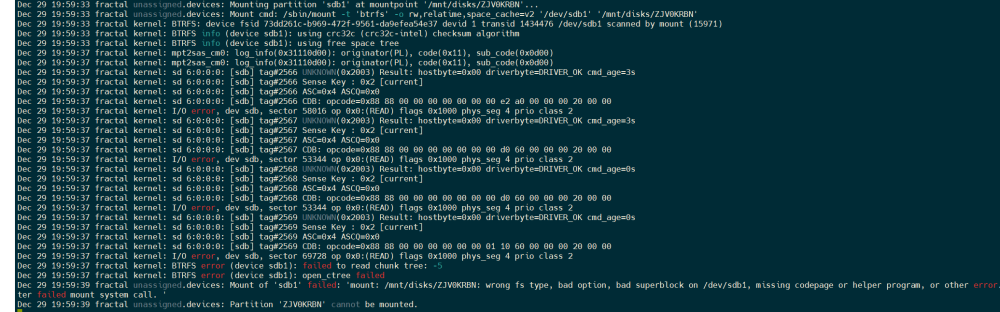 Hello, Thanks for the help. When you say "you can also see if the actual disk still mounts." do you means using the Format option in the GUI or via the mount command you linked before ?Hello, After booting the NAS, one of the drive was not detected I shut down the NAS, checked the SATA connector and changed the molex connector, but now Unraid doesn't even detect a file system Any help would be appreciated. fractal-diagnostics-20231228-2135.zip
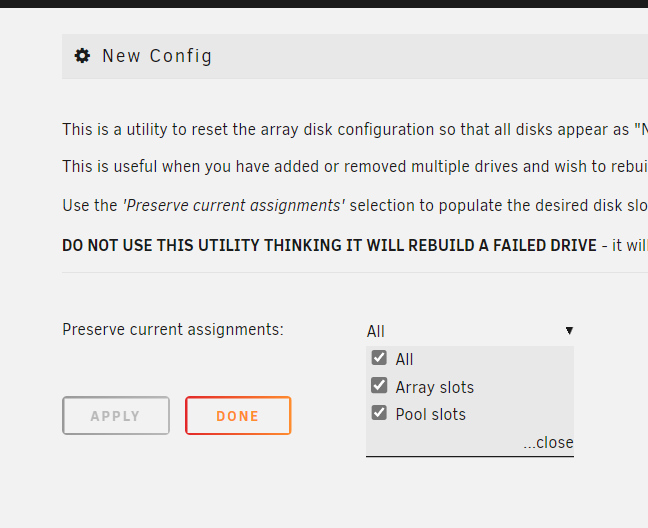
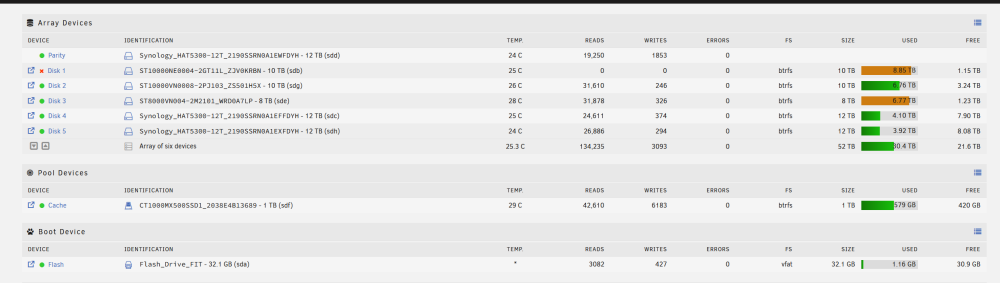 fractal-diagnostics-20231014-1658.zipI did the reset but the Parity-Sync seems to be stucked at at 0,1%.I switched both sata and power cable on the faulty drive but still no luck after a reboot Should i preserve all assignements for the new config ?