





Dave001
Members
-
Joined
-
Last visited
-
Hey everyone, I updated to Unraid 6.12.10 about a month ago, and noticed last night it has not been following the settings that I have set under Shares. My current setup, which hasn't changed for a few years now, is Disk 1, with a single folder called TV Shows, with two folders underneath that called, A-D and F-M, Disk 2 also has a single folder called TV Shows, with two folders underneath that called, N-S and T-Z. Disk 3 and Disk 4 are setup much the same but they have a single folder called Movies, and then the Action, Sci-Fi, Comedy, and so on, split across the two disks. I then have two Shares, TV Shows and Movies, with the below settings. Since the update to 6.12.10 when I write to the Shares ( I use FTP if that is important), it will create the N-S and T-Z folders on disk 1, which has more free space, even though the Share has "Allocation method" set to "Fill Up" and "Split Level" set to "Manual: do not automatically split directories". It is also doing it with the Movie shares too. Is this a bug, or am I missing something here? Any help would be appreciated. Thanks, Dave
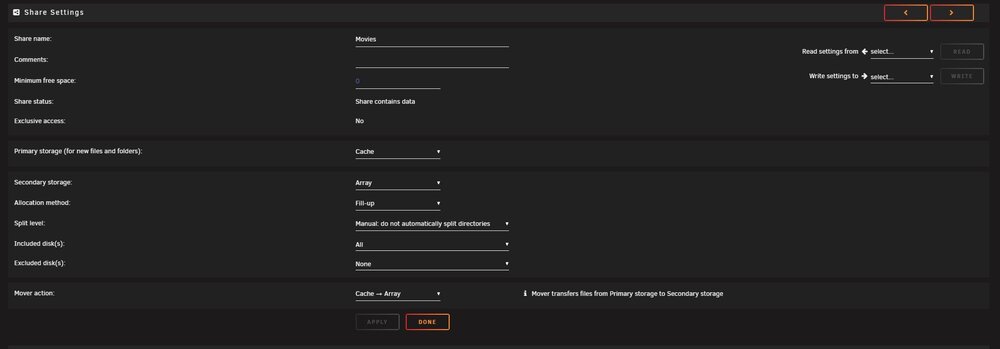
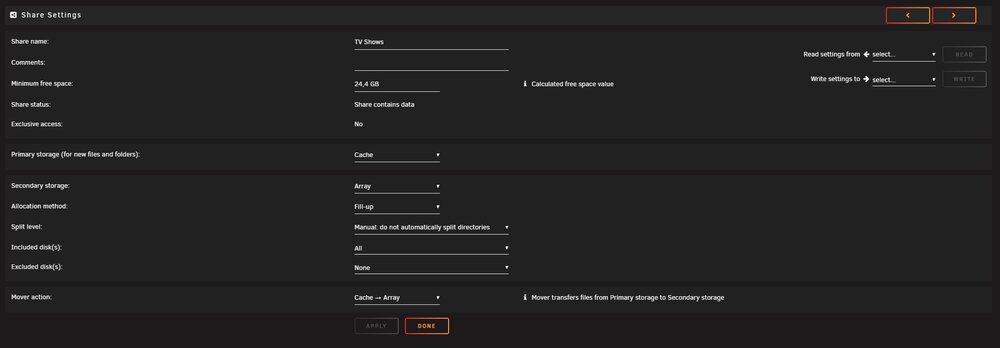
-
I also followed the instructions deleting the preference file, which did get it working again, but also required restoring all my settings in Plex. In my instance, it was the "Secure connections" setting being set to "Required", that was stopping me from connecting to the IP address directly, either by typing the address into a browser "192.168.0.2:32400/" or by clicking on the "WebUI" link for Plex in the Docker section of Unraid. When you delete the Preferences file, it resets "Secure connections" back to "prefered", which will allow unsecure connections. If you need to connect to Plex with "Secure connections" setting being set to "Required", you can use this address "https://app.plex.tv/desktop/#!/".
-
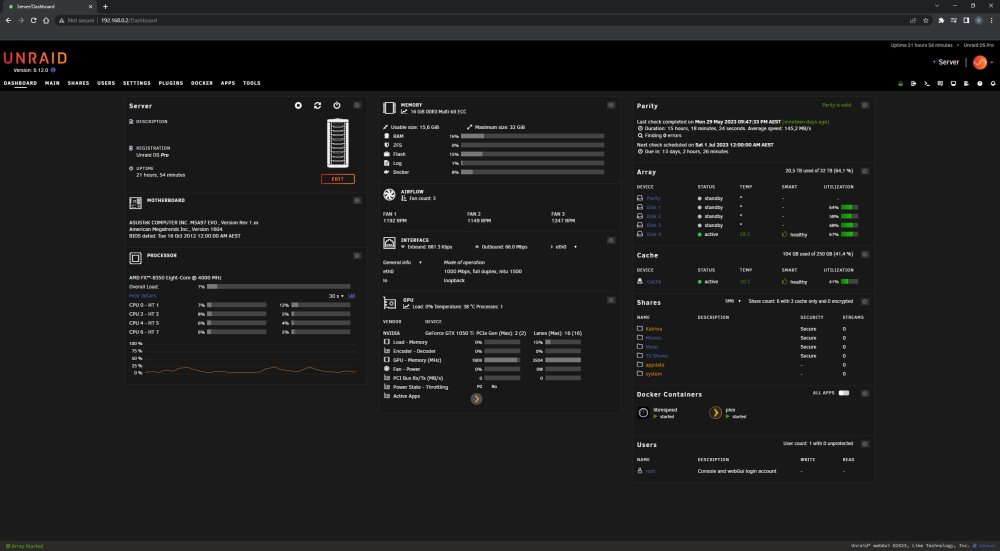
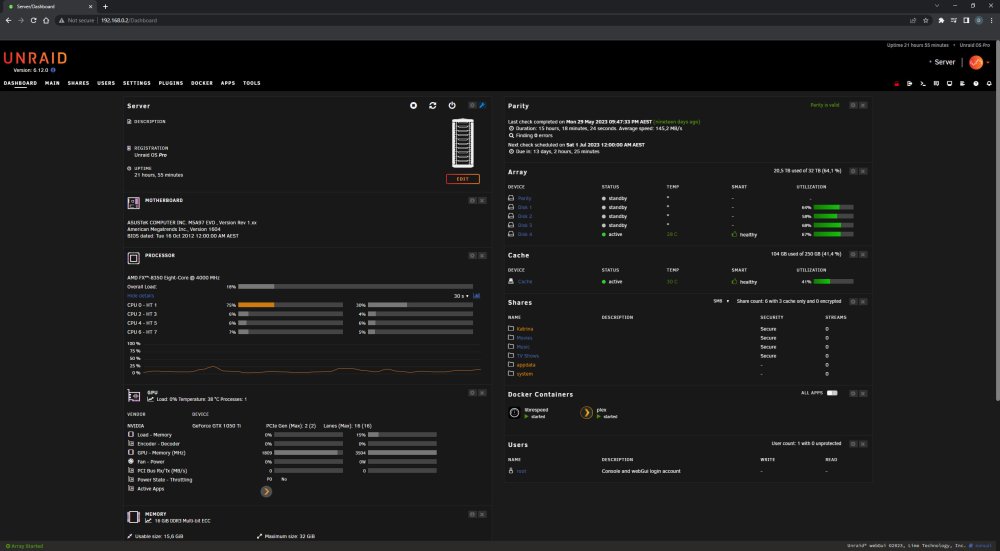
That's not correct. The screen captures below were all done with Chrome maximized on a 2560 x 1440 screen.
-
OK, all fixed, I cleared browsing data in Chrome, and it's back to three columns.
-
Bit more info, if I open it up in Firefox or Edge, I was using Chrome previously, it reverts back to the three columns.
-
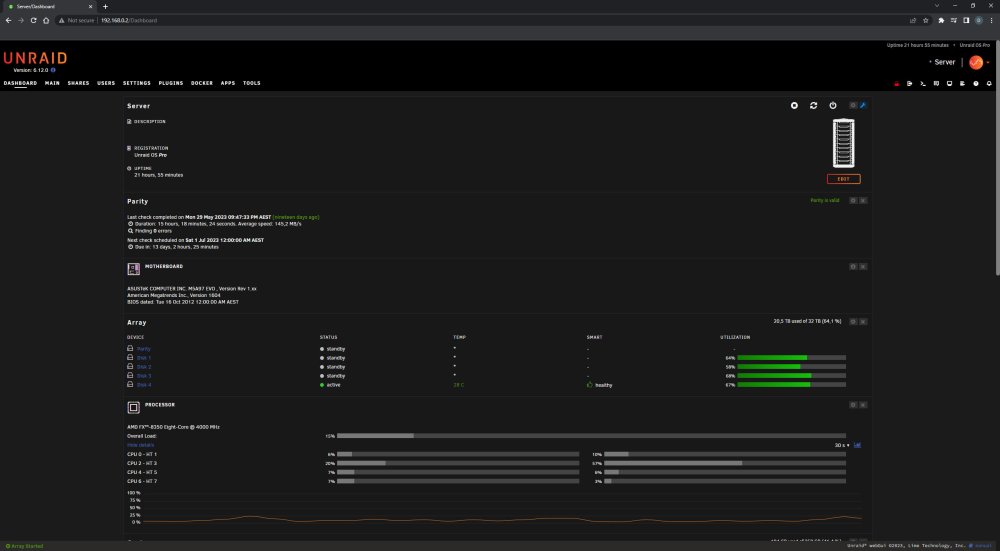
I was rearranging the new Dashboard in 6.12.0, and I accidentally changed it to only two columns, and can't figure out how to get it back to three. Thanks in advance.
-
Enable the FTP server, then check the log, that's all I did.
-
#!/bin/bash /usr/local/emhttp/plugins/dynamix/scripts/ftpusers '1' 'root'
-
I added a script to enable FTP on boot, seems to be working so far. Enabled FTP Server under "Settings, FTP Server". Check the system log and read the line that Enabled the FTP Server, for mine it was "/usr/local/emhttp/plugins/dynamix/scripts/ftpusers '1' 'root'" Added a new script using the User Scripts plugin, and added that data, and set it to run at "At Startup of Array"
-
Funny how every time a developer makes a change, the way I've been doing it for the last 10 years, with out any problems mind you, is suddenly the wrong way to do it.
-
Just upgraded to Unraid 6.10.0, and have found that FTP is disabled on boot every time, is there anyway to enable it at boot by default? Thanks.
-
Thank you, all sorted.
-
Just setting up the Plex docker on a new Unraid server, and I can't get linuxserver/plex to show in the Template list when I try to add the container. I'm pretty sure I'm doing everything correctly, but it has been a while. :) Added https://github.com/linuxserver/docker-plex to the Template repositories window. Click on the Add Container button, but under Templates there is no template to choose. Any help would be appreciated. Thanks.
-
Thanks, all fixed.
-
I recently uninstalled all the 3rd party plugins (unraid v6.0.1) trying to track down a fault, when I reinstalled Dynamix Active Streams (2015.06.27), I no longer have an icon under Tools, tried removing and reinstalling it again, still no icon, any ideas on how to fix. Thanks.



