




Skip to content
View in the app

A better way to browse. Learn more.

Unraid

A full-screen app on your home screen with push notifications, badges and more.

To install this app on iOS and iPadOS
  1. Tap the Share icon in Safari
  2. Scroll the menu and tap Add to Home Screen.
  3. Tap Add in the top-right corner.
To install this app on Android
  1. Tap the 3-dot menu (⋮) in the top-right corner of the browser.
  2. Tap Add to Home screen or Install app.
  3. Confirm by tapping Install.

Kryten73

Members
  • Joined

  • Last visited

Everything posted by Kryten73

  1. Hi All, Feels like a silly question, just bought the above board and a CPU fan (CoolMaster Hyper H410R) which says it’s socket 2011 compatible but it doesn’t line up with the holes (tried all the supplied mountain brackets). Just wondered if anyone knows if not all 2011 socket fans are the same spec/size? Thx
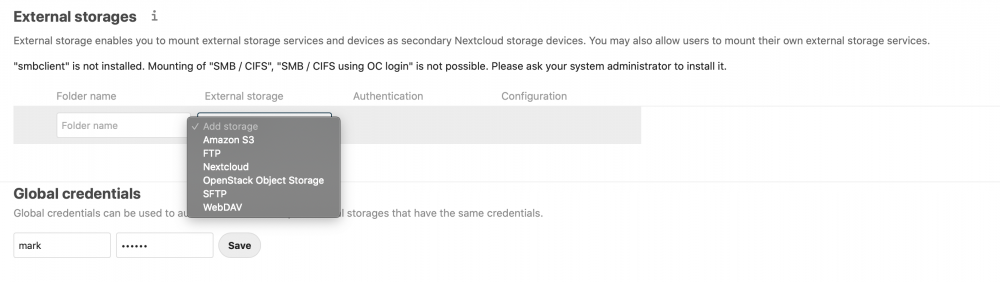
  2. school boy error on my part - when clicking on settings for external storage did not realise that there is an admin section at the bottom - that worked and shored the local option - thx for coming back to me though.
  3. Hi Folks, probably me, but I can add unraid volumes to next cloud via the external storage app - there is no local option. Could someone please tell me what I'm missing. Many Thanks, Mark.
Account

Navigation

Search

Search

Configure browser push notifications

Chrome (Android)
  1. Tap the lock icon next to the address bar.
  2. Tap Permissions → Notifications.
  3. Adjust your preference.
Chrome (Desktop)
  1. Click the padlock icon in the address bar.
  2. Select Site settings.
  3. Find Notifications and adjust your preference.