





BuzzedMunkee
Members
-
Joined
-
Last visited
-
Thanks JorgeB that did the trick, I must have changed to ZFS whilst it was autoformatting. I'll move the stuff off if I need it and reformat if I really want to do ZFS Happy Sunday, thanks again
-
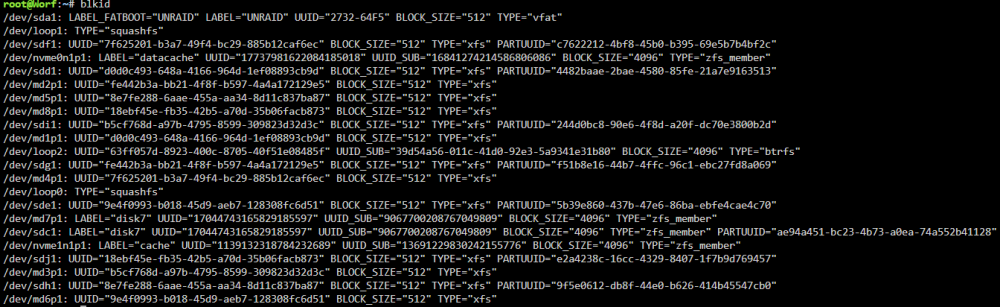
Hi JorgeB It should have been I selected ZFS and then format. but maybe it had already started doing auto format? Cant see disk8! its not a massive problem if I lose what's on there
-
looking over it, should I have created the ZFS datasets for disk 8?
-
Many thanks logs attatched, i did remove some lines, with some file names, also truncated these, there where maybe 100's of these, trying to move from my datacache pool worf-diagnostics-20240303-0843\logs\syslog-previous.txt:1104:error: move, 380: No such file or directory (2): lstat: /mnt/datacache/data/usenet/complete/... worf-diagnostics-20240303-0843\logs\syslog-previous.txt:1105:error: move, 380: No such file or directory (2): lstat: /mnt/datacache/data/usenet/incomplete/... worf-diagnostics-20240303-0843\logs\syslog-previous.txt:1106:error: move, 380: No such file or directory (2): lstat: /mnt/datacache/data/usenet/incomplete..... worf-diagnostics-20240303-0843.zip
-
Morning all, Yesterday I added a disk to my array, it cleared it down and added it fine, set to zfs and formatted I then proceeded to let mover do its thing and move the files on my cache drive, all looked good, but saw the disk was still showing as 0 in size and used. Maybe I did a stupid thing next, but I restarted it, just in case, now it shows Unmountable: Unsupported or no file system just sorting the logs now Many thanks

