




Skip to content
View in the app

A better way to browse. Learn more.

Unraid

A full-screen app on your home screen with push notifications, badges and more.

To install this app on iOS and iPadOS
  1. Tap the Share icon in Safari
  2. Scroll the menu and tap Add to Home Screen.
  3. Tap Add in the top-right corner.
To install this app on Android
  1. Tap the 3-dot menu (⋮) in the top-right corner of the browser.
  2. Tap Add to Home screen or Install app.
  3. Confirm by tapping Install.

JohnDS

Members
  • Joined

  • Last visited

  1. Thank you so much, I never would have guessed it was a Mojave issue!
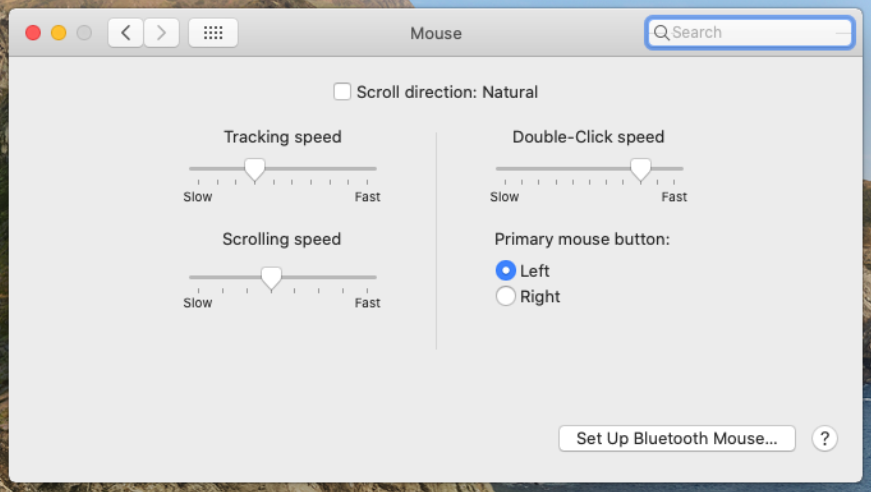
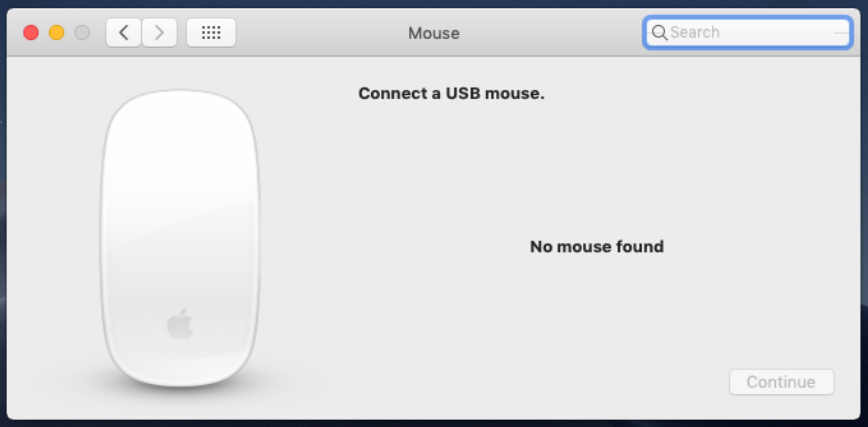
  2. I'm having a strange issue that I have truly tried to search for a fix prior to posting. I have both a Catalina and a Mojave VM on my system and both are working great but they are exhibiting a strange difference that I cannot explain. On Catalina, I can change the mouse settings, reverse the scroll direction, etc... On the Mojave VM, there is "no mouse found" however the mouse works just fine but I don't have an option to change the scroll direction. I've compared the xml and they seem to be identical. The only XML changes I've made to these VMs was CPU cores and Ram. Both start and run perfectly. Any guidance would be appreciated. John
Account

Navigation

Search

Search

Configure browser push notifications

Chrome (Android)
  1. Tap the lock icon next to the address bar.
  2. Tap Permissions → Notifications.
  3. Adjust your preference.
Chrome (Desktop)
  1. Click the padlock icon in the address bar.
  2. Select Site settings.
  3. Find Notifications and adjust your preference.