Flatfire
Members
-
Joined
-
Last visited
-
You should be able to pass it through by simply passing through the IOMMU group that contains it, to the VM of your choice. In general, Unraid doesn't need to have immediate support provided it can tell the hardware exists. If you're using the A380 as your primary display output, and you need access to the local interface rather than just the web interface, you will need to set the iGPU as the default output in your BIOS. I'd recommend doing that anyways if you're passing the GPU through to a VM. Otherwise, Unraid will happily run headless.
-
Interesting. Thanks so much for the help both @Vr2Io and @tjb_altf4
-
Interesting. I'd guess SAS Expander is the search term I've been missing in my hunt for a workaround. The ones I'm seeing all seem to be PCIe cards though. Do they actually have any level of communication of the PCIe link or is it just being used as a power source for the card? If it's the latter, any idea if there's an expander that doesn't use PCIe?
-
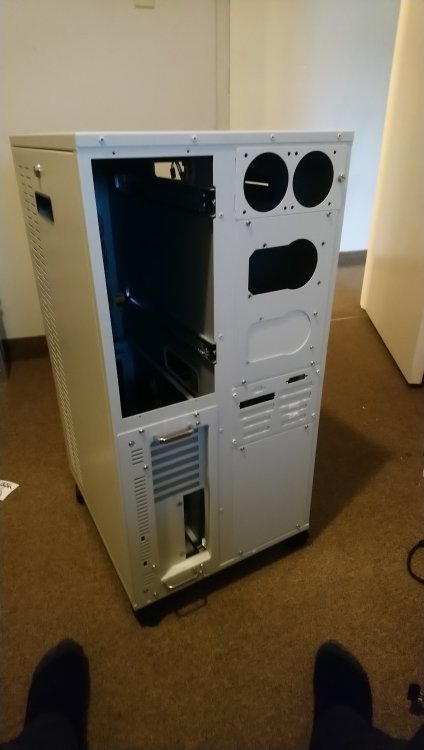
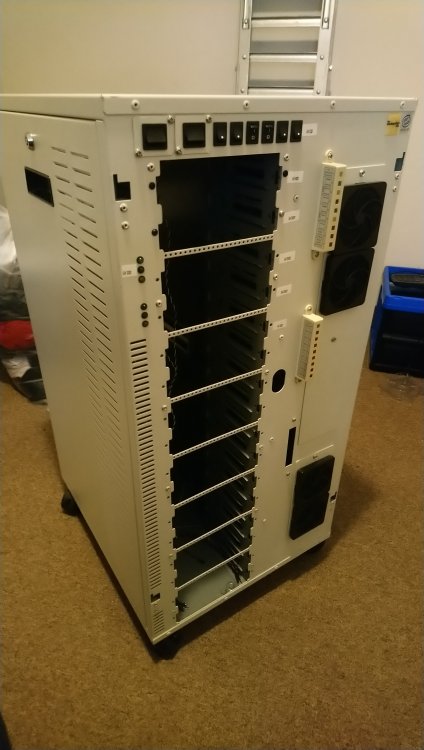
I've got an...unusual case. (Literally the case is weird. Photo below) The tower is really designed to host two systems, but at the moment I only need one system in it, and would like to eventually populate all 16 bays. It's worked great, but I've run out of SATA ports on my motherboard and as a result I've started to look at some of the IT Mode SAS cards like the LSI 9201-8i for expansion, as you can break out to 4 sata connections per mini-SAS connector. Only problem I have is the length of SATA cables. My understanding is that SAS cables are capable of running at greater lengths (up to 10m) vs the 1m limit of a SATA cable. My thought is that I could mount a breakout board/backplane in the drive chamber of the case using a couple of SAS connections that split into 8 SATA connectors I can branch off of. My only concern, is that it won't matter how long that SAS cable is if I'm running a SATA connection over it because that 1m limitation might still apply for the sake of signaling. I would hope to solve that by breaking out closer to the drives rather than at the SAS card but I'm pretty lost on how this works at this point. I can't find a concrete answer to this elsewhere, but I figure there has to be a way to do it. Hell, maybe I'm barking up the wrong tree entirely and this doesn't make any sense at all. Thanks in advance!
-
I did see those. but from what I can tell the internal configuration is different. Granted that flyer doesn't offer much information. Didn't end up getting anymore info though.
-
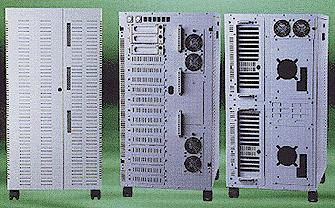
Got a bit more info. It's a TP-1620. Got this really grainy photo from the first snapshot available of their website. It's a pretty grainy image, but it's definitely the case. It's slightly different than mine, but purely in those back punchout plates that seem to be configurable anyways.
-
So, fun fact. I gave the number on their website a call. They are in fact still in business. I'm going to email them a few photos per their request and see if they can identify the model. Wayback Machine wasn't giving me any images from their site that would help me nail it down
-
OH MY GOD. Do you have any idea how long I've been looking for information about that thing? How in the world did you find that? I have asked literally anyone I could who would have been selling these kinds of things from that era. That Case looks remarkably similar, with the primary difference being it's a single system chassis
-
I've got this absolute monster. Idk what it is tho. It has 16 drive bays and fits two whole systems, complete with sliding motherboard trays.