Nakor
Members
-
Joined
-
Last visited
Everything posted by Nakor
-
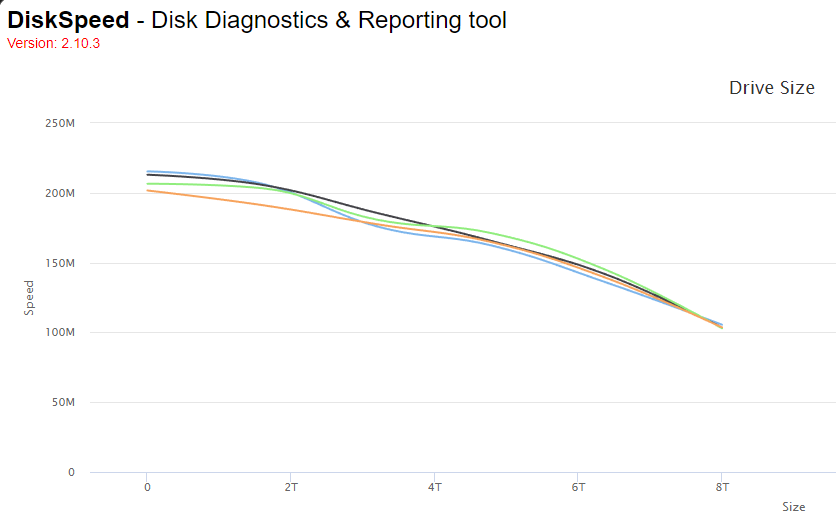
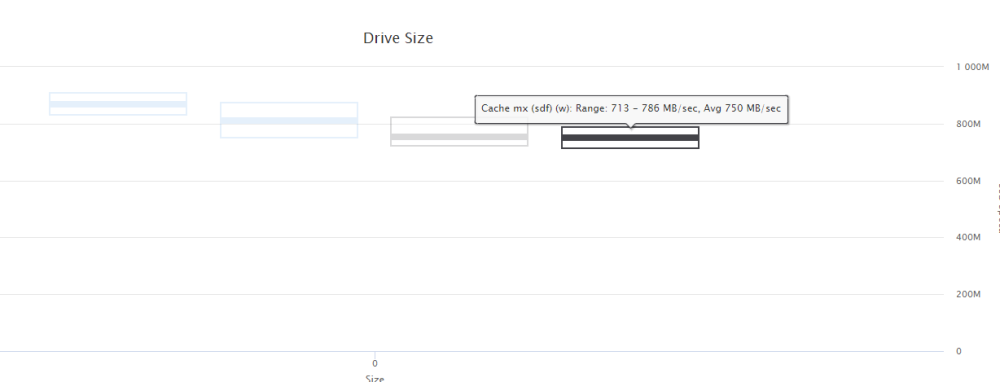
Diskspeed: HDDs: SSDs:
-
I'll re-run diskspeed, but it shouldnt. I have 2 SSDs for cache
-
I've ordered a new NIC to see if that fixes anything. If that doesnt work, I suppose I can hold out for the next next release of unraid before just wiping and utilizing something other than unraid
-
-
No QoS. All other devices work fine. SABnzbd downloads at 100MB on other computers on the same network.
-
-
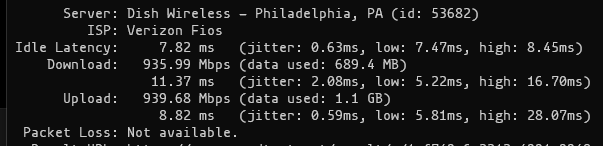
No other device on the same network has any issues. What should I look at on my router? Here is docker run --rm --net=host tianon/speedtest --accept-license run directly on my router:
-
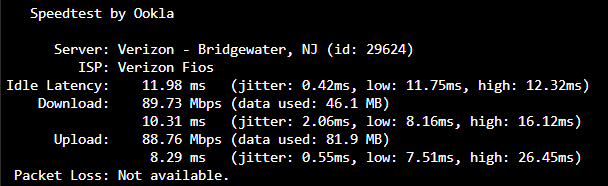
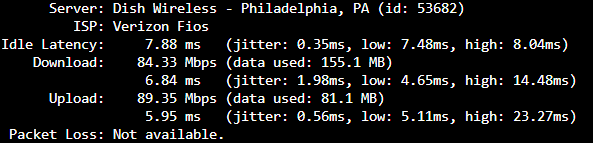
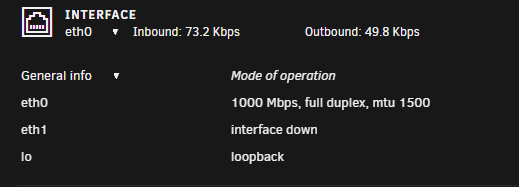
Updated tests: from docker network inspect: Settings for eth0: Supported ports: [ TP ] Supported link modes: 10baseT/Half 10baseT/Full 100baseT/Half 100baseT/Full 1000baseT/Full Supported pause frame use: Symmetric Supports auto-negotiation: Yes Supported FEC modes: Not reported Advertised link modes: 10baseT/Half 10baseT/Full 100baseT/Half 100baseT/Full 1000baseT/Full Advertised pause frame use: No Advertised auto-negotiation: Yes Advertised FEC modes: Not reported Speed: 1000Mb/s Duplex: Full Auto-negotiation: on Port: Twisted Pair PHYAD: 1 Transceiver: internal MDI-X: on (auto) Supports Wake-on: d Wake-on: d Current message level: 0x00000007 (7) drv probe link Link detected: yes iperf3 shows gig speeds and file transfers are fast as well relevant parts of docker network inspect: "Name": "bridge", "Id": "###", "Created": "2023-02-09T19:36:20.054881309-05:00", "Scope": "local", "Driver": "bridge", "EnableIPv6": false, "IPAM": { "Driver": "default", "Options": null, "Config": [ { "Subnet": "172.17.0.0/16", "Gateway": "172.17.0.1" } ] }, "Internal": false, "Attachable": false, "Ingress": false, "ConfigFrom": { "Network": "" }, "ConfigOnly": false, "Options": { "com.docker.network.bridge.default_bridge": "true", "com.docker.network.bridge.enable_icc": "true", "com.docker.network.bridge.enable_ip_masquerade": "true", "com.docker.network.bridge.host_binding_ipv4": "0.0.0.0", "com.docker.network.bridge.name": "docker0", "com.docker.network.driver.mtu": "1500" Host speedtest docker run --rm --net=host tianon/speedtest --accept-license: 'Bridge' speedtest docker run --rm --net=bridge tianon/speedtest --accept-license:
-
Deteled docker image and installed everything from scratch - no fix
-
Sorry to necro but were you ever able to find a fix?
-
Update: Using new NIC and new cable as I was out of ideas. Same issue. Updated diagnostics attached in case anyone has an idea before I just nuke it. tower-diagnostics-20230207-2051.zip
-
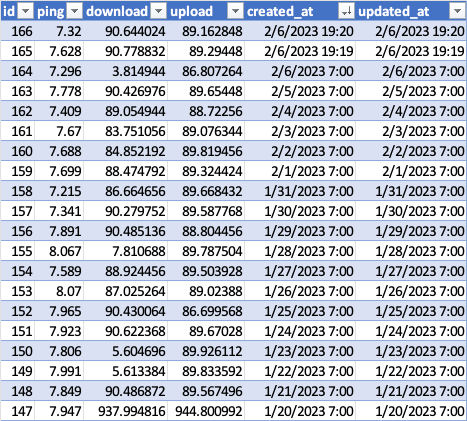
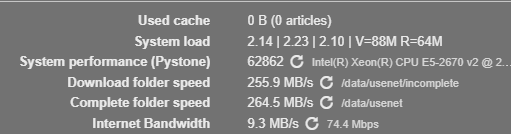
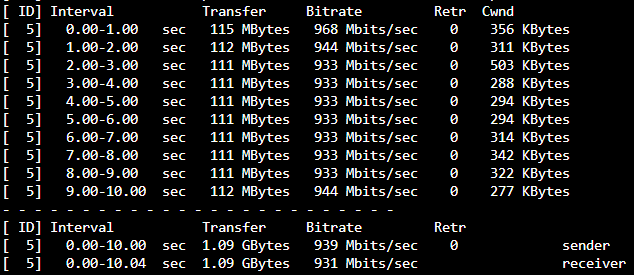
Greetings! Recently (last 15 days or so), I noticed my SABnzbd downloads were never exceeding 10MBs (previously it would max out a little over 100MBs on my fiber connection). I also have Speedtest Tracker running which has a corresponding slowdown: Line 147 was last "good" result I tested iperf and got this today router to unraid server: SAB is also showing this: I've attached my diagnostics to the post. I'm not sure what else to test or change. Fix Common Problems comes up with nothing. SAB is running in bridge mode. Any insight would be appreciated. tower-diagnostics-20230206-1455.zip