nonikka
Members
-
Joined
-
Last visited
Everything posted by nonikka
-
yes,I pass it as a device,maybe this is a issue about cpu gen9, anyway, thank you
-
thanks,I think maybe the subtitle transcode use cpu
-
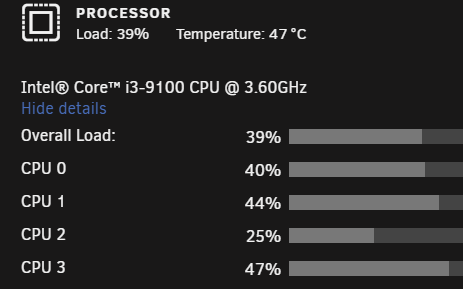
Hello lukeoslavia, could you tell me about the CPU usage when hw transcoding ? for me it takes 40~50% for a 4k h264 96631 kbps video, I thing it is too high and want to know the normal situation, thanks.
-
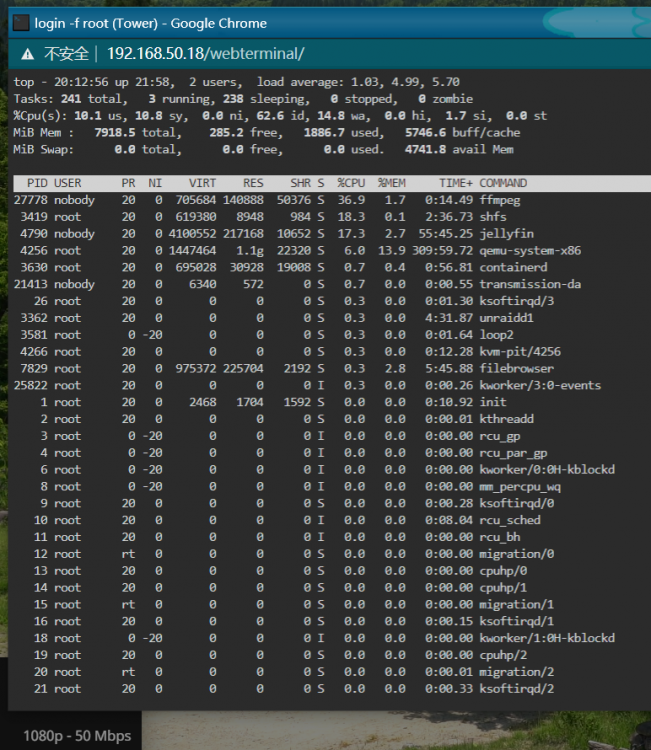
Hello Hoopster, I have a problem stuck me for a while. I use i3-9100 CPU and a gigabyte motherboard, when I try to use iGPU accelerate in jellyfin it seems CPU usage is too high (30~50% for a 1080P H264 8bit 3142 kbps video). I have tried 6.8.2 and 6.9.0 rc1, after edit the go file I can see /dev/dri/renderD128 in both of them, but when I go to docker console in jellyfin, the "vainfo" command failed(and I tried chmod 777 for /dev/dri too, no work): root@362c9c255734:/# vainfo bash: vainfo: command not found root@362c9c255734:/# ls /dev/dri -l total 0 crw-rw---- 1 root videopjM7Y3FI 226, 0 Jun 21 02:59 card0 crw-rw---- 1 root videopjM7Y3FI 226, 128 Jun 21 02:59 renderD128 root@362c9c255734:/# Another thing is that when creating VM, the graphics card is intel 8th not 9th: Could you tell me how to correctlly use hw acceleration on i3-9100 for jellyfin (or plex)? Thanks.