Hernaldo
Members
-
Joined
-
Last visited
-
Hi Thor, Sorry, I don't find any solution yet. Regards
-
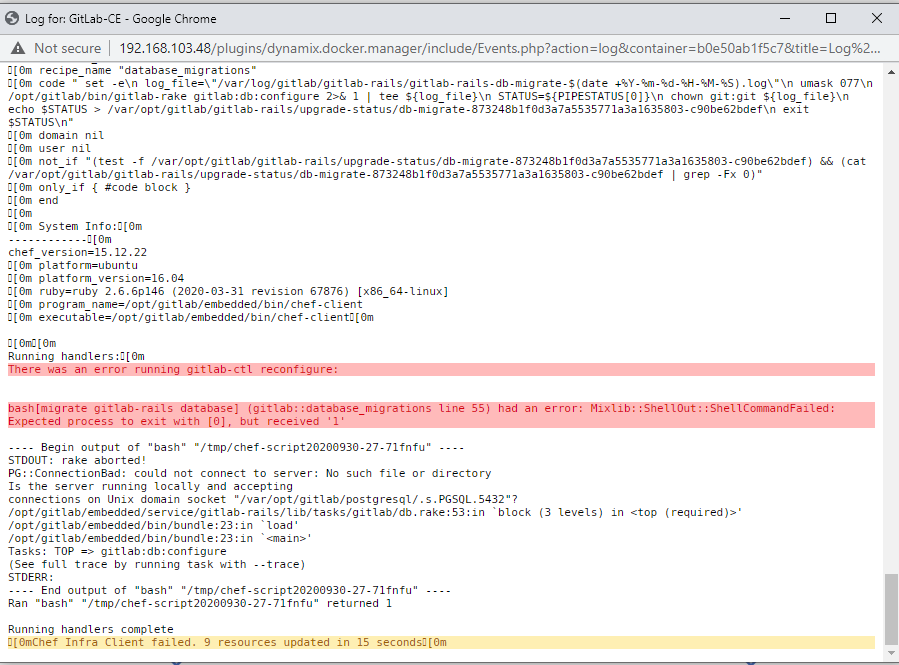
Hi, I tried to install few times this docker container into my unraid, but always a have the same error: [0m[0m Running handlers:[0m There was an error running gitlab-ctl reconfigure: bash[migrate gitlab-rails database] (gitlab::database_migrations line 55) had an error: Mixlib::ShellOut::ShellCommandFailed: Expected process to exit with [0], but received '1' ---- Begin output of "bash" "/tmp/chef-script20200930-27-71fnfu" ---- STDOUT: rake aborted! PG::ConnectionBad: could not connect to server: No such file or directory Is the server running locally and accepting connections on Unix domain socket "/var/opt/gitlab/postgresql/.s.PGSQL.5432"? /opt/gitlab/embedded/service/gitlab-rails/lib/tasks/gitlab/db.rake:53:in `block (3 levels) in <top (required)>' /opt/gitlab/embedded/bin/bundle:23:in `load' /opt/gitlab/embedded/bin/bundle:23:in `<main>' Tasks: TOP => gitlab:db:configure (See full trace by running task with --trace) STDERR: ---- End output of "bash" "/tmp/chef-script20200930-27-71fnfu" ---- Ran "bash" "/tmp/chef-script20200930-27-71fnfu" returned 1 Running handlers complete [0mChef Infra Client failed. 9 resources updated in 15 seconds[0m ***I tried to start up the docker few times, i tried to reinstall and the same result. Someone have a idea that's hapen. ***Unraid version 6.8.3 Regards