daniele.fenaroli
Members
-
Joined
-
Last visited
-
Hi guys First of all thanks in advance for any advice, and sorry but english is not my native language I hope that you could help me. I watched Spaceinvader One guides on how reverse proxys My goal was to reverse proxy: Jellyfin and Nextcloud. Untill 2 days ago all my service worked just fine, now every time i try to connect to one of my private site i've got something like "The 'Host' field contained in Http header is invalid" I would like to understand if got something wrong and eventually exclude any problem with let's encrypt. So i can learn something I've dynamic public ip address (right now i can't have a static one due to my provider) I use Godaddy to provide domain and Cloudflare to manage DNS so (if i understanded correctly) i could use wildcard. In Cloudflare i've set A keys ( to point my public ip), and i use cloudflare-ddns docker to update my current public ip and it woks just fine. I changed my unraid access port so Let's Encrypt could use 443 an 80 I portfoward both 443 and 80 in my router setting. I set ngnx conf files correctly (i presume cause they worked perfectly untill 2 days ago) So I check my cert And i check my docker Let's encrypt log so i try to ping my site inside the docker and from my pc and it works I tryed all i can do, but i've really no idea on how to deal with this thing. All i can do is to offer you a good italian wine as soon as this pandemic gonna end and you pass to Northern Italy and all i can do for you
-
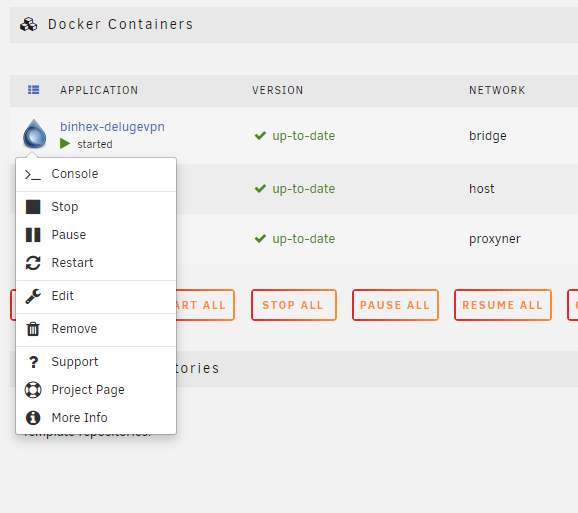
Hi Guys First of all: in a couple days ago i've some problems, every single dokers were missed, so i've to start to reinstall them one by one. here we are with Deluge. I install again Deluge binnexvpn using space invader one guide. It seems that went all ok, but as you can see no webUi This is my log delugevpnlog.txt This is diagnostic tower-diagnostics-20200724-2136.zip Any solution? thankyou in advance