





landerf
Members
-
Joined
-
Last visited
-
I put IPvLAN on December 27, 2023 and rebooted the machine, I'm going to do a clean reboot just in case... that's why I'm completely lost... I was thinking of a script so I deleted tailscale and fixed common problem that I was using but nothing works, the same, I deleted some docker just in case but I have the same problem..
-
Here u are, i just do a new Diagnostics of my unraid server unraidcloud-diagnostics-20240112-1547.zip
-
It's the recently log i have, but i can download it again and send again if u want syslog syslog-previous

-
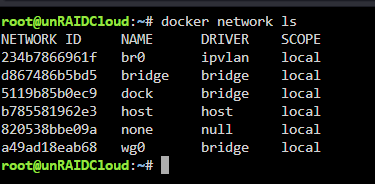
here u are the result of the command
-
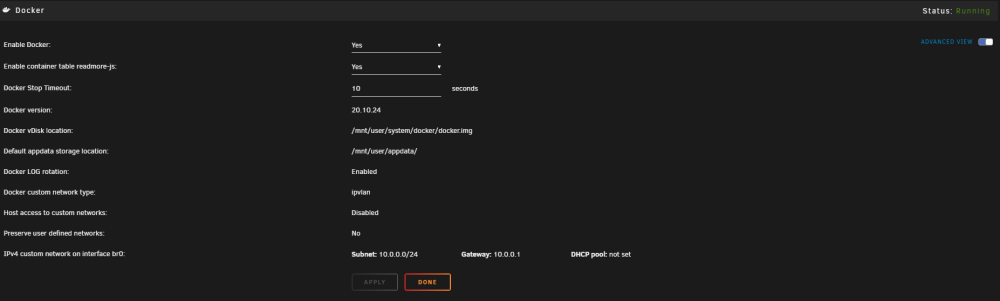
Hi, Already do it.. it's verry strange, in the webGUI i'm in IPvLAN...
-
Hello, I'm reaching out to you because I'm facing major issues with my Unraid server. Suddenly and recurrently, my server crashes at the level of the Ethernet interfaces, preventing any connection to the Unraid server. Additionally, the hosted dockers lose their connection as well. I'm forced to manually power off the machine by holding down the power button, then restart it, and everything works again as if nothing happened. This issue occurs once a week. I really don't understand what's happening. I've tried deleting plugins, etc., but nothing seems to resolve the problem. I can't see or understand where it's coming from. syslog syslog-previous unraidcloud-diagnostics-20230129-1542.zip

