





therecker
Members
-
Joined
-
Last visited
-
@binhexAny luck yet coming up with ideas or am I just shit out of luck?
-
I want to be able to route web based traffic through this VPN from outside of my network. I will lock this down via my firewall to only allow traffic from a specific IP address so as to not open up a security nightmare. I also don't want to run more than one VPN. I use this for a multitude of things and it works flawlessly for everything I want except this one task but this one task is very important. Isn't there something that can just be done on my side to allow this?
-
@binhex Any luck! I want to keep using this but without a way to pass traffic thru to it from the Internet it is not going to work for me. I'd appreciate any additional insight you might have.
-
@binhex Were you able to take a further look at this and provide any additional ideas?
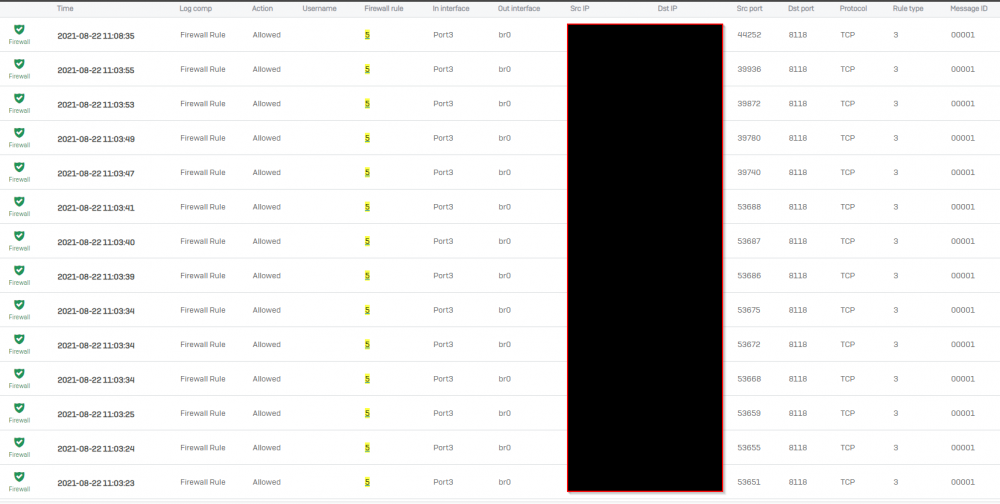
-
I tried what you said and the port still shows as closed from the Internet. To give you some background this will NOT be wide-open to the Internet. I will be locking this down to a specific IP range from my firewall. The firewall shows that the request is coming in from the Internet but the UnRaid server is not responding to the request (see below). I read through the entire config file and I just don't see a spot in Privoxy that would be stopping this once that listen-address 0.0.0.0:8118 is set. It seems like something within the way UnRaid is setup is restricting it. I'm just not sure though. I don't know enough about Linux to know one way or another. I do understand networking though and I'm 100% sure my network is passing the traffic to the UnRaid server:port and it isn't responding. Do you have any other suggestions?
-
This has been posted for over a week now. Is anyone able to provide some insight into this please?
-
So I have followed the FAQ Question #2 directions from https://github.com/binhex/documentation/blob/master/docker/faq/vpn.md on enabling Privoxy outside the LAN but I still cannot seem to get Privoxy to respond from the Internet. I have created a firewall rule on my firewall to allow port 8118 to go to my internal port 8118 on the UnRaid server. The firewall shows traffic coming in but Privoxy is NOT responding to the requests coming in to use it as the proxy server. If I use this from any other LAN device and point it to the IP of my Privoxy server and port it works flawlessly. Is this FAQ possibly outdated and something has changed that I'm unaware of? Any assistance getting this working from OUTSIDE my LAN would be greatly appreciated. Using UnRAID 6.9.2
-
I installed this via the community apps, working great by the way. However, every time I leave the application the column headings that I changed return to the default settings the next time I return to the application. This is quite annoying. All of the other settings seem to retain the changes but not the column headings. Anyone else have this problem (see screenshot)? Ideas? This is default This is the way I want it configured




