sheltem
Members
-
Joined
-
Last visited
-
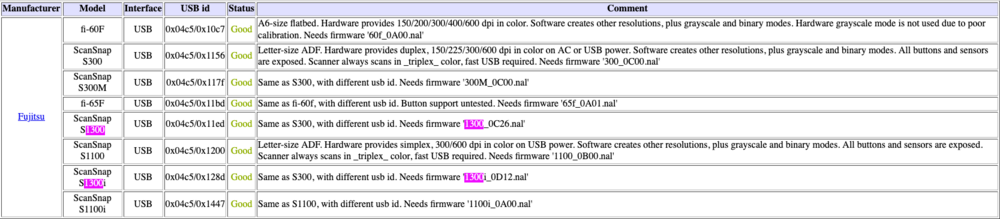
I got my S1300i working by following these instructions: https://github.com/stevleibelt/general_vendor_products/tree/master/fujitsu/scansnap_s1300i #find your scanner sane-find-scanner # example output # found USB scanner (vendor=0x04c5 [FUJITSU], product=0x128d [ScanSnap S1300i]) at libusb:001:004 cat >> /etc/sane.d/fujitsu.conf <<DELIM # [FUJITSU], [ScanSnap S1300i] # <connection-type> <vendor-id> <device-id> usb 0x04c5 0x128d DELIM mkdir -p /usr/share/sane/epjitsu cd /usr/share/sane/epjitsu/ wget "https://github.com/stevleibelt/general_vendor_products/blob/master/fujitsu/scansnap_s1300i/1300i_0D12.nal?raw=true" --output-document=1300i_0D12.nalWe have different scanners, so you'll need to make adjustments. Run all of the commands from the scanserv-js docker terminal. You'll need to download and copy the firmware (file_name.nal) file into the docker container. This site will tell you which firmware file to download: http://www.sane-project.org/sane-backends.html Hope this help.