Skip to content
View in the app

A better way to browse. Learn more.

Unraid

A full-screen app on your home screen with push notifications, badges and more.

To install this app on iOS and iPadOS
  1. Tap the Share icon in Safari
  2. Scroll the menu and tap Add to Home Screen.
  3. Tap Add in the top-right corner.
To install this app on Android
  1. Tap the 3-dot menu (⋮) in the top-right corner of the browser.
  2. Tap Add to Home screen or Install app.
  3. Confirm by tapping Install.

kelvinzero

Members
  • Joined

  • Last visited

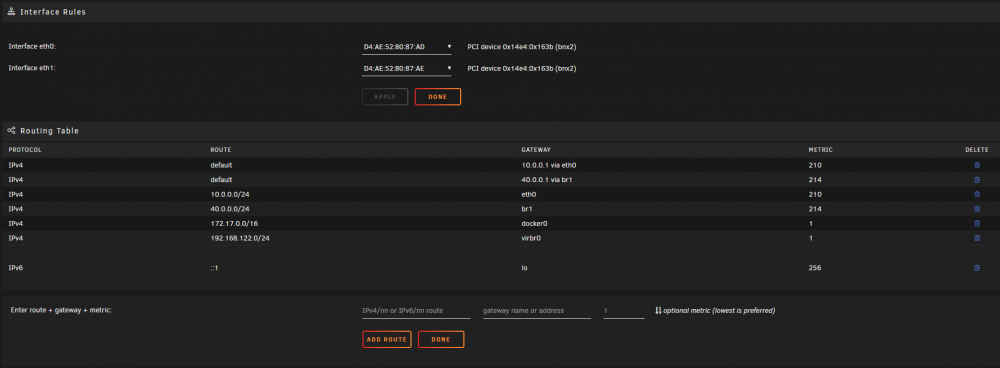
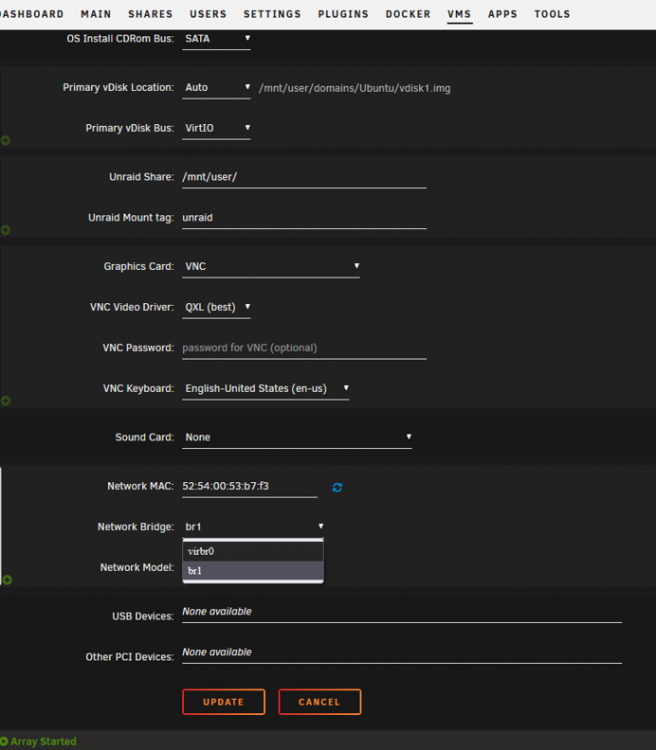
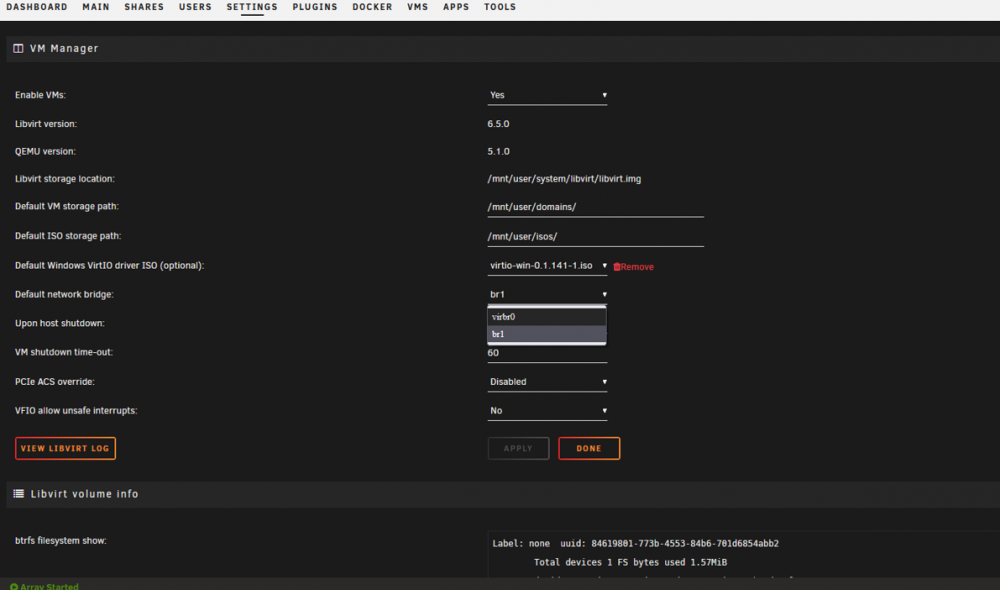
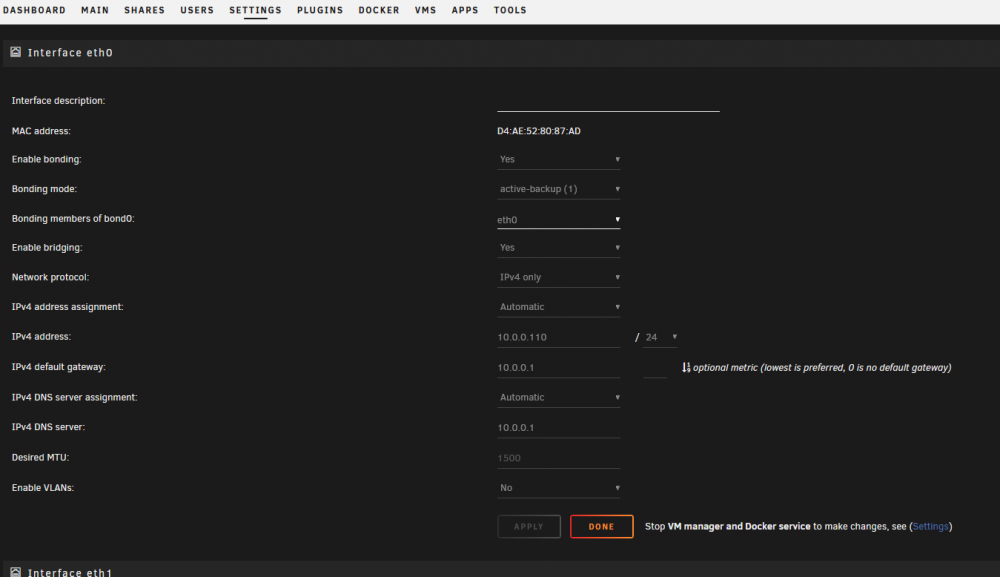
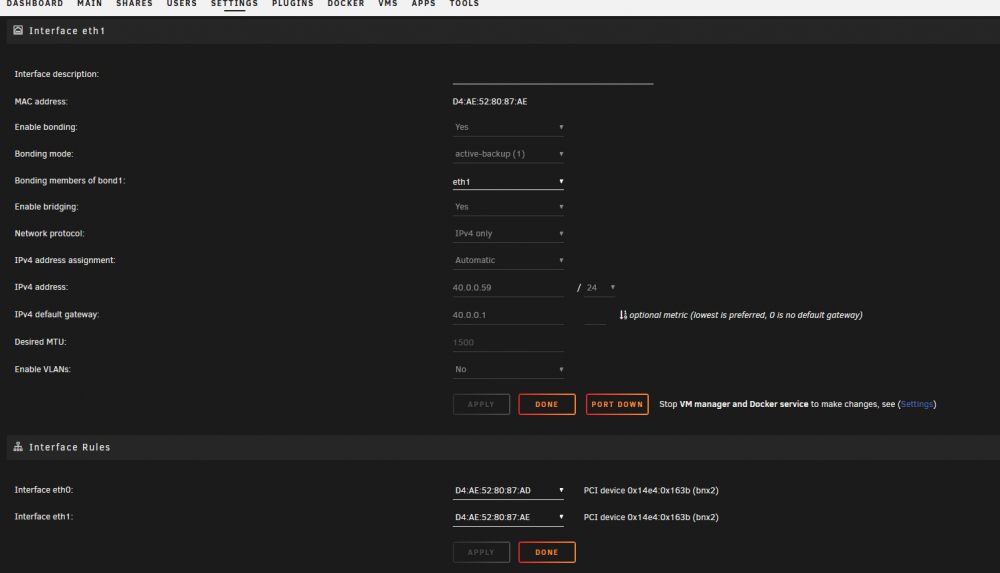
  1. I'm probably missing something obvious but I'm not getting anywhere with this problem. I am running Unraid 6.9.2 on a Dell Poweredge t410 box with two built in ethernet ports. My issue is that the settings on my VMs don't show the eth0 interface, only vibr0 and br1. While the VM can only access br1 as an external interface, my docker instances can only connect through eth0 (problem for another day). I'm hoping someone has an idea of how I can make eth0 available to my VMs so I can use either network interface. Here's my current settings in the attached pics: tia tia
Account

Navigation

Search

Search

Configure browser push notifications

Chrome (Android)
  1. Tap the lock icon next to the address bar.
  2. Tap Permissions → Notifications.
  3. Adjust your preference.
Chrome (Desktop)
  1. Click the padlock icon in the address bar.
  2. Select Site settings.
  3. Find Notifications and adjust your preference.