Skip to content
View in the app

A better way to browse. Learn more.

Unraid

A full-screen app on your home screen with push notifications, badges and more.

To install this app on iOS and iPadOS
  1. Tap the Share icon in Safari
  2. Scroll the menu and tap Add to Home Screen.
  3. Tap Add in the top-right corner.
To install this app on Android
  1. Tap the 3-dot menu (⋮) in the top-right corner of the browser.
  2. Tap Add to Home screen or Install app.
  3. Confirm by tapping Install.

syly

Members
  • Joined

  • Last visited

Everything posted by syly

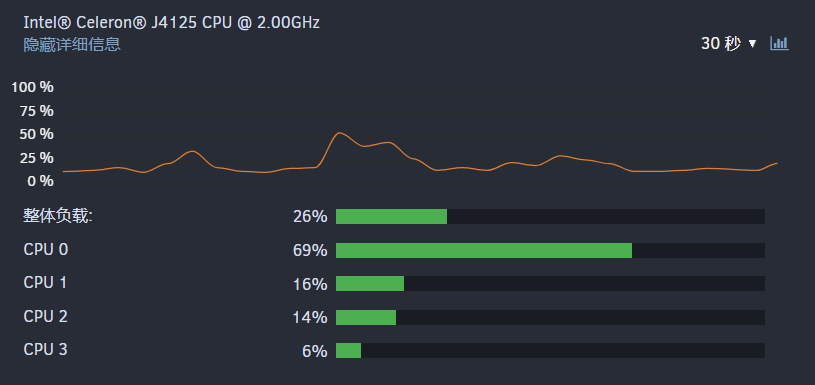
  1. I don't have any docker and virtual machine installed, I don't know why the cpu has been occupied and still feels a little stuck. I know what's wrong. Can anyone help me take a look? The diagnostic file is attached tower-diagnostics-20220506-2140.zip
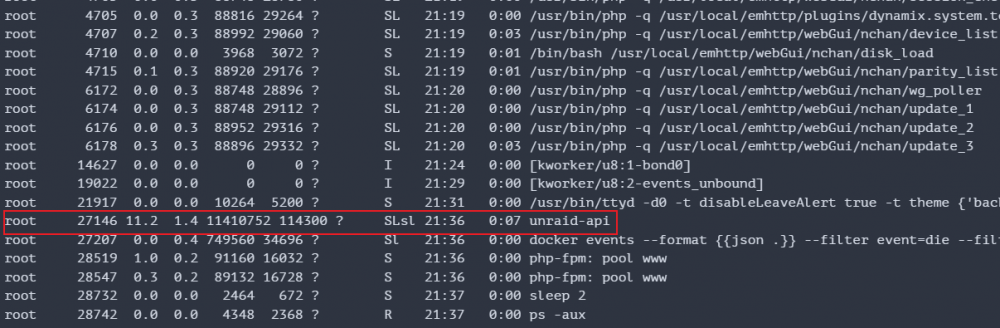
  2. 在正常情况下,它被占用约18,并且没有显示vm。这次显示。
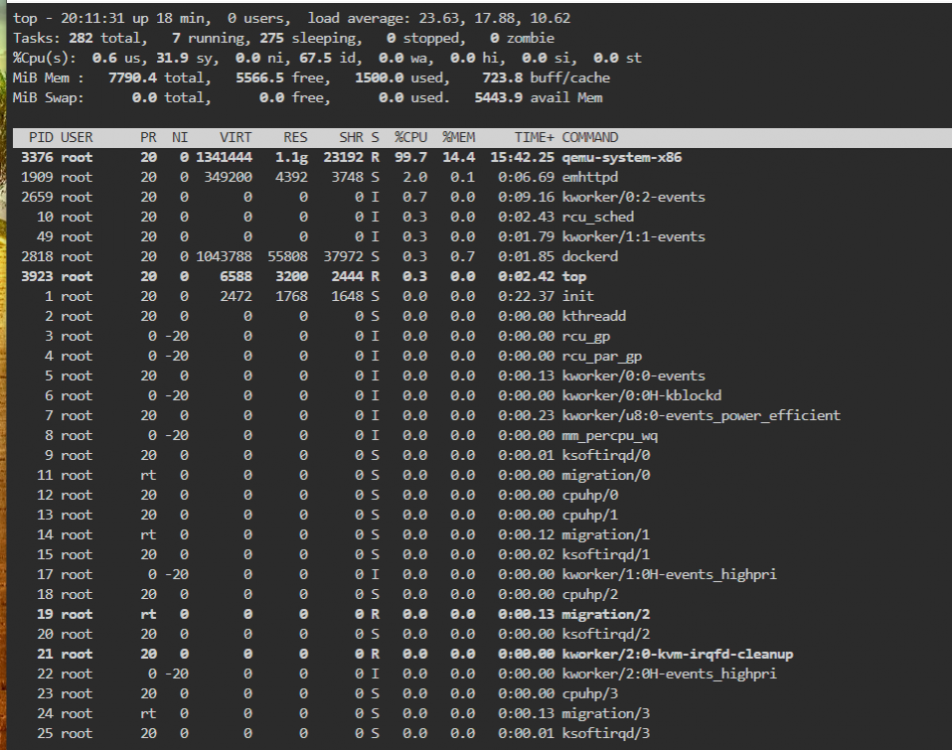
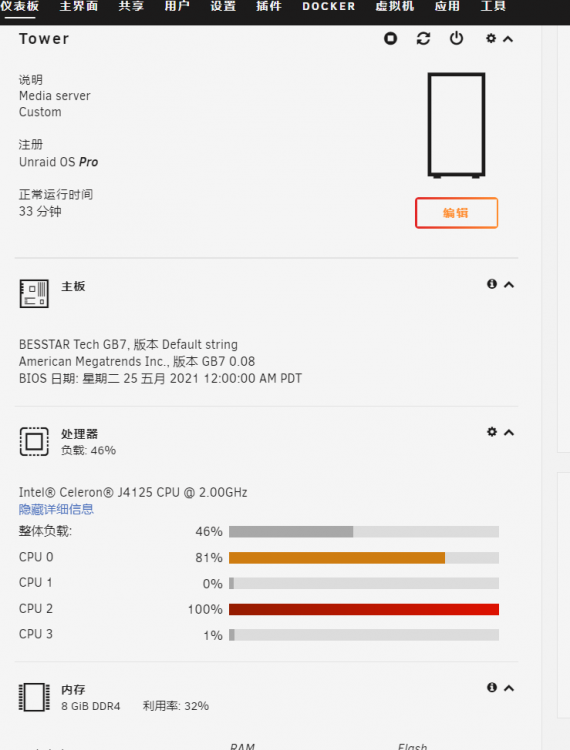
  3. Repeated installation for several times can't be solved. After this installation, it still takes up 18%, and then I click on it The array crashed directly later. I don't know what's going on. Here are some pictures to help. Thank you
Account

Navigation

Search

Search

Configure browser push notifications

Chrome (Android)
  1. Tap the lock icon next to the address bar.
  2. Tap Permissions → Notifications.
  3. Adjust your preference.
Chrome (Desktop)
  1. Click the padlock icon in the address bar.
  2. Select Site settings.
  3. Find Notifications and adjust your preference.