





Buckwheat99
Members
-
Joined
-
Last visited
Everything posted by Buckwheat99
-
I'm at a loss now and might just have to start over. My appdata was backed up with the CA appdata plugin but I didn't realize it was now deprecated as I upgraded Unraid versions. Any time I try to move docker from the ssd btrfs cache to nvme cache drive, nothing moves, my appdata folder is location is set to the appdata share but it created a new appdata folder under the apps shade. Nothing I do moves the docker contents and if I manually move it, it gets stuck in the apps -> appdata. Any idea how to fix that or get the old backup files to be seen by docker so I don't have to rebuild manually?
-
Does it matter that the appdata folder is in a subfolder in the apps share when it had its own share before?
-
That did the trick for formatting. I went to enable Docker and was hoping to move it a cache drive that's nvme formatted as xfs. When enabling docker, does the vdisk matter where it will live? When I enabled, as it was set up previously, an appdata folder was created under the apps shares instead of its own share. No matter change I make, the appdata folder is under lives on the btrfs cache drive.
-
Full diagnostic attached. Appreciate the help. tower-diagnostics-20241111-0847.zip
-
I tried formatting the btrfs system but I'm now at the "Unmountable: Unsupported or no file system" section of this issue for the cache. I have a relatively recent backup of my appdata folder. How can I reformat the cache drives to get those set up again?
-
I looked the monitor that's plugged into my server and saw this error that I might have missed in the syslog.syllogism. How do I do a xfs repair without losing data? Is this on individual drives or the entire system?
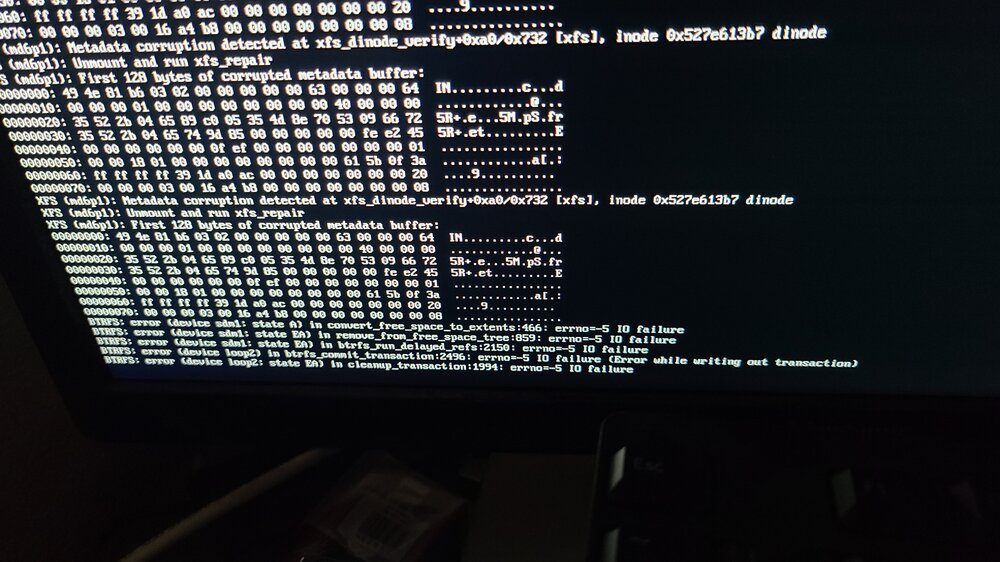
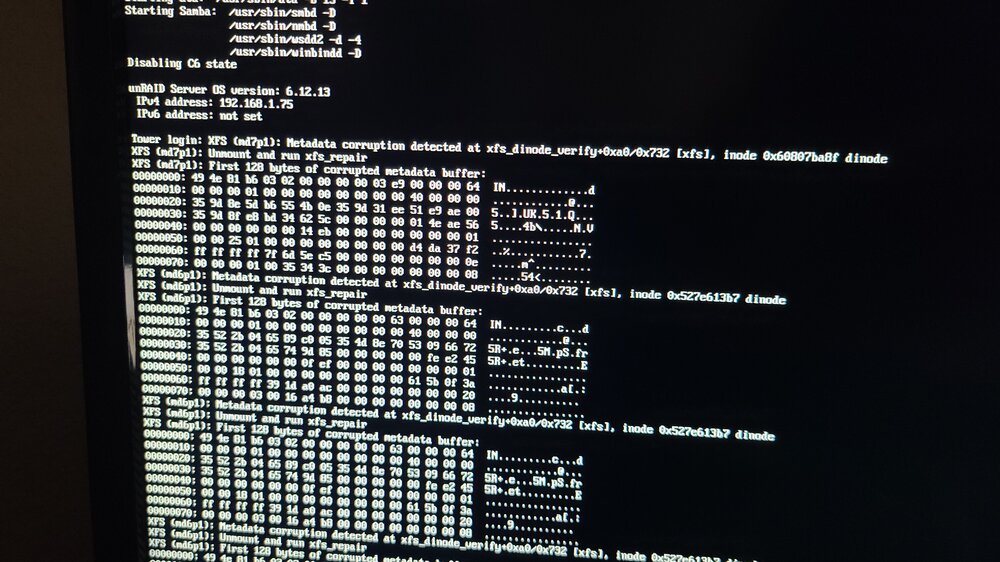
-
Back up everything on the cache drives or move it to the array, format the btrfs system and create new? Would new drives fix this if a drive drops to read only?
-
I had this error happen a couple weeks and a reboot seemed to smooth everything until now. I've browsed the forums and have concluded that it's most likely a cache drive dying or the docker image is toast. Can anyone help my figure out if one of my cache drives is on its way out or if my docker image is corrupt? Symptoms: Docker webpage will not load and results in an error Cannot create a new folder through Windows SMB - Get message - Error 0x8000FFFF: Catastrophic failure Error Messages in Unraid Below is error messages from one cache drive in the pool Nov 3 05:10:06 Tower root: /mnt/cache: 176.8 GiB (189819338752 bytes) trimmed on /dev/sdm1 Nov 8 13:24:42 Tower kernel: BTRFS error (device sdm1): incorrect extent count for 1668683923456; counted 1333, expected 1337 Nov 8 13:24:42 Tower kernel: BTRFS: error (device sdm1: state A) in convert_free_space_to_extents:466: errno=-5 IO failure Nov 8 13:24:42 Tower kernel: BTRFS info (device sdm1: state EA): forced readonly Nov 8 13:24:42 Tower kernel: BTRFS: error (device sdm1: state EA) in remove_from_free_space_tree:859: errno=-5 IO failure Nov 8 13:24:42 Tower kernel: BTRFS error (device sdm1: state EA): failed to run delayed ref for logical 1668962603008 num_bytes 4096 type 178 action 1 ref_mod 1: -5 Nov 8 13:24:42 Tower kernel: BTRFS: error (device sdm1: state EA) in btrfs_run_delayed_refs:2150: errno=-5 IO failure Second message within the logs shows that it's switch to read only Nov 8 13:24:42 Tower kernel: BTRFS: error (device sdm1: state A) in convert_free_space_to_extents:466: errno=-5 IO failure Nov 8 13:24:42 Tower kernel: BTRFS info (device sdm1: state EA): forced readonly Nov 8 13:24:42 Tower kernel: BTRFS: error (device sdm1: state EA) in remove_from_free_space_tree:859: errno=-5 IO failure Nov 8 13:24:42 Tower kernel: BTRFS error (device sdm1: state EA): failed to run delayed ref for logical 1668962603008 num_bytes 4096 type 178 action 1 ref_mod 1: -5 Nov 8 13:24:42 Tower kernel: BTRFS: error (device sdm1: state EA) in btrfs_run_delayed_refs:2150: errno=-5 IO failure Nov 8 13:24:42 Tower kernel: loop: Write error at byte offset 4111290368, length 4096. Nov 8 13:24:42 Tower kernel: I/O error, dev loop2, sector 8029864 op 0x1:(WRITE) flags 0x0 phys_seg 32 prio class 2 Nov 8 13:24:42 Tower kernel: BTRFS error (device loop2): bdev /dev/loop2 errs: wr 1, rd 0, flush 0, syslog.txt

