





cgsilent
Members
-
Joined
-
Last visited
-
I created a new USB drive attemped booting with all data drives installed, but got the same failure.
-
Finally got a chance to try this. Still having the same issue. What else can I try?
-
Do I just manually copy the files from the original drive or is there a special tool? And the USB tool you are refering to is the "USB Flash Creator", right? Just want to make sure I do this correctly. I'm really nervous about losing data.
-
uraid boot stuck at "Udpating X font indexes" after physically moving the server. All drive seem to be connected and ok. Any idea's on how to get past this?
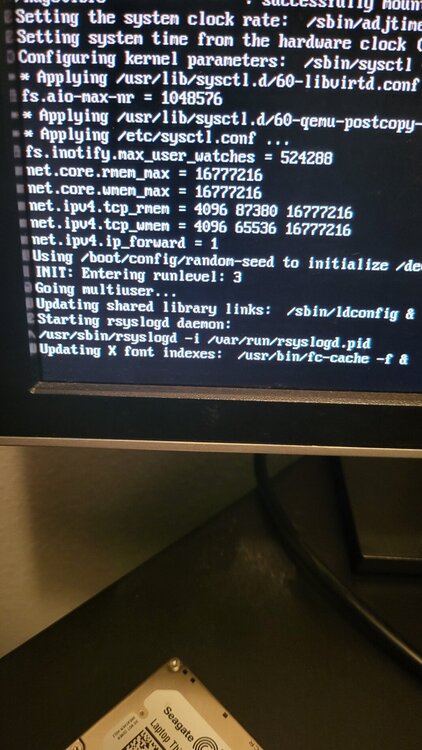
-
Thank You so much!
-
😩 Seems to be a pattern for me
-
All shares gone after failing drive replacement. Rebuild successful, and rebooting restarts the parity check. How can I correct this? sihome-diagnostics-20240112-0050.zip
-
I believe I figured it out. Thanks for your help!
-
Disk 2. the one currently in place is the replacement drive. How do I run the repair?
-
All Shares except flash disappeared after drive replacement, the seem to be intact via the gui. No errors to speak of. At a loss of where to go from here. Haven't found any solutions that worked for me in the forums. Any ideas? sihome-diagnostics-20210723-1328.zip

