Drazii
Members
-
Joined
-
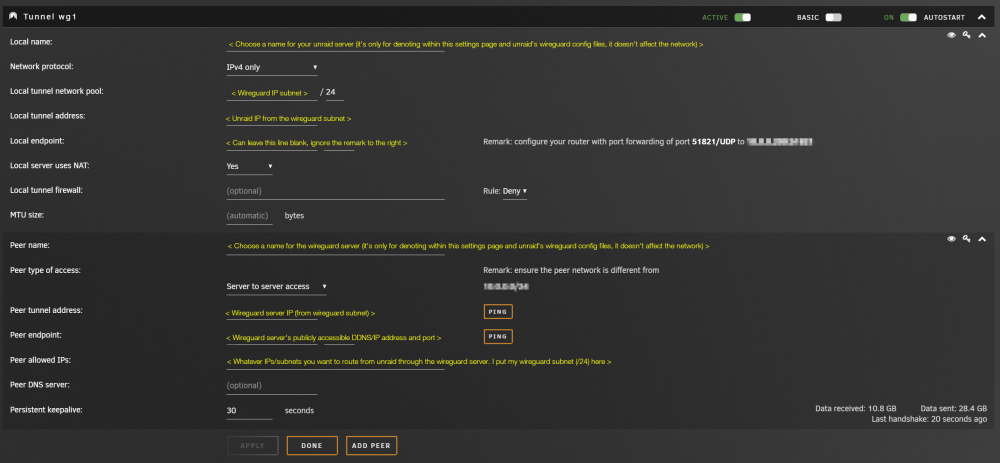
I've had my unraid machine successfully working as a client to a wireguard server hosted on a VPS for the last month or so. It took some playing around with the settings to get it up in the first place, but it's been working perfectly. I've noted down exactly how it needs to be configured - see this link or the attached screenshot. Yes it says server-to-server access but it will still just act as a regular client unless you do some extra setup/configuration on the wireguard server's conf. You also might not need the persistent keepalive - try the setup without it at first, and if your unraid machine starts to drop off the wireguard network after a while, then add the persistent keepalive back in (you'll need to add this to the unraid peer section of the conf on the wireguard server as well if you enable it here). Hope this helps