MoWer
Members
-
Joined
-
Last visited
-
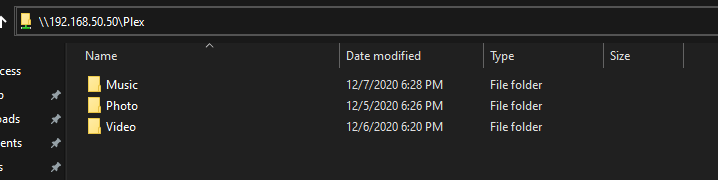
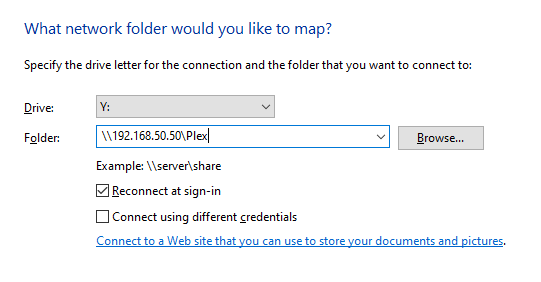
You should be able to use unRAID server ip and share name directly. E.g. you can type \\<unRAID IP>\<Share name> in the windows explorer: Or map network drive for easier access:
-
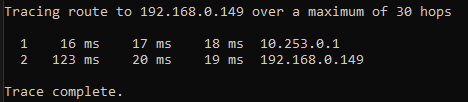
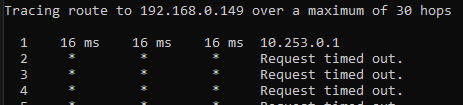
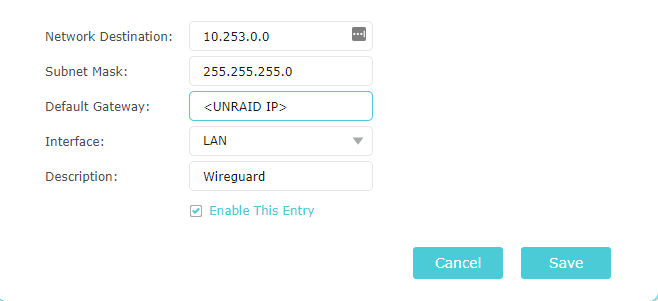
Hello everyone, I've been trying to setup the wireguard for two days now and I'm still struggling with the "Complex Networks" part. When I use NAT option enabled and "Remote access to LAN", everything works as expected. I can reach physical devices on the local network without any issues (and can't reach docker containers on br0). When I set NAT option to 'No' and define static routing on my router, things do not go that well: With this routing I can access server and router through the VPN, but any other physical device is not accessible. When this entry is disabled I can access only the server. And as for now I have the "Host access to custom networks" option disabled. Am I missing something? Maybe I do not understand something and it should work that way