Skip to content
View in the app

A better way to browse. Learn more.

Unraid

A full-screen app on your home screen with push notifications, badges and more.

To install this app on iOS and iPadOS
  1. Tap the Share icon in Safari
  2. Scroll the menu and tap Add to Home Screen.
  3. Tap Add in the top-right corner.
To install this app on Android
  1. Tap the 3-dot menu (⋮) in the top-right corner of the browser.
  2. Tap Add to Home screen or Install app.
  3. Confirm by tapping Install.

yuelpl

Members
  • Joined

  • Last visited

Everything posted by yuelpl

  1. 不过我从上周开始,容器不能更新了,不过这在省级6.12之前就出现了,系统升级后问题依旧
  2. 我升级了,暂时没发现问题,访问tower.local没试
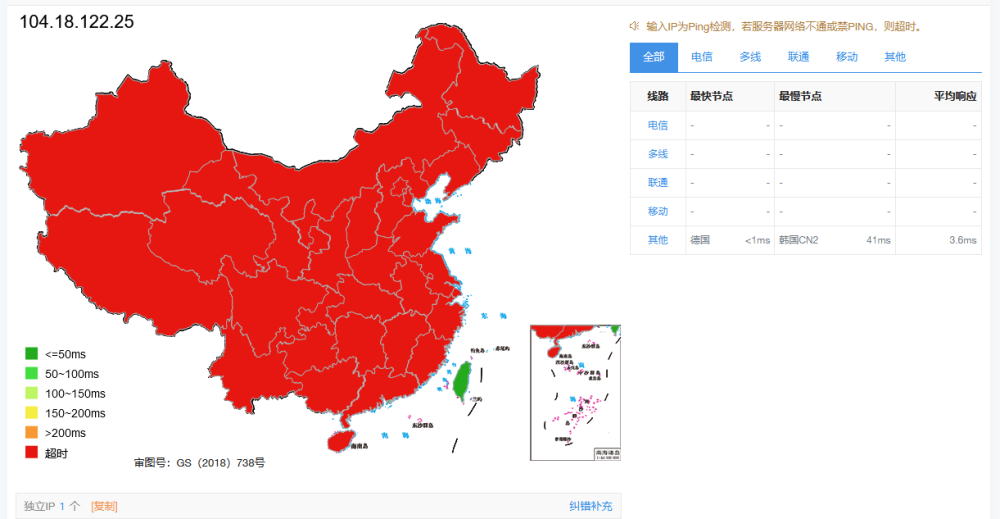
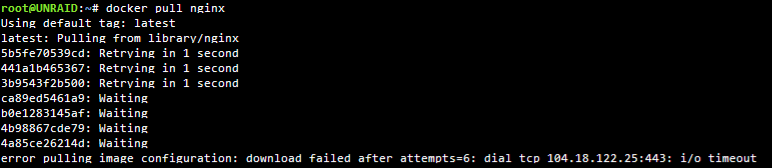
  3. 上周开始,docker界面下,容器提示更新,但是卡在下载界面镜像下不下来。 终端里试着拉了几个镜像,都显示:“error pulling image configuration: download failed after attempts=6: dial tcp 104.18.122.25:443: i/o timeout”。 即使我添加了国内的docker镜像源,依旧不行。 然后我在ping.chinaz.com里测试上述地址,竟然全国都不能访问,这是被墙了?? 各位大佬有遇到相同问题吗?有没有办法解决?
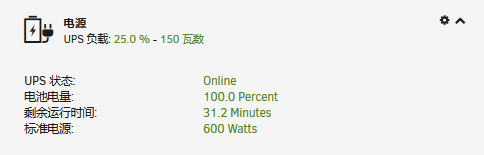
  4. 我的APC Back-UPS RS 1000G工作正常
  5. 我也遇到了相同问题,请问楼主问题解决了吗?

Account

Navigation

Search

Search

Configure browser push notifications

Chrome (Android)
  1. Tap the lock icon next to the address bar.
  2. Tap Permissions → Notifications.
  3. Adjust your preference.
Chrome (Desktop)
  1. Click the padlock icon in the address bar.
  2. Select Site settings.
  3. Find Notifications and adjust your preference.