Rafał Krupiński
Members
-
Joined
-
Last visited
-
It is true that I experience a weaker signal on this head unit. Than on the decoder Vu+ DUO2. I simply have too weak a signal to receive some channels. I would supply myself with something newer on USB, can anyone recommend something? One LNB for testing is enough.
-
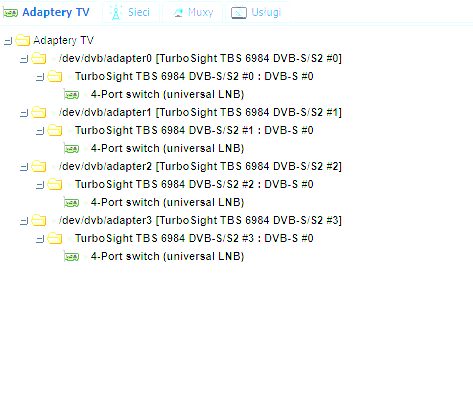
The only problem I've experienced is the lack of SNR signal display, I don't know where the problem lies, whether it's in TvHeadEnd or in the video card drivers themselves. Besides, TV channels from HotBird work, I can not only embrace the channels from the other Astra 19.2. The connection I have one LNB.

-
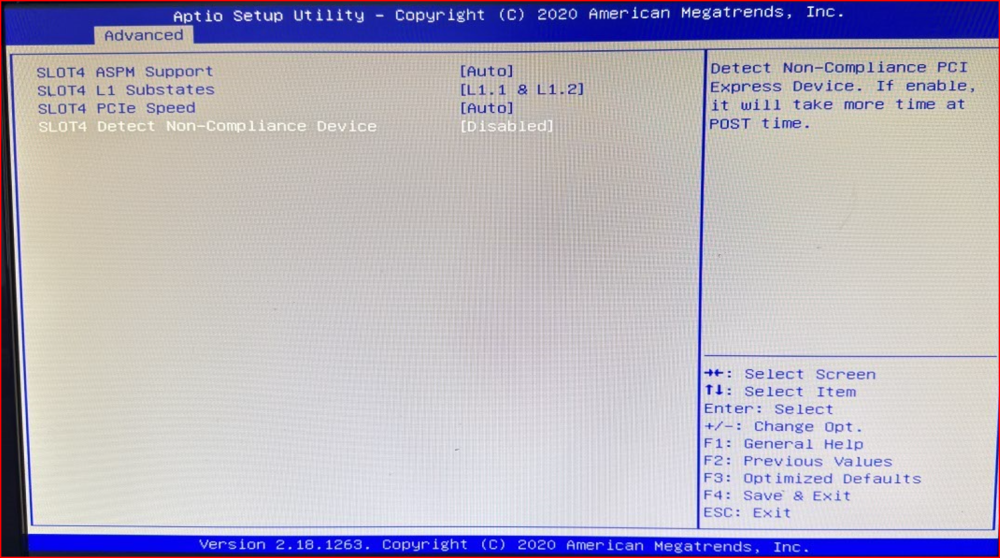
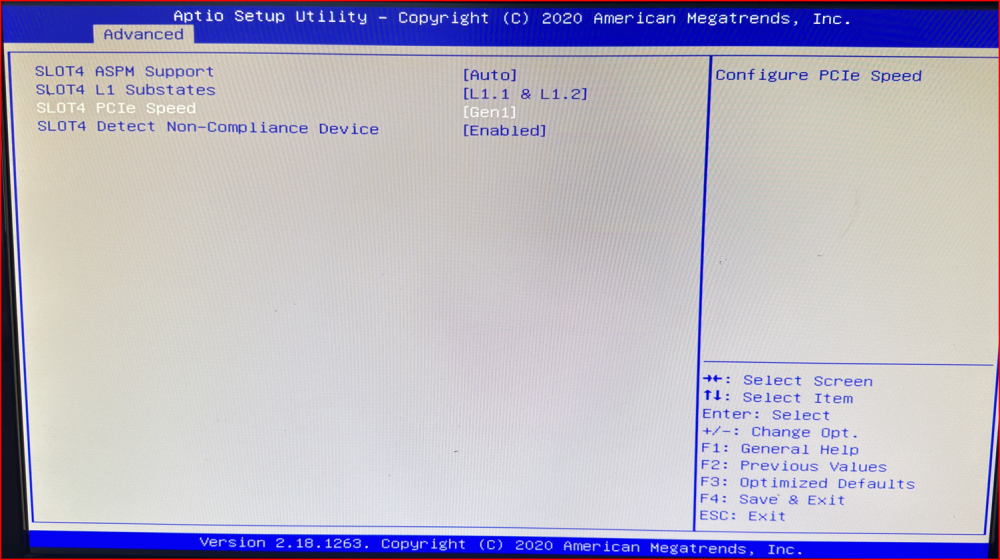
Hello, I looked for information on the Internet. Looks like a problem with PCIe bus speed negotiation. I will mention that the card is 100% functional, and it is not visible at all on this Supermicro X11SAE-M motherboard. The solution to this problem in my case was to change these parameters: From: That is, setting Gen1 on the SLOT4 PCIe x4 connector. Even later, the card is seen in TVHeadEnd without problems.
-
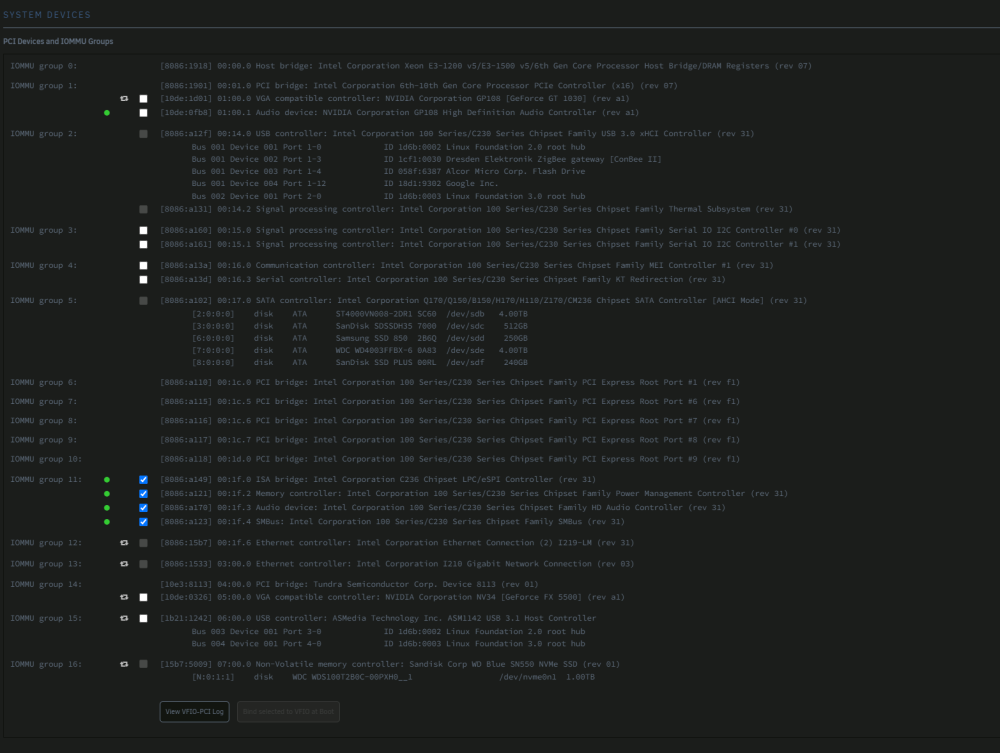
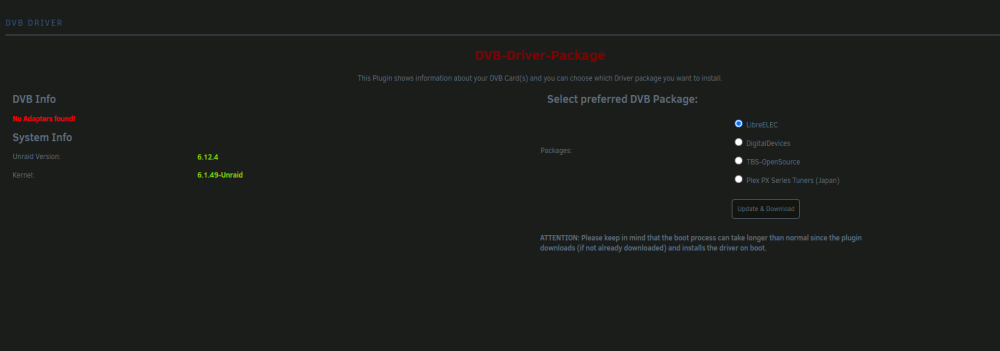
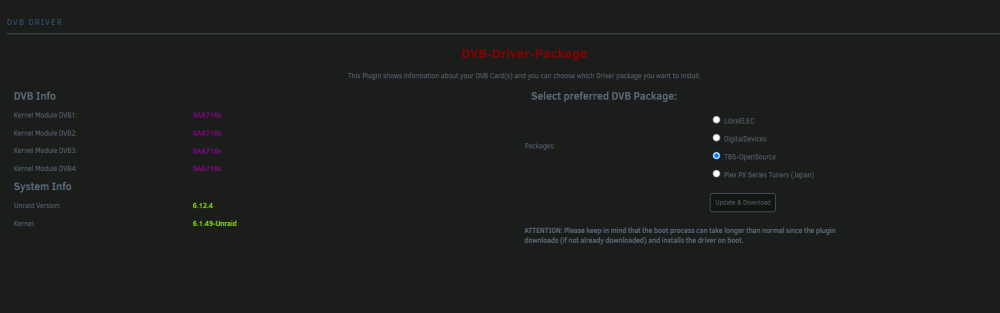
Hallo, I can't get the DVB TBS 6984 Quadro card to work, it is not detected by the plug-in. Motherboard: Supermicro X11SAE-M with Intel® Xeon® CPU E3-1240L v5 @ 2.10GHz. Diagnostics, dmesg and screenshots attached. Regards unraidos-diagnostics-20231118-2023.zip dmesg.txt lspci.txt