





martinspd
Members
-
Joined
-
Last visited
-
God damn it. Its working fine on other browsers. It is something related to my chrome account. Some plugin maybe. I did format my computer and the issue is still present on chrome. Even on a different computer, using my chrome account makes the connect menu go away. Thank you guys, issue is fixed!
-
Safe mode didnt help. Plugins dont look like the issue here. 🙄

-
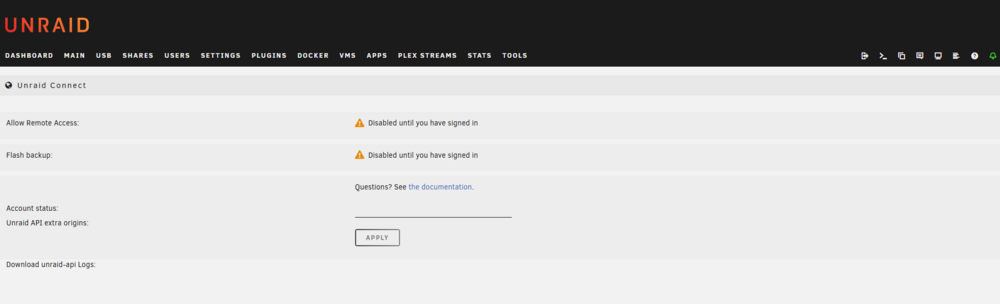
I can access the plugin but I have no way of logging in.
-
No, default theme. I even uninstalled the themes plugin as I was not using it.
-
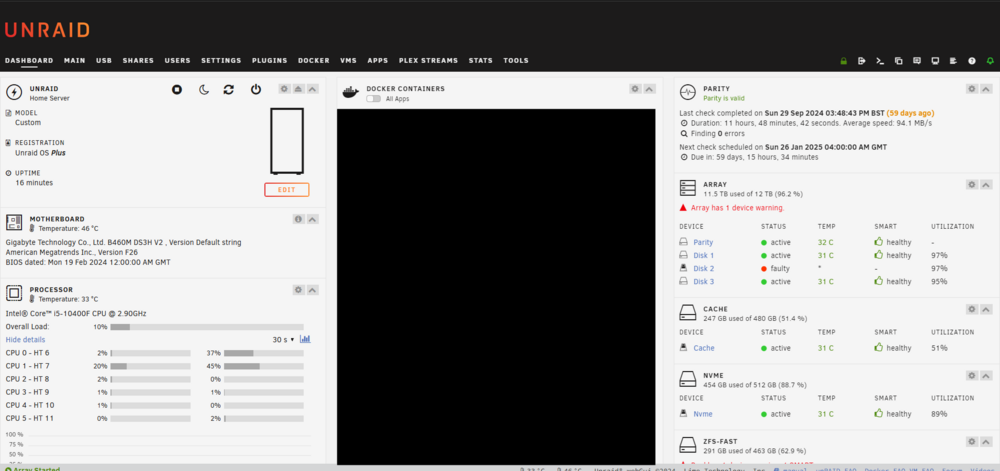
Hello, I've gone through the forum searching for anyone with this problem but cannot find any clue. Basically, I am missing the unraid connect plugin dropdown menu. Cant do anything with the plugin. Any idea? Diagnostic logs attached. Thank you in advance. PS: I know I have a couple of bad disks. unraid-diagnostics-20241127-1212.zip



