Reclaim
Members
-
Joined
-
Last visited
Everything posted by Reclaim
-
Update: I only formatted the Cache Pool, since then the Server is stable. Uptime now 4.5 Days. Is it possible that a out of memory error caused the corruption? One or two times i had "Out of memory errors detected on your server" on Notifications.
-
Thanks, i could import the pool as read-only. After the backup i will reformat the pool. Do you think it's still a hardware problem? How can i determination which component has the fault or have you a guess?
-
Update: Now I can´t start the array even when booted in Safe Mode. It stuck at mounting the zfs cache. This is in the Syslog: Nov 12 23:53:03 unRAID kernel: PANIC at dnode_sync.c:301:free_children() syslog (3)
-
Update: I was waiting 1 hour in "Array Starting". Tryed the Power Button, it says "shutting down" on console but nothing happens. Then I designated to cut power again. Now booted in Safe Mode and Docker, VM´s disabled I was able to start the Array again. Here is the new Syslogsyslog (1) I see Nov 12 14:28:43 unRAID kernel: WARNING: CPU: 4 PID: 40 at kernel/kthread.c:141 free_kthread_struct+0x1e/0x43 after i started the Array last time.
-
Hey, I've been struggling with unclean shutdowns for some time now. Unraid get´s completely unresponsive, no webui, no pinging, no ssh, no Caps Lock light on the keyboard. Only way to restore it, is to cut power. I had to cut power yesterday, after that i enabled Syslog. After 18 hours (12.Nov 07:71) it crashes again. In syslog i see: Nov 12 07:51:31 unRAID kernel: kernel BUG at arch/x86/kvm/mmu/tdp_mmu.c:560! After this unclean restart i changed the docker net from macvlan to ipvlan. Since then the Array does not start anymore. Stuck at "Array Starting". Can someone help? unraid-diagnostics-20231112-1414.zip syslog
-
Thank you so much, it worked.
-
thanks for the answer, i can change the serial number exactly as you write. Unfortunately, that doesn't work with the model. I tried to add a <Model><\Model> in the XML. However, this entry is automatically deleted after saving.
-
Hello, I need to change the hard drive model and serial number on a VM. Unfornutaly i can´t find a way to change the model name in libvirt. On Proxmox this is possible, i found a example on GitHub: -device "ide-hd,drive=disk00,bus=ide.0,serial=00000000000000000001,model=VMware Virtual IDE Hard Drive" \ Here the Serial and the Model is changeable. Is there a way to change the HardDrive Model in Unraid? Thanks!
-
Thanks, i will look for new HDD´s.
-
Well, I didn´t know that this are SMR Drives. Thank you for the hint. But is it normal that the write Performance is this bad? I mean <10MB/s. Is it because I encrypt the Drives? What you Guys recommend me, swap all Drives out?
-
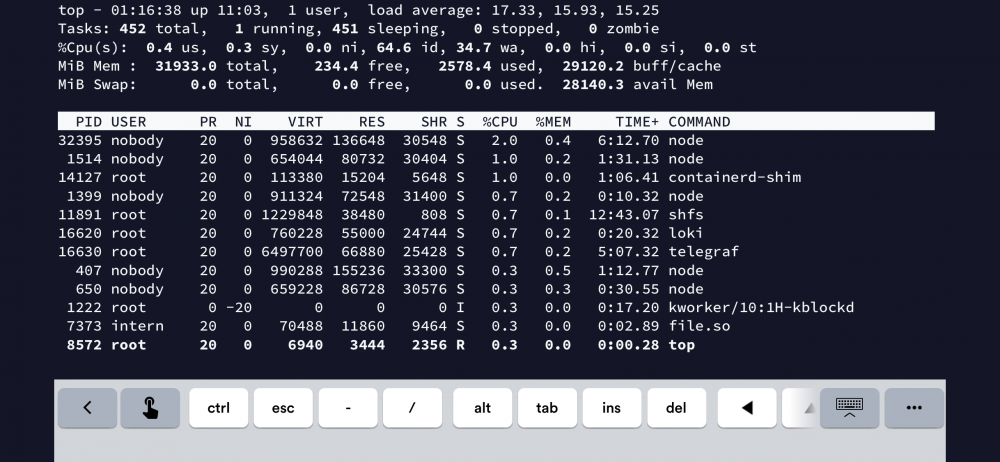
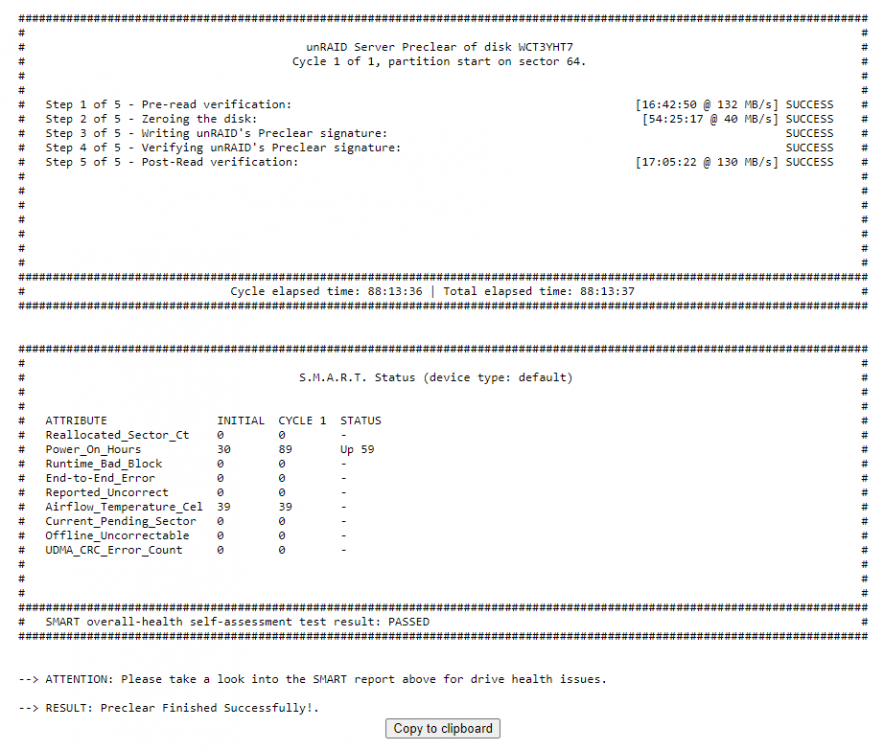
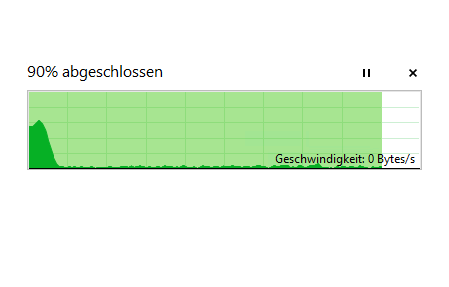
Hi all, i have problems with high IO-Wait Times (30-50%) when writing to the Array directly. Write Speeds at the first 10 Seconds are at 170 MB/s then it drops to < 10 MB/s. Sometimes it also hits 0 Byte/s for a couple Minutes. The Problems are on SMB, on Terminal, on VM´s, on Mover and on Docker Containers. Reads from the Array are fine, no IO-Wait. Writes/Reads from Cache is also fine. I tried so far: Added a new Disk to the Array - PreClear Speeds at >20% was also very low. New SATA-Cables BIOS Upgrade Disk Shares instead of User Shares reconstruct write On the Screenshots you can see the Speeds while copying files from the Unassigned Device to the Array. Also I took a Screenshot from "top" and from the PreClear report. I hope you can help me with this. Thanks! Setup: Gigabyte Technology Co., Ltd. W480M VISION W American Megatrends Inc., Version F20 BIOS dated: Mon 19 Apr 2021 Intel(R) Core(TM) i5-10400 CPU 32 GB RAM 3x ST8000DM004 in Array (1 Parity, 2 Disks) 2x CT1000MX500SSD1 in Cache 1x ST2000LM007 as Unassigned Device