boozing
Members
-
Joined
-
Last visited
Everything posted by boozing
-
I have the same problem. When I log in, I often see the message: Backend busy Appdata Cleanup Plus is already running a scan or cleanup operation. Wait a few seconds, then try again. Retry after about 5 seconds. After a few minutes, a couple of page refreshes, the main window opens. But I can't quarantine items, or view what's in quarantine. It says: Quarantine failed Reviewing tracked quarantined folders. The diagnostics wouldn't download. After installing the dev build, I was able to download it. Appdata Cleanup Plus support summary Version: 2026.05.05.03 Docker: running Rows: detected=1 ready=1 review=0 locked=0 ignored=1 Selection: 0 selected Safety: outside-share=off permanent-delete=off zfs-delete=off Sources: roots=1 mappings=0 ZFS: backed=0 mapped-share=0 Quarantine: count=13 size=3.9 GB Scan roots: - /mnt/user/appdata Notices: - Ignore list active appdata-cleanup-plus-diagnostics-20260513-035304.json
-
I forgot to say - it is used mainly as a plex server. While watching in the evening or during the day, everything works fine. At least once it froze during movie playback. The rest of the time, as far as I know, there was no activity on the server at the moment when it freezes.
-
Undaid version: 6.10.2 Updated hardware on the server - a new motherboard, processor and RAM. Was amd phenom x6, now AMD FX™-9590. The system freezes mostly at night. When connect the monitor and keyboard - just a black screen, does not react to anything. I thought that the problem could be cooling - the processor is hot. But there is no way to replace the cooler yet. As a result, I added one more fan to the case (now there are 5 of them, 3 blowing in and 2 blowing out), lowered the processor voltage (offset - 0.05V) and turned off the turbo core. In idle, the temperature is about 40, under load 50-60. Before that, the system worked fine with Windows. I don't know how to figure out what exactly is problem. What logs to look at and what to look for? Thanks! beserver-diagnostics-20220601-1202.zip
-
Yep, thats what i forgot to test. All of a sudden the price tracking extension (shopintab) thus affects the icons in unraid. Who would know? )) Thanks )
-
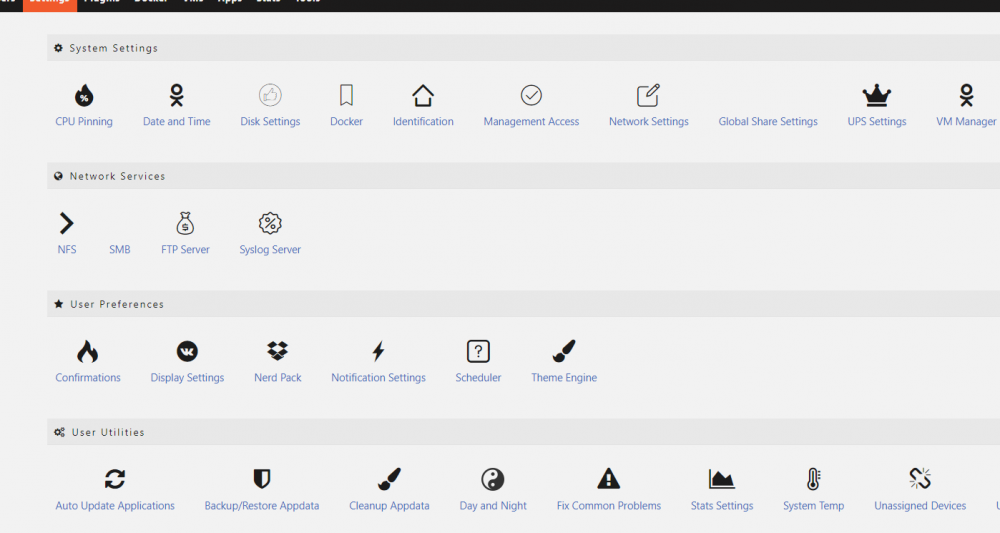
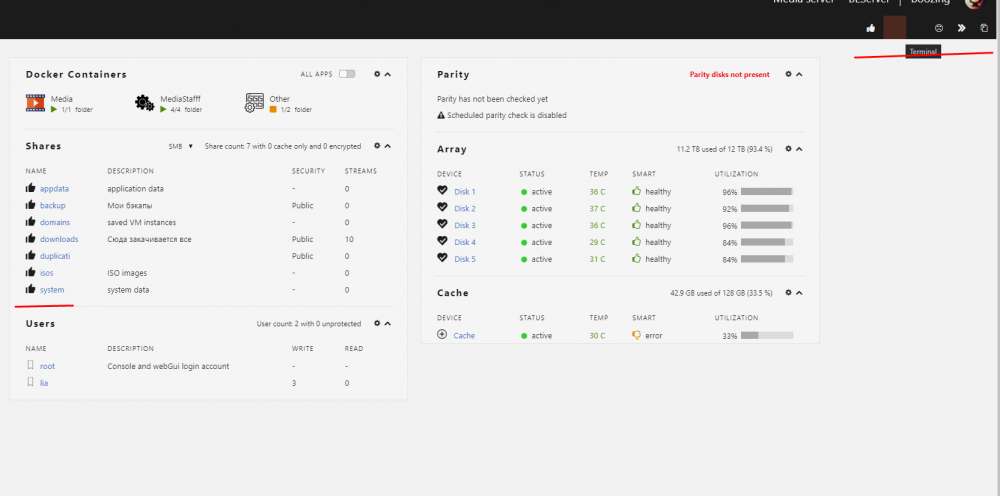
Version: 6.9.2 After the reboot, the icons in different places got mixed up (and somewhere they disappeared altogether). Everything works fine and the problem does not interfere much, but I want to see a normal appearance. Reloading server, deleting Theme Engine and clearing the cache does not help.