





estoris
Members
-
Joined
-
Last visited
-
Thanks so much sir, you just saved me from days of headache. Appreciate the help!
-
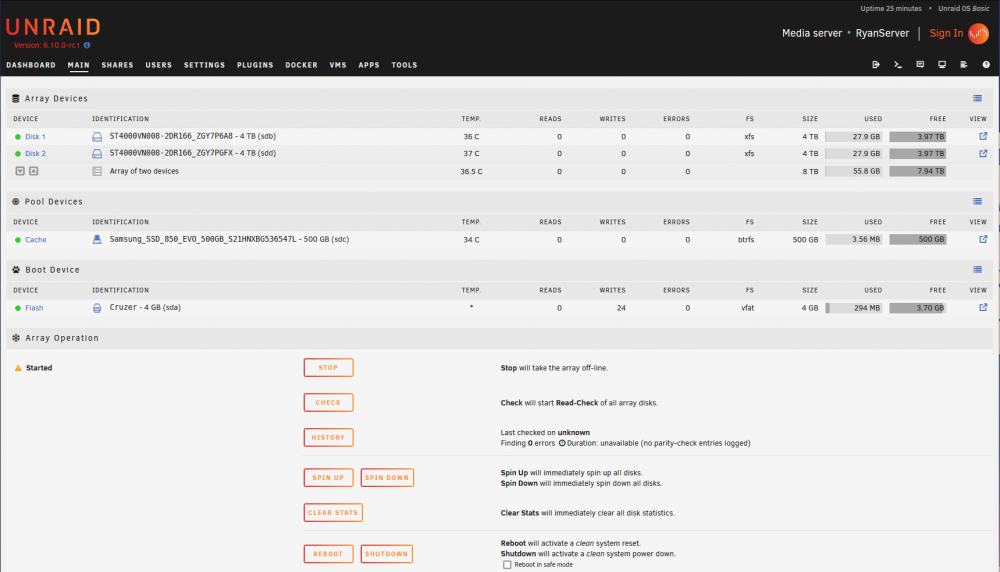
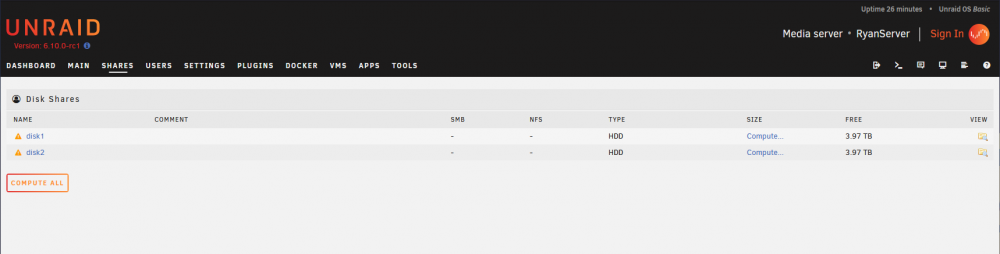
Hi guys, I really need help with this, I've recently re-installed Unraid as I wanted a fresh start for the new update but Unraid is not creating default shares such as Appdata and etc. I've tried all sorts of ways but it just does not work. Tried pre-clearing all disks for 1 cycle twice, restarted server multiple times, changed format for disks and formatting in unraid before starting array. Attached are screenshots of the main page, shares page as well as the 3 smart report for the 3 drives and a diagnostic report. Thank you so much for the help, I tried searching reddit, Unraid forums and Googled for any resources I can find but to no avail. I would appreciate any help. Cache -ryanserver-smart-20210816-2121.zip Disk 1 -ryanserver-smart-20210816-2120.zip Disk 2 - ryanserver-smart-20210816-2120(1).zip ryanserver-diagnostics-20210817-1220.zip
-
Thank you, it's working perfectly now!

