





unraid_2021
Members
-
Joined
-
Last visited
Everything posted by unraid_2021
-
Excellent
-
so tried some other options and looks like it is working. Why I don't know but will be good to hear views. Solution posted at thread below
-
will a BIOS update help ? https://www.msi.com/Motherboard/support/MEG-Z490-GODLIKE
-
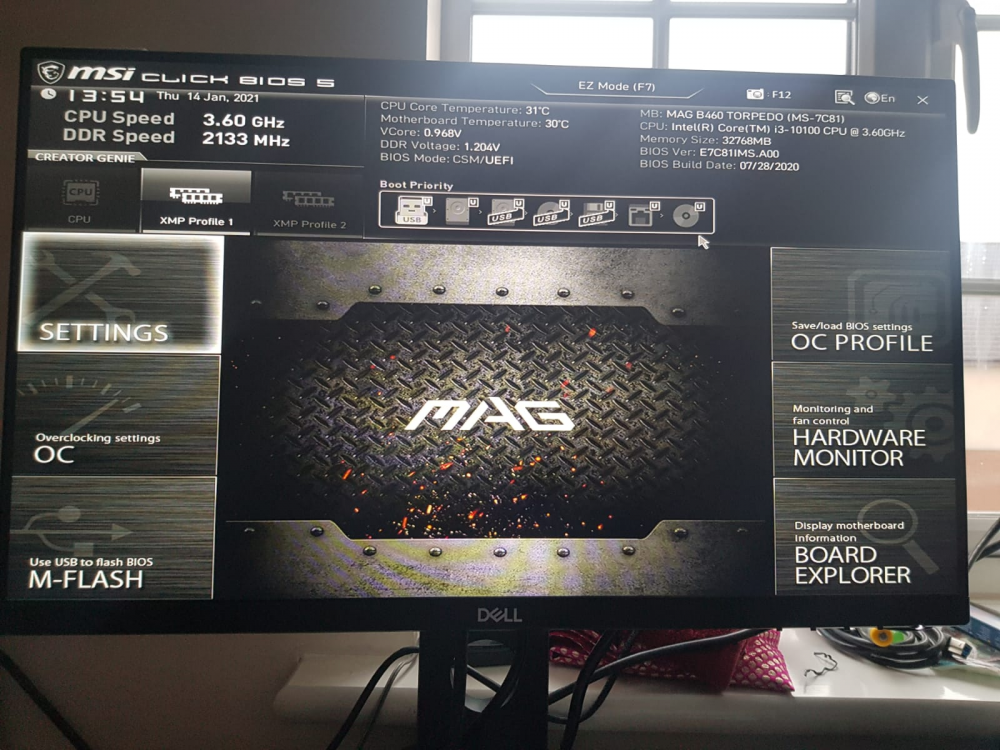
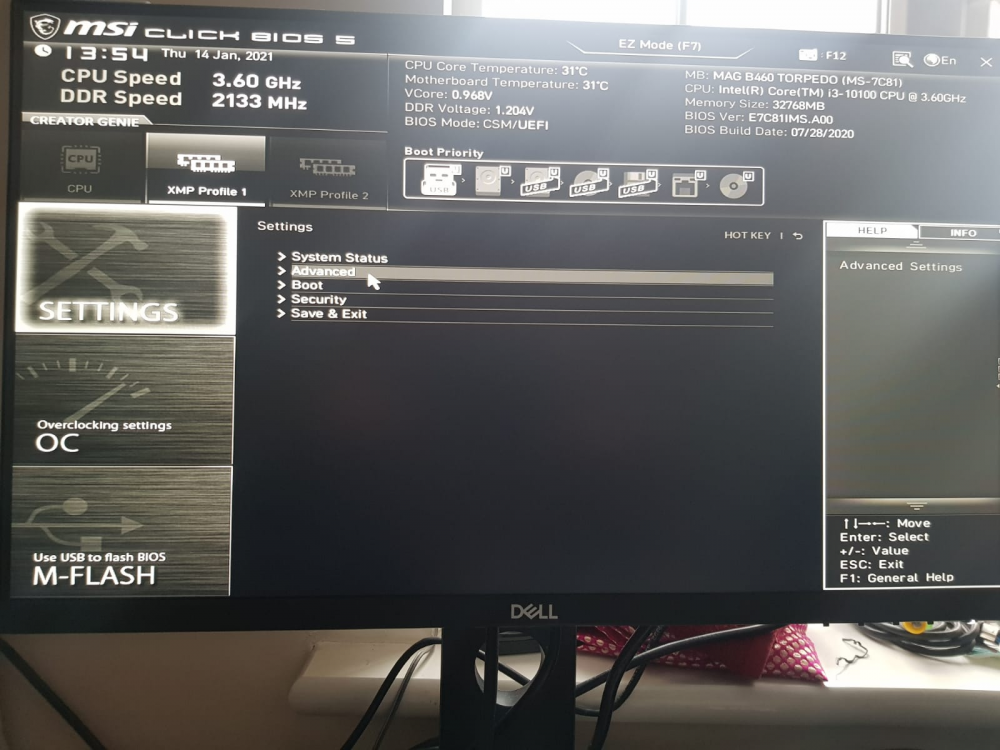
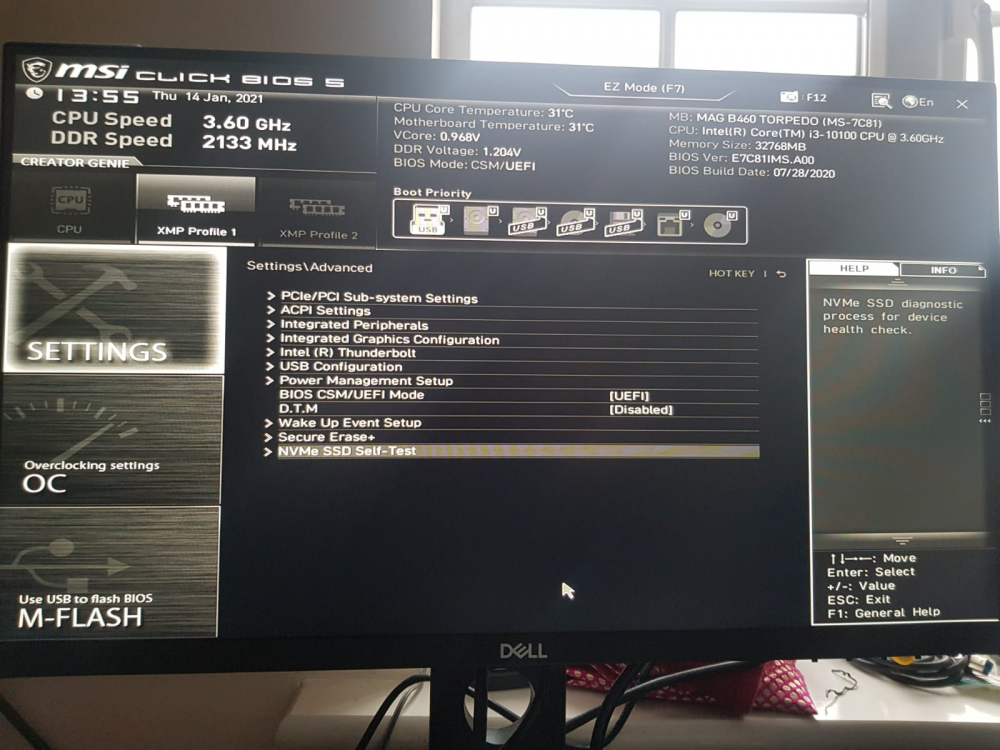
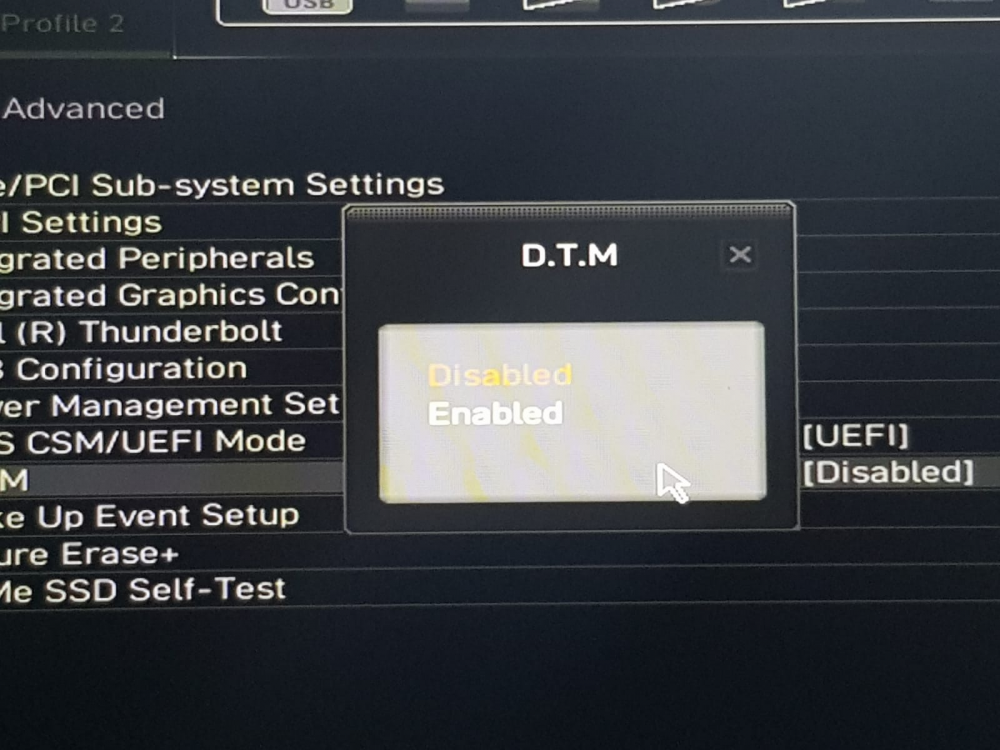
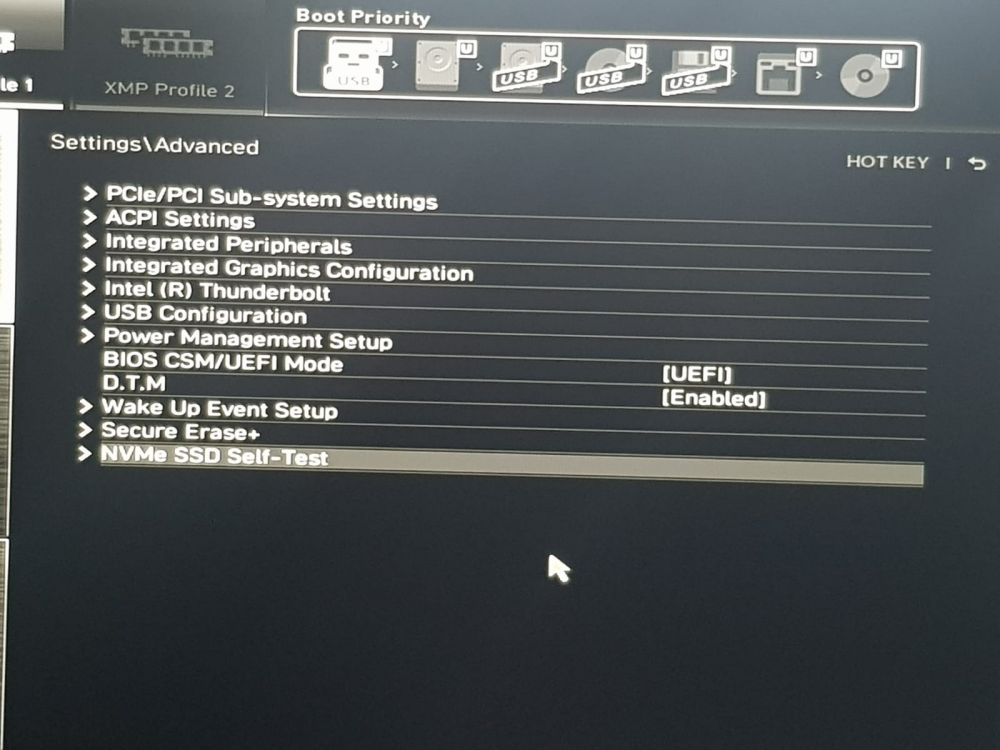
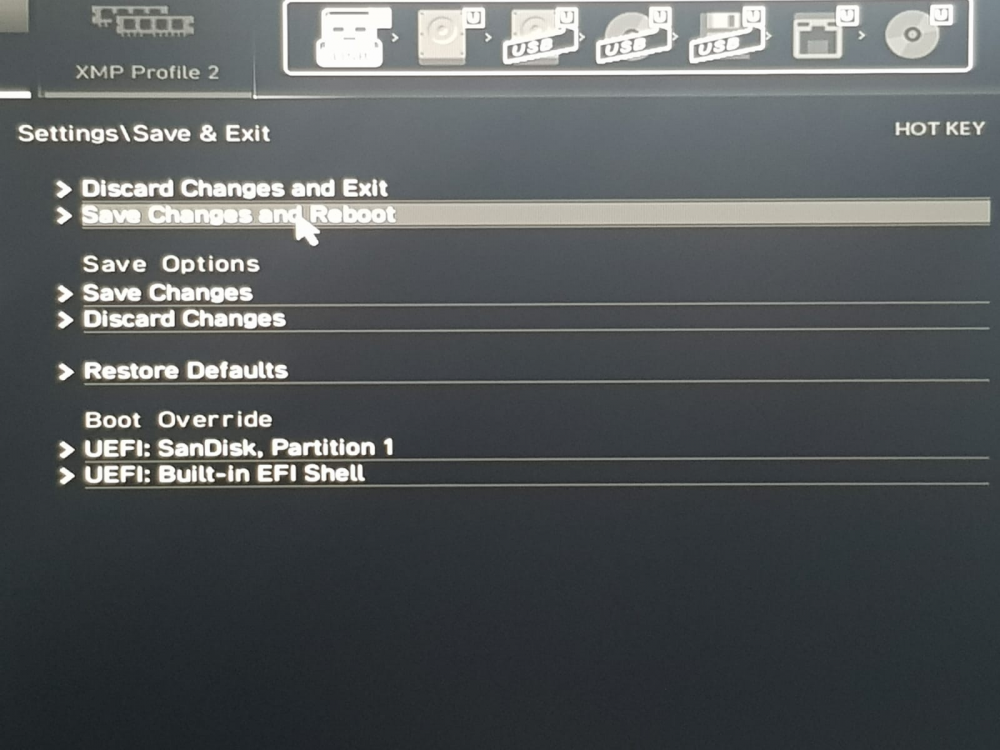
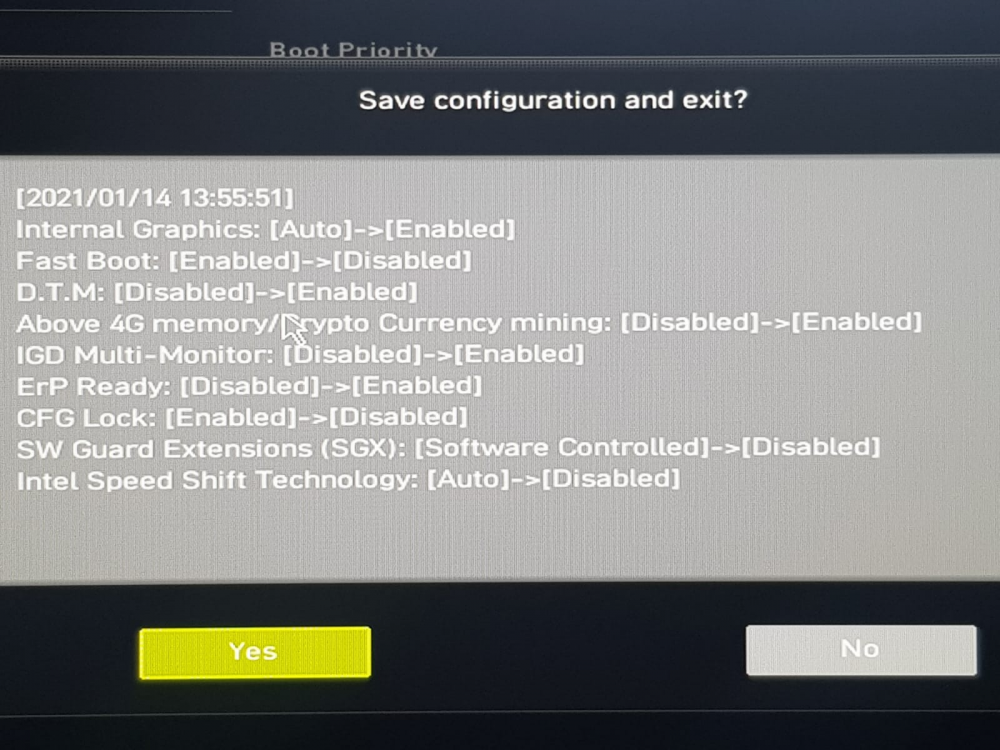
so I tried some settings on my MSI B460 Torpedo motherboard which looks like fixed the issue i have tried multiple reboots from webUI and unraid is starting up correctly without going to BIOS. 1. click settings 2 Access Advanced 3 Power Mgmt Setup 4. DTM - I changed it to Enabled 5 Save changes and reboot this did the trick for me. Why this approach work I don't know may be someone can throw some light on it
-
sorry have not got an answer for the issue, I am having the same issue with my recent built on B460, first reboot-unraid is fine subsequent reboots shows a blank screen and unraid server does not come up, unless until I go into BIOS do nothing save and exit what i can add is i had initially set USB to non UEFI and it ddin't boot into unraid at all, i had to change it to UEFI to atleast get first unraid boot but reboot same problem occurs
-
thanks no i will post on MSI forums as well see if there are any pointers
-
Hi I have just built my new PC, have MSI Torpedo B460 MB, 32 GB RAM. I am using SanDisk USB 2.0 Flash Drive 32GB. Used the Unraid USB creator, set the USB as UEFI. Unraid version 6.9.o-rc2 (also same issue on 6.8.3). Using 6.9.o-rc2 for support of 2.5G Realtek® RTL8125B 2.5Gbps LAN controller The first install boot works fine and I can see the WebUI but when I restart the unraid server from webUI it does not restart and I have to go into BIOS menu (pressing DEL Key at powerup) and exit for it to start again. In BIOS menu no changes are done, it is just that it needs to go to BIOS menu every time for unraid to start. The same behavior happens for shutdown. Any help pointers on where I can troubleshoot the same



