




.jpg.cd0ee2faf0b1ddf75893cc24e561601d.jpg)
ZappyZap
Members
-
Joined
Everything posted by ZappyZap
-
I will tend to agree with your last statement. Unless me or somebody make a single container with all the piece , you need to run an other ocntainer.
-
I am not using Mullvad so i could not test this one. the beta tag work but not latest ? is that's what i am understanding ?
-
I cannot be more than agree. I personnally use netbird/tailscale tp access my whole Lan
-
I do not use tailscale so hard for me to answer you
-
I need to review this, the app have chenged look like and i have been sick for the last 2 week, and unable to keep focus in front of comp for more than 1h .... I will get this reviewed
-
just via a variable ? short answer is NO this would require some coding....in my opinion.... perhaps add this as a feature request in github ?
-
https://github.com/maziggy/bambuddy/pkgs/container/bambuddy/versions?filters%5Bversion_type%5D=tagged 0.2.1b3 is not considered stable Latest is 0.2.0
-
Awesome
-
unraid console the last line will be the key
-
to gerenate the key use : docker run --rm python:3-slim sh -c "pip install -q cryptography && python -c 'from cryptography.fernet import Fernet; print(Fernet.generate_key().decode())'"
-
Sadly i do not have contoller external to finish testing , i would open a issue on the github perhaps
-
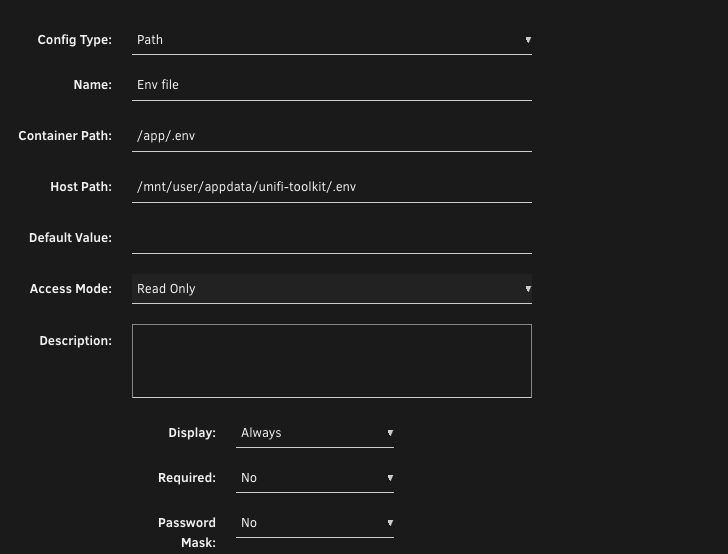
Here what i would do , but seems to be tested , i will try test this later today . run setup.sh move .env to /app/data add a path in the template : let me know if that worked again i did not test this use case yet . i only test local type
-
setup.sh put the hash in .env file open a console in the docker instance then cat .env you should see something like : # Admin credentials (production only) AUTH_USERNAME=admin AUTH_PASSWORD_HASH=$$2b$$13$$YOy2BEFKWY42GdedAgrGC.rQn3AAkqKprt5piHYcBpe61134MDJVA2 Note: this is a fake Hash :)
-
you have to provide
-
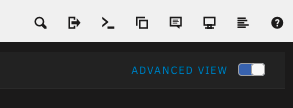
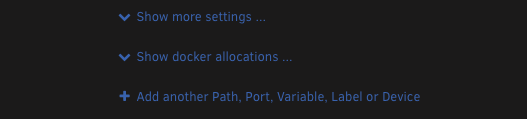
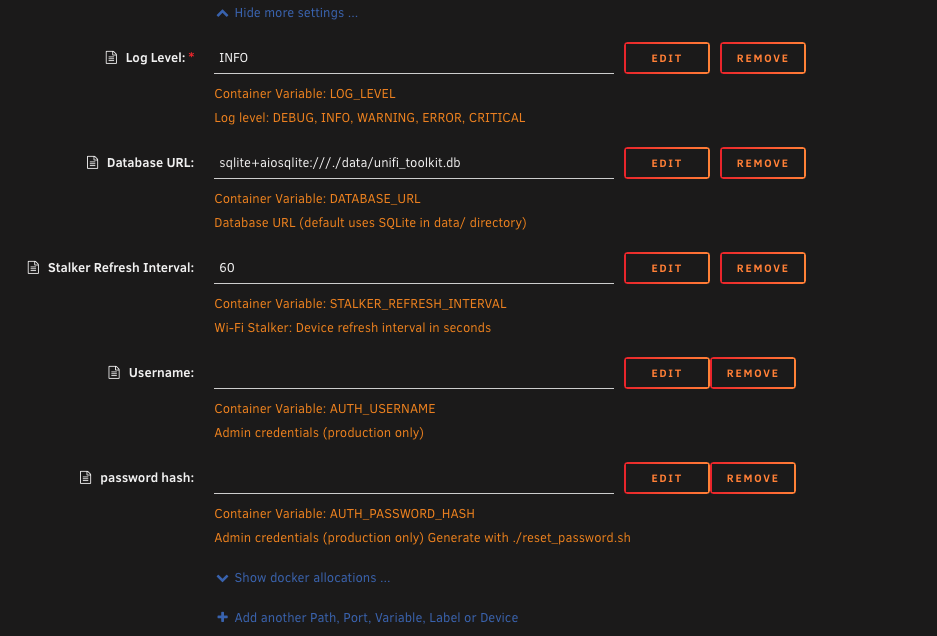
Alright, go to advance mode in unraid then click on Show more settings ... then yu will be able to see username and password for production Dont forget the password is a HASH not the actual password let me know
-
I will have a look, But i think this will not be possible at the template level. This will need to be handle by the image , let me check and get back to you
-
If you use Local type : >>> Local - For LAN-only access (no authentication, no HTTPS) you better put a reverse proxy in front of it and kill the exported port
-
GitHubGitHub - David-Crty/databasement: Self-hosted database ba...Self-hosted database backup manager with a web UI. Schedule, backup, and restore MySQL, PostgreSQL, MariaDB, MongoDB, SQLite & Redis to S3, SFTP, or local storage. SSH Tunnel support. - David-C...
-
well then i will do for you and and specify your ownership thanks
-
Great Stuff can you submit a PR in https://github.com/devzwf/unraid-docker-templates/tree/main/guides I will reference it in the template and this should help everybody thanks in advance
-
Please do : chown 1000:1000 /mnt/user/appdata/unifi-toolkit and restart the app
-
isssue https://github.com/Crosstalk-Solutions/unifi-toolkit/issues/55. has been fixed. @DivideBy0 please test again UDM-SE see if the failure was related. let us know
-
Thanks for the feedback!!! for others you can use : docker run --rm python:3-slim sh -c "pip install -q cryptography && python -c 'from cryptography.fernet import Fernet; print(Fernet.generate_key().decode())'" to generate the key
-
Thanks for the feedback. you should report this back to the github
-
please check the github of the app I do not have UDM-SE so i could not tell you
.thumb.jpg.bec61e4e919a9235cc4475f8cb53d5e3.jpg)


